Naiba often encounters users seeking technical help with WordPress. Many friends are unwilling to directly provide their admin username and password to others (a good habit, and I also prefer not to operate remotely). Therefore, I'm sharing a plugin here that can create temporary admin accounts: Temporary Login Without Password.
Plugin Introduction
Create self-expiring auto-login links for WordPress. When a third-party developer needs admin access to your site, provide the link to the developer. Or quickly review completed work via the editor. Just open the link to log in, no password required.
You can search and install directly from the site backend or click the link below to download and install.
Usage Tutorial
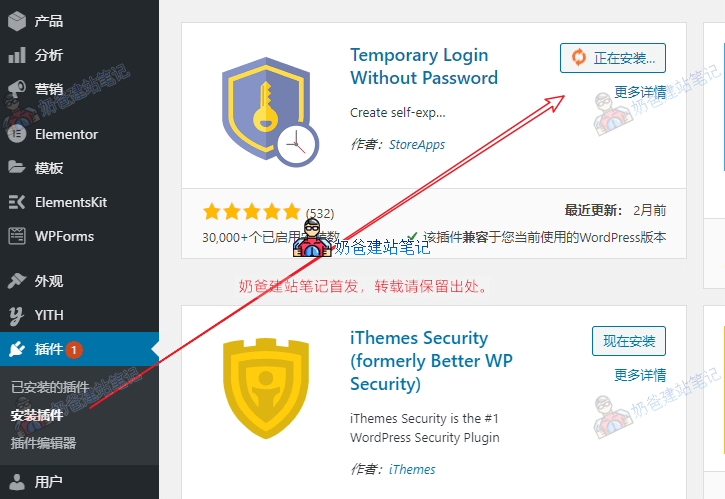
1. Install the plugin. You can download the installation package from the link above and upload it, or search for the plugin 'Temporary Login Without Password' directly in your admin dashboard to install it online.
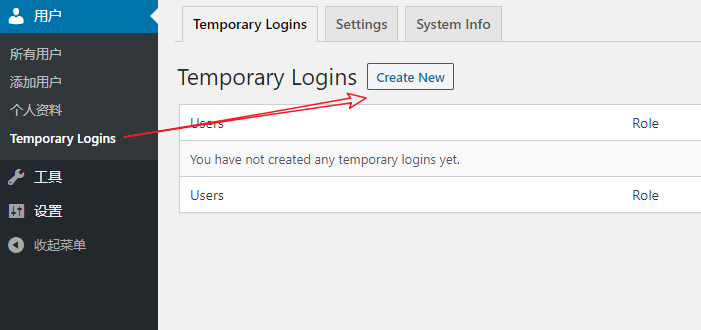
2. Activate the plugin, go to its settings page, and click the 'Create' button.
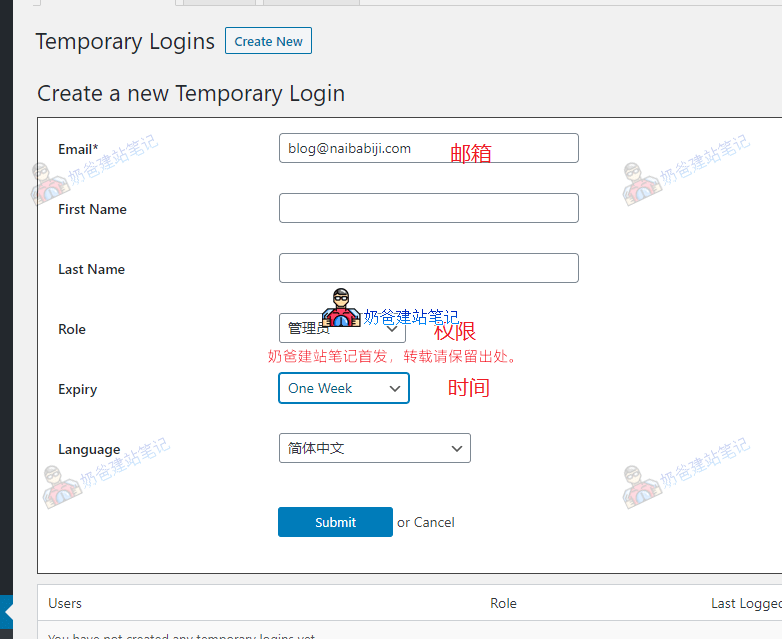
3. Fill in the email, permissions, and time, then click Submit.
Regarding the expiration time, many people have questions about how to choose. Actually, you can keep the default. When the technician you seek has finished the issue (usually a few minutes to a few hours), you can directly delete the plugin. You don't need to worry about the exact expiration time, unless you are in a hurry to go out and are afraid of forgetting to delete this temporary account and plugin, then you can choose an appropriate time.
4. Copy the link and send it to the developer who needs to access the admin dashboard.
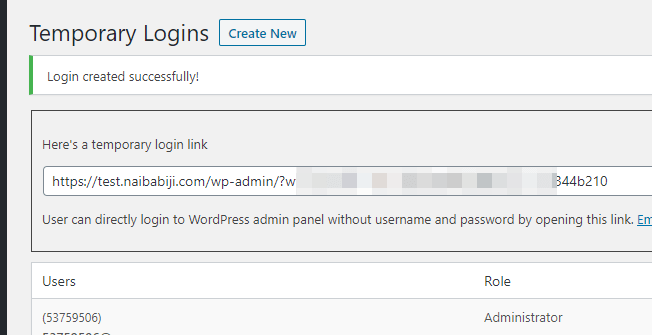
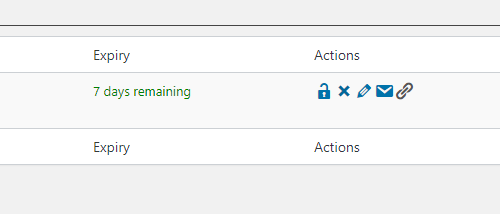
5. After the developer has finished, you can delete or lock the account. If you no longer need it, you can also directly delete the plugin.