
Everyone makes mistakes. Naiba has taken many detours and stepped on many pitfalls over the years of building websites. This article summarizes 7 mistakes to avoid when building your own website.
If you don't have a website yet, you can first checkSteps to Build Your Own Website, or followWordPress Installation Tutorialto set up your own website.
Now let's take a look at the 7 common mistakes beginners often encounter when building their own websites.
1. SEO Mistake: Not Providing a Sitemap
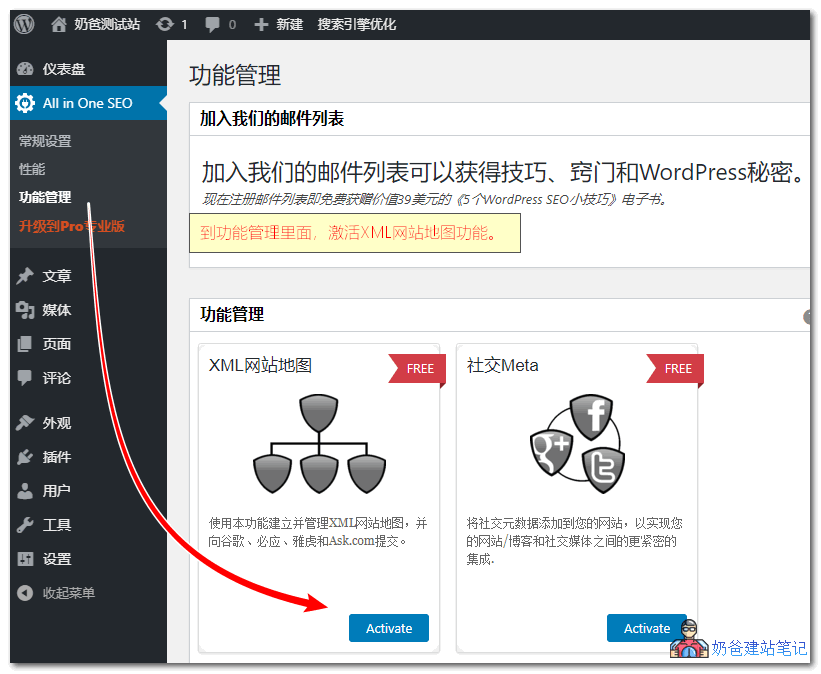
A sitemap is one of the most important tools to help search engines understand your website's structure, but many beginners may not know that sitemaps can improvewebsite SEO optimizationeffectiveness.
If you don't know what a sitemap is or how to add it, please refer to:Several Methods for Generating Sitemaps in WordPress_Recommended sitemap plugins
2. Keeping Unnecessary Plugins
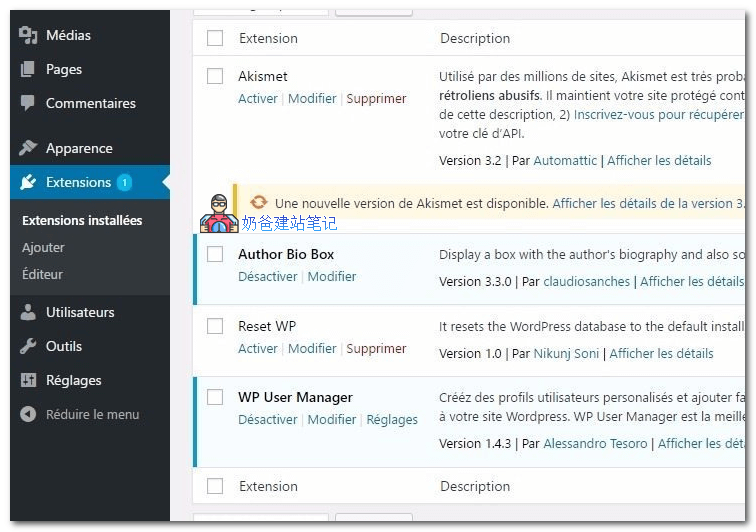
Many people disable unnecessary plugins but keep them on the server.
In fact, this is not safe.
Disabling a plugin does not mean it poses no risk when left on your server. Some plugins may have vulnerabilities that can be exploited by hackers.
Additionally, too many plugins increase the resource usage of your website server. WordPress needs to determine which plugins are enabled or disabled, and check for plugin version updates, which indirectly affects the loading speed of your website backend.
So the correct approach is to delete plugins you don't need, and reinstall them when necessary.
3. Forgetting Manual Backups
Although Naiba has repeatedly reminded everyone in articles that websites need regular backups and has sharedPrevent Data Loss: 10 Excellent WordPress Backup Plugins Recommended, but recently Naiba found that the database backed up with a plugin had garbled characters, indicating a bug in the backup plugin.
Therefore, it is very necessary to manually back up your website data from time to time, and you cannot fully trust automation.
4. Not Checking the Functionality of Contact Forms
The contact form feature is almost an essential function forForeign Trade Independent WebsitesAn essential feature, but many webmasters, after setting up WordPress and configuring the contact form, do not test whether the function works.
The sending function of some servers may be disabled. If you don't check it yourself, you may lose customers.
It is recommended to use theContact Form Local Save Pluginto record contact form data, providing double insurance.
5. Using Outdated Versions of WordPress
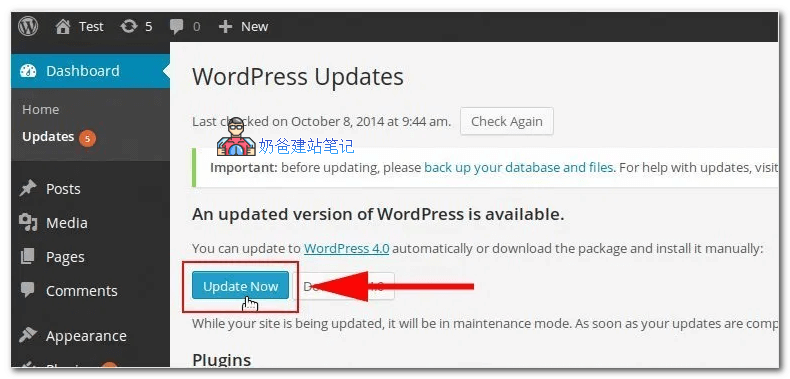
Because some foreign trade users purchase virtual hosts with relatively low PHP versions that cannot upgrade to the new version of WordPress, they simply choose not to update.
WordPress version updates usually include not only new features but also bug fixes for older versions. Not fixing vulnerabilities greatly reduces website security.
This is why you often see corporate websites being hacked.
Of course, if you are using a domestic server, automatic WordPress version updates may fail, so you need to chooseManual WordPress Version Update.
6. Not Updating WordPress Themes and Plugins Promptly
Similar to WordPress versions, if there are updates for WP themes and plugins, you should also choose to update them. WordPress announces vulnerabilities in some plugins every month. If you happen to be using one and haven't updated it, think about the risks.
7. Directly Modifying Themes and Plugins
Some beginners follow online tutorials to modify theme and plugin code without backing up beforehand, leading to modification errors that cause the website to crash or display a blank page.
So always develop the habit of backing up before modifying themes and plugins.
If you also want to do SEO optimization and promotion, please continue reading:Ultimate WordPress SEO Optimization Tutorial