
When using the Elementor page builder to edit a page, it prompts:Sorry, the content area was not found on the page. The the_content function must be called in the current template for Elementor to work on this page. How to solve this problem? Naiba tells you.

First of all, if you have installed a paid WordPress theme or a WordPress theme downloaded from a legitimate website, then usually the problem is not really caused by the theme code missing the the_content function.
The possible reasons for this problem are as follows:
- Cache issue, thoroughly clear browser and website cache;
- Plugin compatibility issue, deactivate all plugins except Elementor and try again;
- PermalinkNot set.
Of course, this is not the most direct way to solve this problem. To solve this problem quickly, you just need to go back to the page and set the page template file, as shown in the figure below:
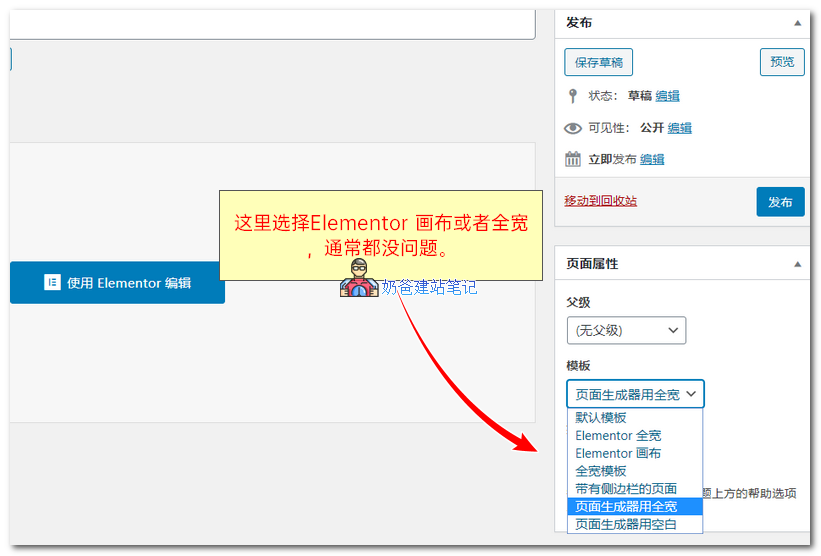
Advanced themes will create a separate template for the builder. If the theme does not have a separate template file, then select Elementor Canvas or Full Width.
Reference: https://docs.elementor.com/article/56-content-area-not-found