Home WP Plugins Standard Post

Standard Post

Plugin for Creating Multi-Column Lists: Lazy Lists

When writing articles, we often use lists. Sometimes, if we want a multi-column list, the default editor's list function cannot meet our needs. So here we recommend this Lazy Lists plugin, which supports list sorting and multi-column display. The default single-column list display effect is as follows: After switching to multi-column display, the effect is as follows: Obviously, in long lists...
Posted on February 12, 2020 About 1 minute read
可以创建多列列表的插件:Lazy Lists

When writing articles, we often use lists. Sometimes, if we want a multi-column list, the default editor's list function cannot meet our needs. So here we recommend this Lazy Lists plugin, which supports list sorting and multi-column display.

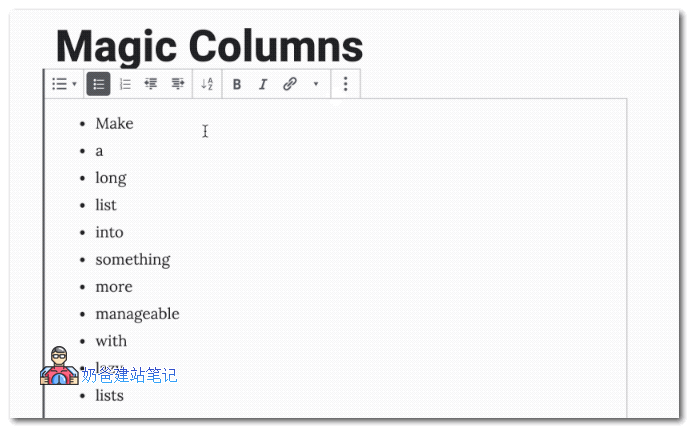
The default single-column list display effect is as follows:

单列列表

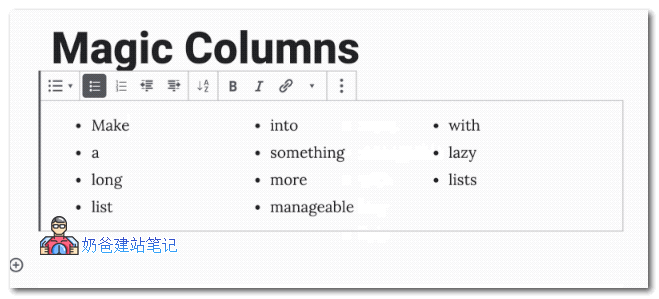
After switching to multi-column display, the effect is as follows:

Lazy Lists多列列表

Obviously, in the case of long lists, displaying in multiple columns is better for the web page interface.

This Lazy Lists plugin can help you achieve that.

Download Link

In addition to multiple columns, it also supports A-Z sorting, with a maximum of 5 columns.

Lazy Lists is a plugin for the Gutenberg editor; it does not support the classic editor.

Rate this article post
Previous Using Google Search Console to Monitor Website Review Snippet Rating Data Continue reading content around the same timeline. Next Prevent Data Loss: 10 Excellent WordPress Backup Plugins Recommended View the next related tutorial or experience.

AI Website Building Assistant

🤖
Hello! I am the Naibabiji AI Assistant. How can I help you?
Quick Consultation: