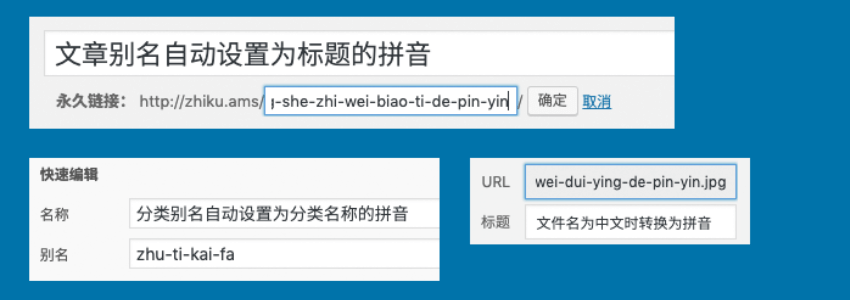
Some new website owners may encounter a problem after building a website with WordPress. If you choose the „Post name“ format for WordPress permalinks, the published articles will appear as „URL + Chinese“, which is a long string and affects aesthetics. (Related article:WordPress Best Permalink Settings_Which Permalink Type is Better )
Similarly, category and TAG tag pages will be in Chinese name form, with very long and messy URLs.
There are two ways to solve the problem of Chinese article URLs. The first method is to manually modify the article slug to English or pinyin when writing the article. The other method is to let WordPress automatically convert the article slug to English or pinyin.
The recommended plugin here is Wenprise Pinyin Slug
Wenrise Pinyin Slug Introduction
Automatically converts Chinese post slugs, category item slugs, and image file names in WordPress to Hanyu Pinyin or English translation.
Main Features of the Plugin
- Converts post slugs to pinyin or English translation, supports conversion during quick edit.
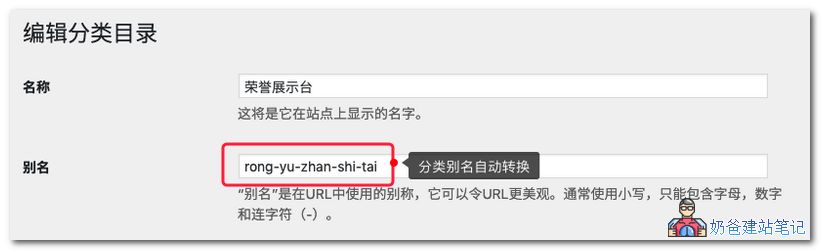
- Converts category, tag, or custom taxonomy slugs to pinyin or English translation, supports conversion during quick edit.
- When the slug is in English, or a Chinese slug is manually set, it remains unchanged.
- Optional conversion of Chinese image names to pinyin or English translation.
- Supports custom conversion method as full pinyin or first letter only.
- Supports setting the separator character between pinyin.
- Supports truncating the converted pinyin or English translation to a set length.
- Supports Gutenberg editor.
- If there is a mix of Chinese and English, the English part is retained, and only the Chinese part is converted.
Why is this plugin needed?
When Chinese appears in the URL, the Chinese part will be automatically encoded, which looks like garbled code to those who don't know, lacking readability. Although some browsers can display Chinese in the address bar, when copying and sharing with others, the Chinese part of the URL is also displayed as encoded code.
Different operating system environments and FTP transfer tools use different file name encodings. When migrating servers, if the file name encoding changes, Chinese file names may become garbled, causing files to be inaccessible.
In what situations should this plugin be used?
If your site is for clients, it is recommended to use this plugin, because they are likely not aware of the problems of using Chinese in URLs and file names. This plugin can automatically handle it for them.
If the site is for your own use and you are a careful person, you will manually edit slugs and file names when publishing content. This plugin is redundant for you and does not need to be installed.
Plugin Screenshot Demo