
Home WP Plugins Standard Post

Standard Post

How to Add a Call Function to a WordPress Website

If you have built a marketing website, you will definitely want to add a call button for customers. So how to add a call button to a WordPress website? Naiba recommends a simple WordPress plugin: Call Now Button. The use of Call Now Button...

Updated on November 1, 2019 About 1 minute read
如何给WordPress网站添加拨打电话的功能

If you have built a marketing-type website, you will surely want to leave a call function button for customers. So, how do you add a call function button to a WordPress website? Naiba here recommends a simpleWordPress Plugin: Call Now Button

Call Now Button is very easy to use. After installing and activating the plugin, enter the phone number and button text. When accessed via mobile, a call button will appear. Clicking the button will automatically invoke the phone's dialing function.
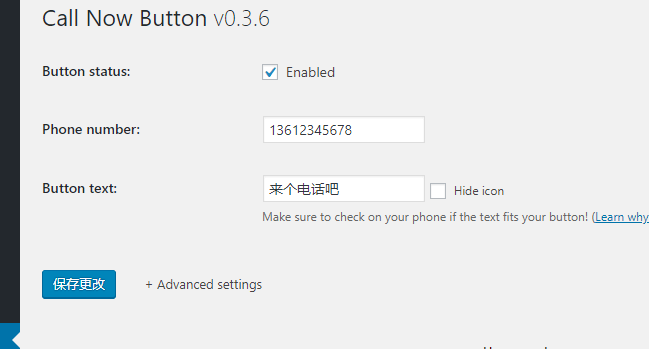

Call Now Button拨打电话按钮

拨打电话按钮


Of course, you can also configure advanced features, such as choosing button color, button position, whether to track button clicks, exclude certain pages, etc.

If needed, you can search for Call Now Button in the WordPress backend and install it, or download it from the link below and upload it.

Download Link

3/5 - (2 votes)
Previous How to Build a Website with the Avada Theme? WordPress Avada Theme Usage Tutorial Continue reading content around the same timeline. Next How to Indent the First Line of Paragraphs by Two Spaces in WordPress Articles View the next related tutorial or experience.

AI Website Building Assistant

🤖
Hello! I am the Naibabiji AI Assistant. How can I help you?
Quick Consultation: