
How to switch WordPress from English to Chinese?In some of the tutorials previously published by NaibaHow to Build a WebsiteIn the tutorial, it was recommended to download the installation package from https://cn.wordpress.org/latest-zh_CN.zip. Then during installation, you will see a language selection option, and you can directly install the Chinese version.
But if you download the installation package from https://wordpress.org/latest.zip, then only the English version is available by default, and there is no option to switch to Chinese.
Below is the method for switching WordPress from the English version to the Chinese version.
1. Via FTP, SSH, or Baota Panel backend, find the wp-config.php file and edit it.
Then add the following code above the line /* That's all, stop editing! Happy publishing. */
define( 'WPLANG', 'zh_CN');
Then save.
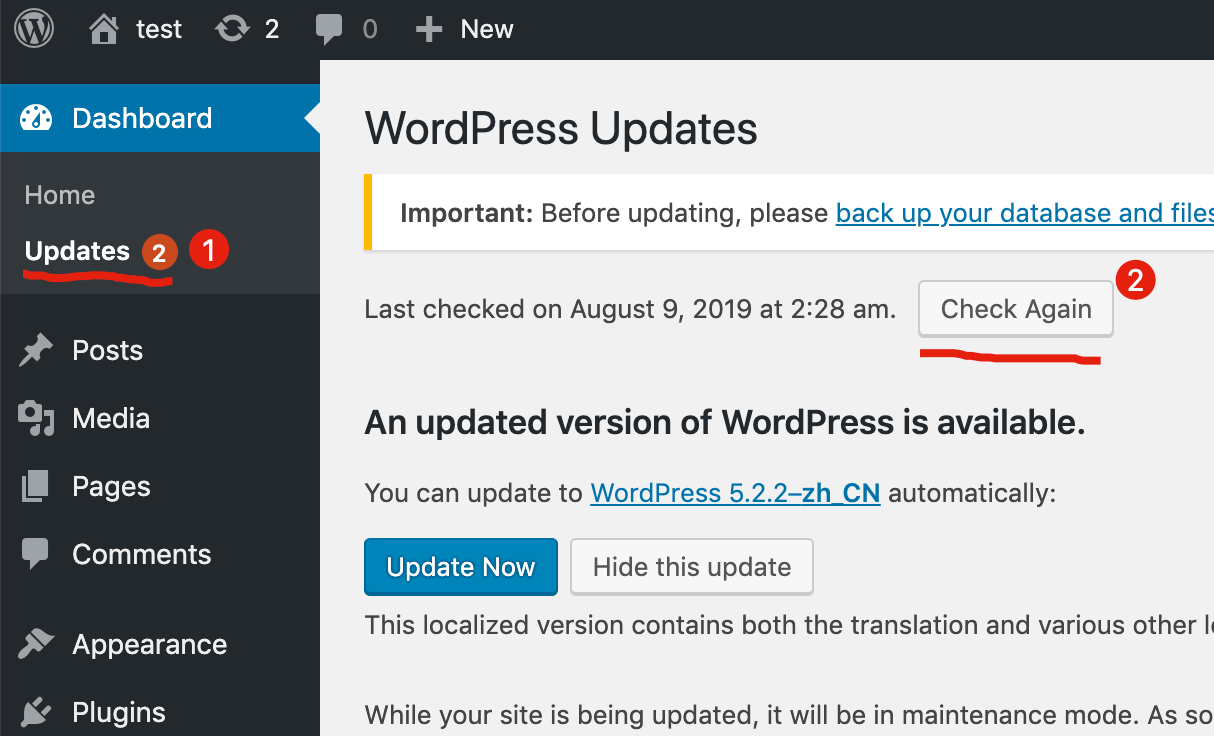
2. Go to the WordPress admin dashboard, under Updates, click Check Again, and it will detect available updates.
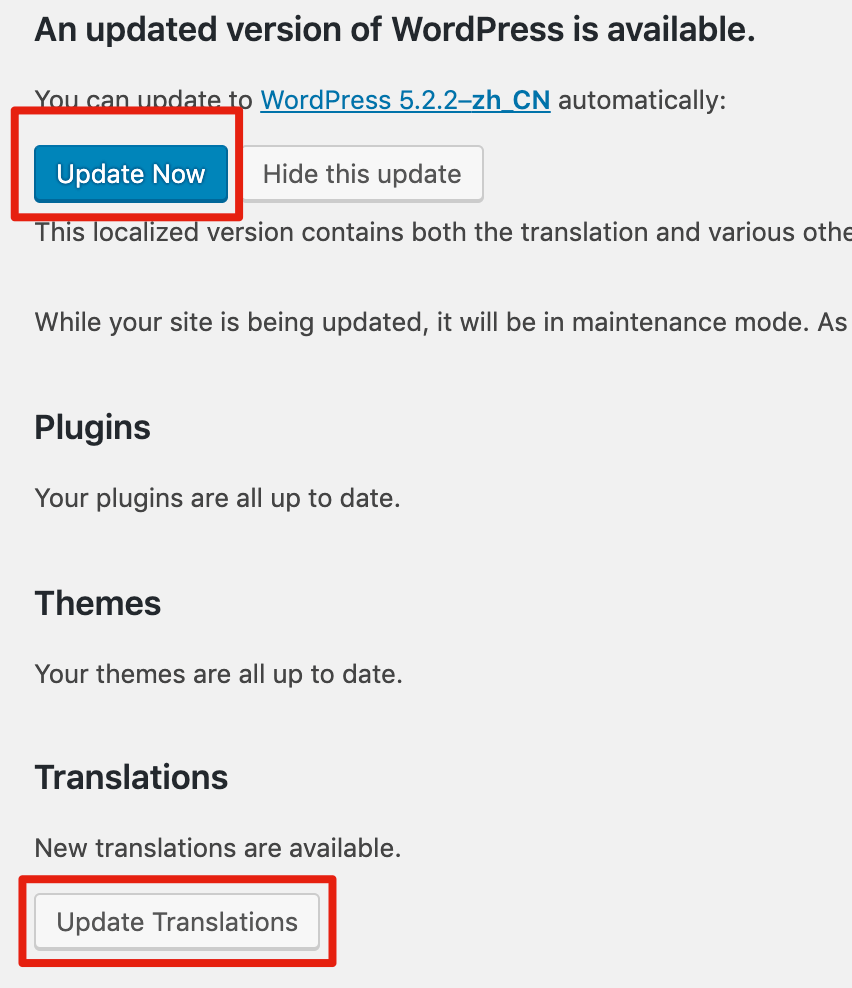
3. On the update interface, you can switch from the English version to the Chinese version by selecting either Update Now to update the version or Update Translations to update the translations.
At this point, we have successfully switched WordPress from the English version to the Chinese version.