Recently, accessing the wordpress.org website at night seems to be unstable. Yesterday, while updatingWordPress Pluginwhen updating, the update failed, causing the website to not open properly.
When encountering a situation where the website cannot open after a failed upgrade, you only need to delete the .maintenance file.
Naiba uses Xftp 6, but by default it does not display the .maintenance file because on Linux, this file is hidden. You need to configure the software to display it.
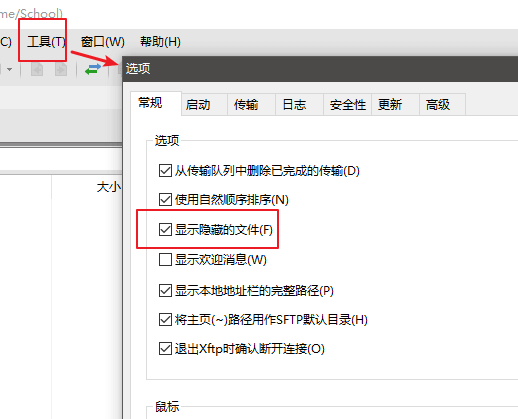
How to set Xftp 6 to show hidden files:
Click on [Tools] in the top menu bar, then select [Options], check [Show hidden files], and confirm.