
We often encounter new users who purchase Elementor Pro authorization from Naiba but don't know their WordPress website's login credentials. Therefore, this article is specifically written to explain.
First, if you are a beginner, you can read the previously introduced article „WordPress Admin Dashboard Interface" to understand the basics of the WordPress backend.
Typically, users who cannot find their WordPress website login credentials are those who useSiteGroundorHostingeAfter one-click installation of a WordPress website on this type of server, you can log in to the WordPress admin dashboard with one click from the website backend in the server management panel.
How to find your WordPress login credentials?
Here,we assume you have already accessed your website backend from the server panel (e.g., SiteGround or Hostinger), meaning you can see the interface shown in the image below.
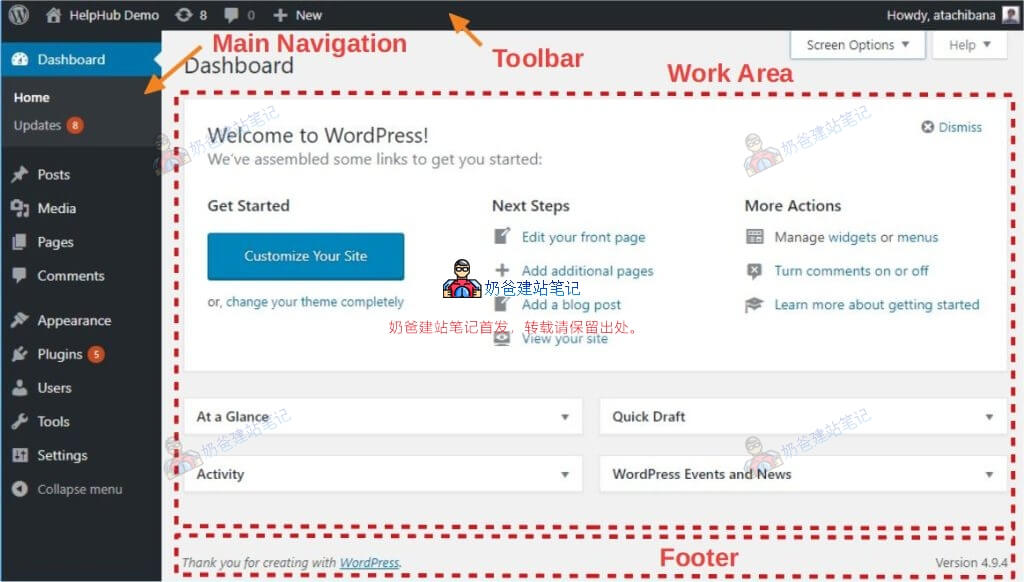
At this point, simply click on your username in the top right corner of the webpage to enter the user information interface.
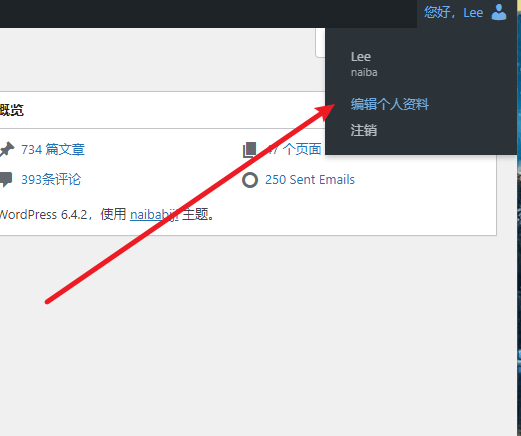
After entering the profile interface, you can see your username and the section to set a new password for the account.
After setting the new password, click the update button at the bottom of the page. You can then use the username and new password to log in to the website backend fromyour-website/wp-adminthis location, without needing to access the server panel each time.
How to recover the WordPress administrator account and password?
If you have forgotten your WordPress website account, you can usually try logging in with your commonly used email. If prompted that the password is incorrect, it proves that email exists, and you just need to find the corresponding password.
To recover the WordPress administrator password, please refer to the following:
WordPress Password Forgotten_Three Methods to Recover Administrator Password