Some friends, after purchasing SiteGround services following the SiteGround tutorial, need to contact customer service for help in certain situations but can't find the SiteGround customer service portal. So, Naiba introduces it here.
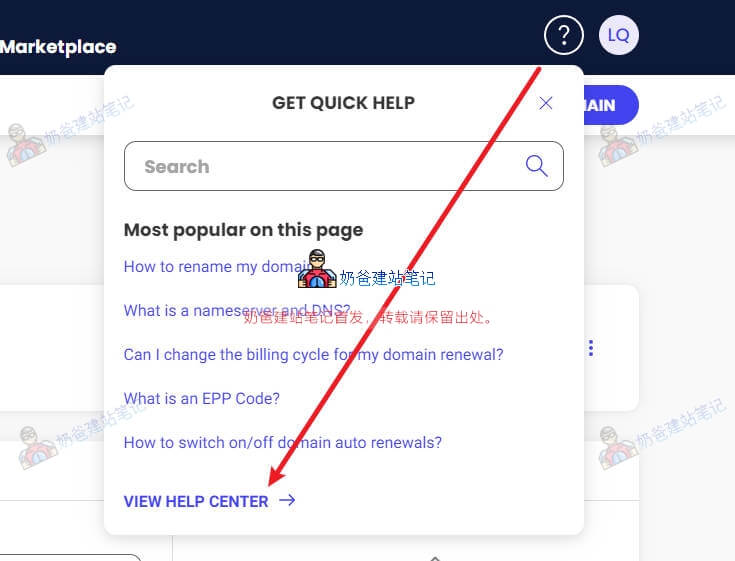
First, after logging into the SiteGround backend, click the question mark in the upper right corner. Then click to enter the Help Center. (If you cannot log in after registration, you canclick here)
After entering the Help Center, click CONTACT US in the upper right corner.
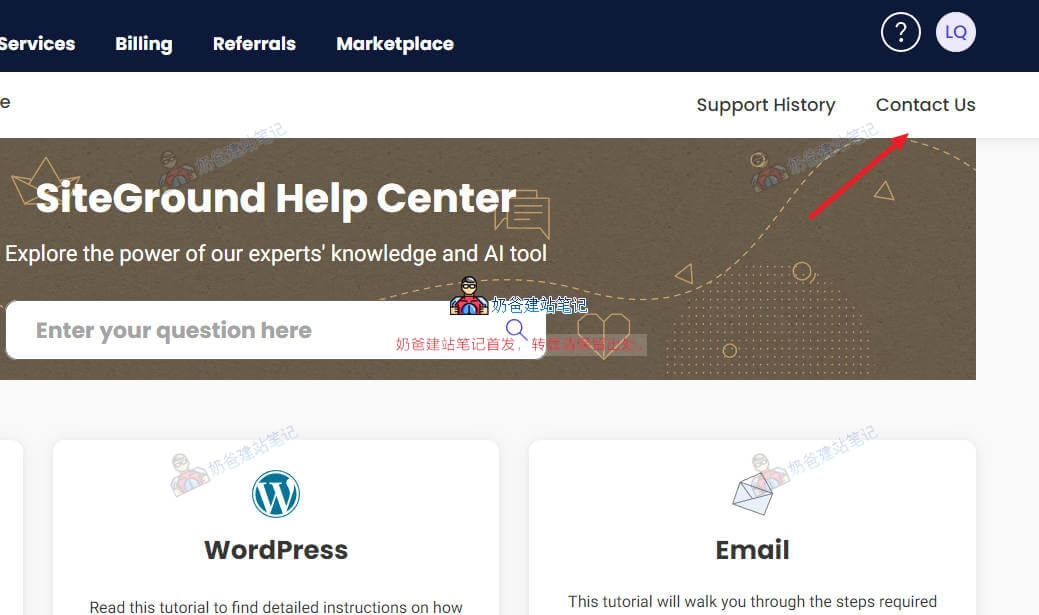
Then some options will appear, asking you to choose the problem you encountered.
For example, when Naiba wrote this tutorial, I wanted to ask customer service if a domain purchased on SiteGround could be refunded to buy another one because I bought the wrong one. So we select the content under Domain.
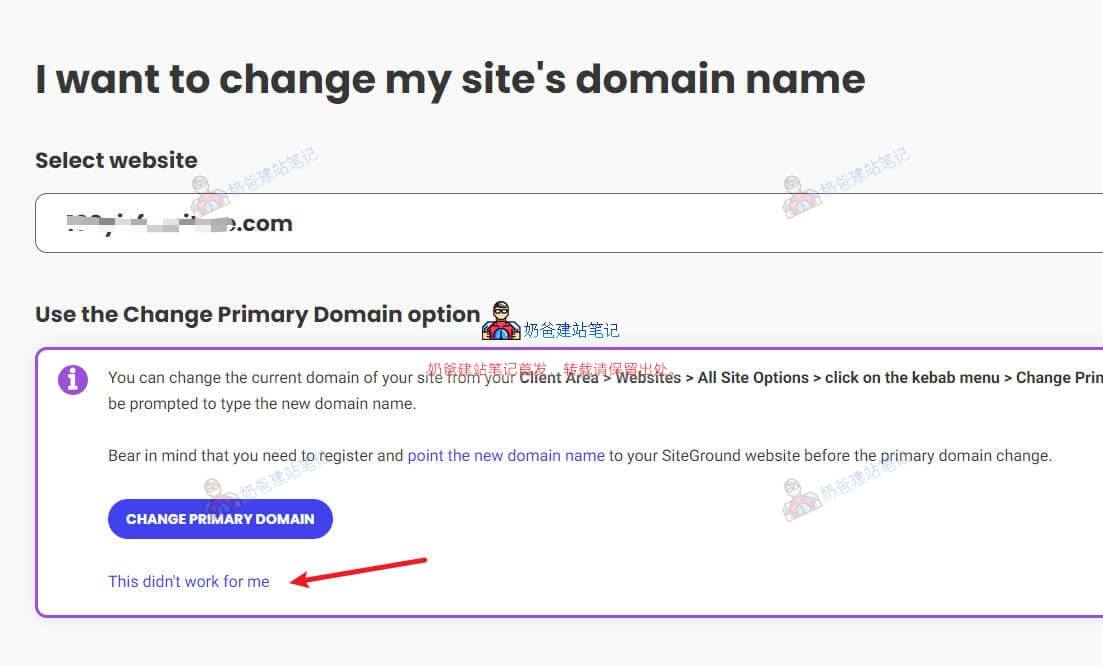
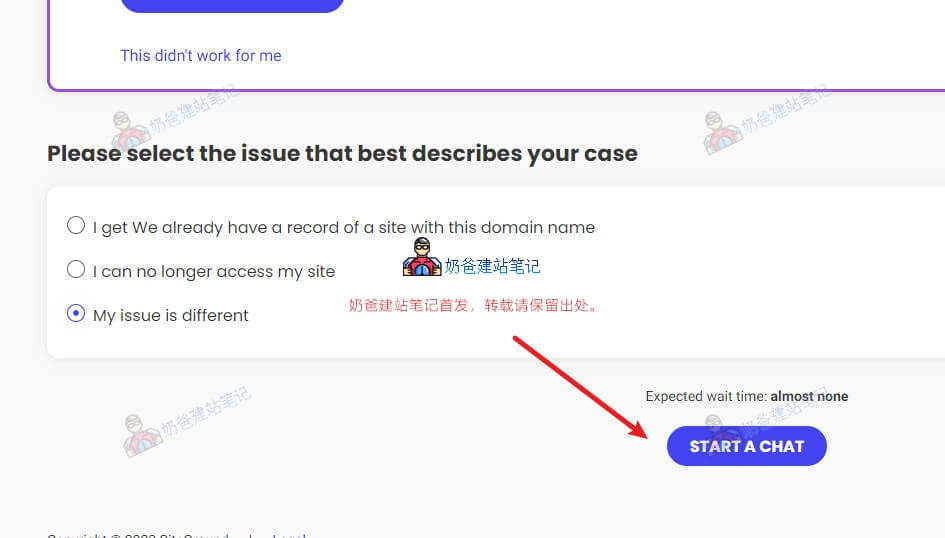
The problem options that appear will give you some hints. Follow the operations; if they solve your problem, then you don't need to contact customer service.
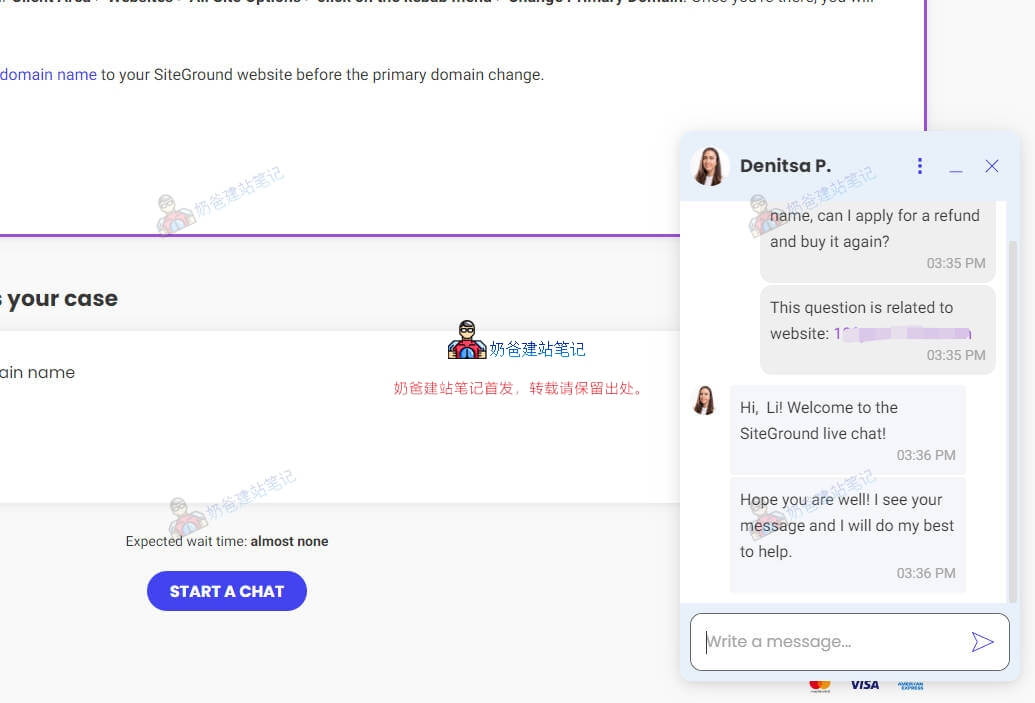
If it is not resolved, continue to select "This didn’t work for me", then select "My issue is different", click "START A CHAT", and communicate directly with their online customer service.
Then, an online chat box will pop up in the lower right corner of the website; you can communicate directly in English.