🚀 Is building a website too difficult? Let me guide you step by step—Learn about the 「Naibabiji WordPress Website Building Coaching Service」 →

What to do if there is no homepage display option in the WordPress reading settings interface?

Normally, the default homepage of WordPress displays the latest blog posts. If we want to use WordPress as an official website, the homepage will be some fixed pages we designed ourselves. The conventional method is to enter WordPress settings, reading, and then select a specific homepage page.

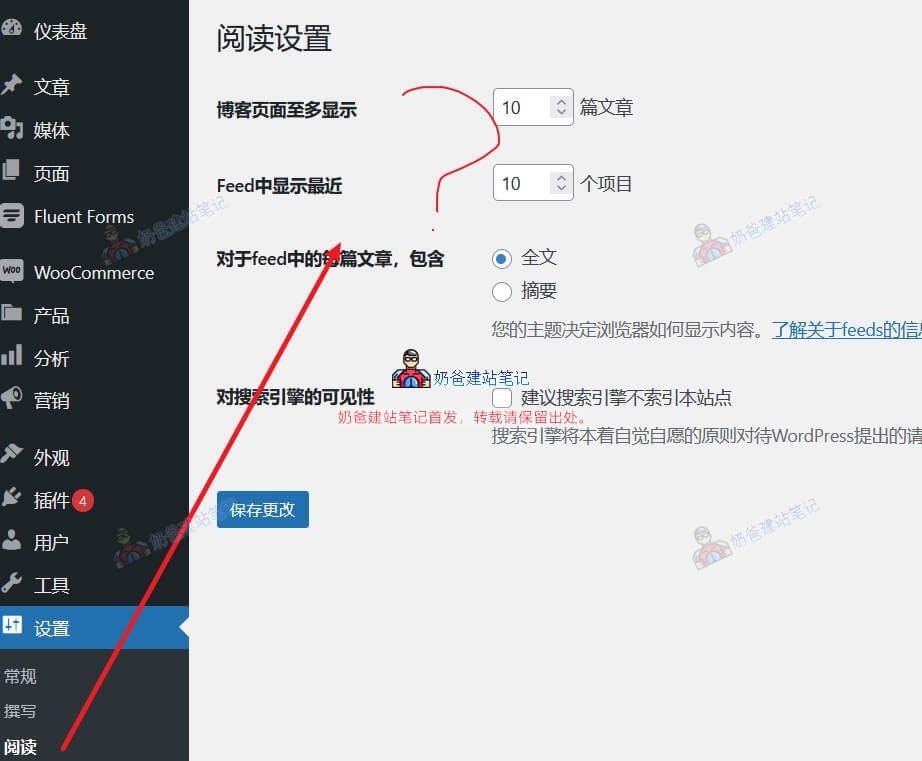
And if you cannot see the homepage display option in your website's settings, reading, for example, like the image below:

Settings, reading, cannot see the homepage option

The reason for this problem is that there are no usable pages in your website's Page section yet.

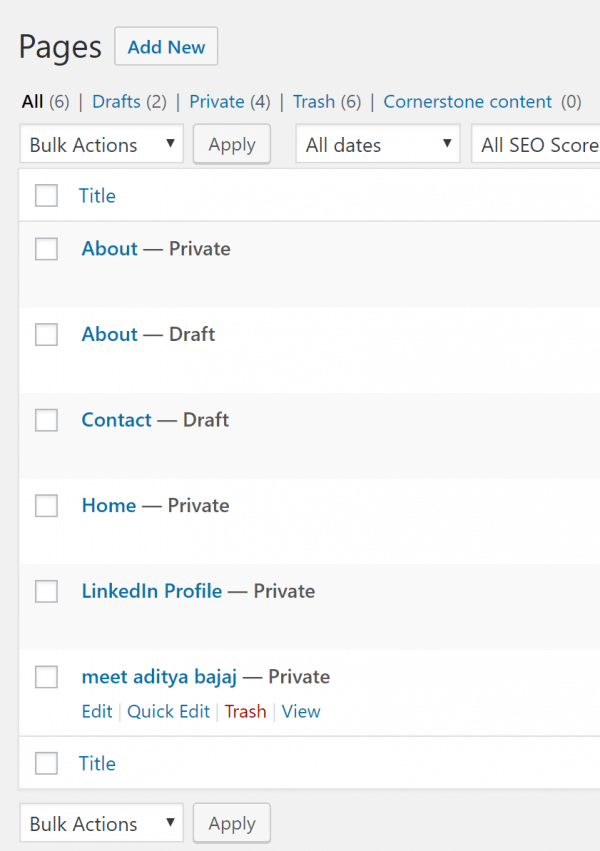
No public pages

Go to the pages section of your website's backend to check if no pages have been created yet, or if all created pages are in draft or private status.

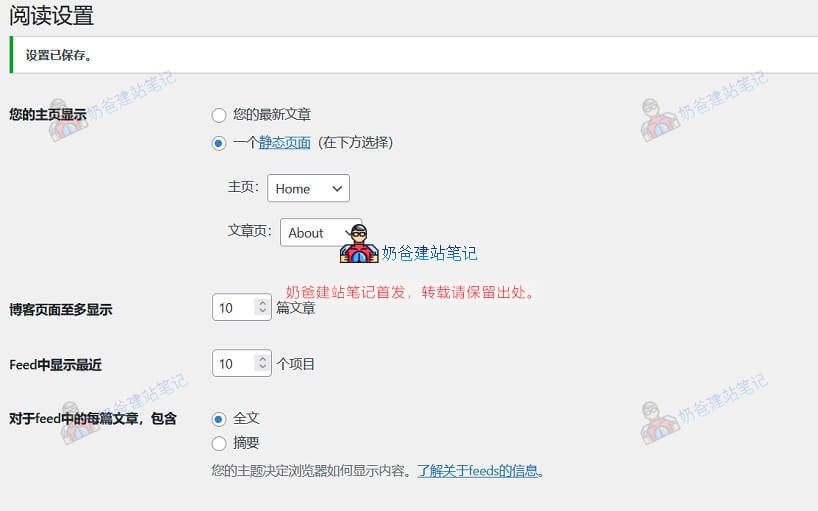
Just modify or create a publicly accessible page, and then you can see the homepage option back in the settings.

Set a static page as the homepage normally

🚀 Still feeling confused after reading the tutorial? Let me guide you step-by-step instead.

「Naibabiji WordPress Website Building Coaching」 — From selecting a domain and purchasing hosting to installing themes and publishing posts, I「ll guide you through every step, helping you avoid detours and reach your goals directly.

👉 Learn about Website Building Coaching Service
🔒

Comments are closed

The comment function for this article is closed. If you have any questions, please feel free to contact us through other channels.

×
二维码

Scan to Follow