WordPress is a very popular open-source content management system that helps you easily create and manage websites. Before using WordPress, we need to understand some basic concepts and terminology to better comprehend and use WordPress.
What is a Content Management System?
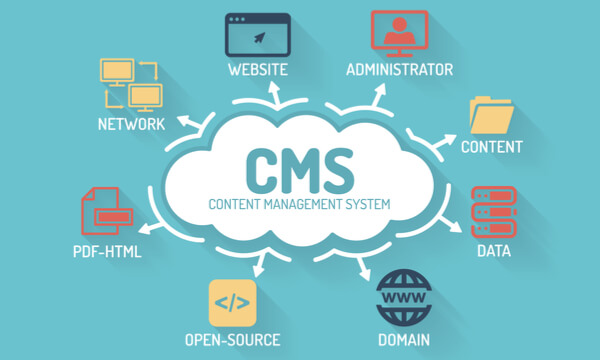
A Content Management System (CMS) is a software application used to create, edit, publish, and manage digital content. It helps users easily create and manage various types of websites such as websites, blogs, forums, e-commerce platforms, and more.
A content management system typically includes a backend management interface through which users can manage and maintain the website. The backend management interface usually includes various management functions such as Posts, Pages, Categories, Tags, Users, Plugins, Themes, etc. Users can use these functions to create and manage the website's content, layout, features, and more.
The advantages of a content management system include:
Easy to use: Content management systems typically have a simple and user-friendly interface and operation method, allowing even users without programming experience to easily create and manage websites.
Extensibility: Content management systems usually support extensions via Plugins and Themes. Users can add different Plugins and Themes as needed to achieve more features and characteristics.
Multi-user support: Content management systems typically support multiple users, allowing the assignment of different permissions and roles to enable multi-person collaboration and management.
SEO-friendly: Content management systems usually have good SEO optimization features that can help websites achieve better search engine rankings.
In summary, a content management system is a very convenient and practical tool that can help users easily create and manage websites, realizing their website dreams.
Posts
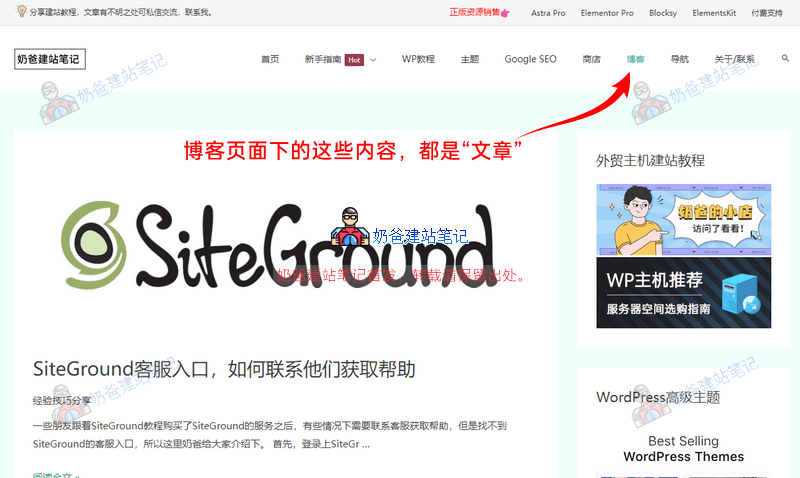
Posts are the most basic content type in WordPress, used to publish various types of content such as news, blogs, tutorials, etc. Each Post has a title and body, and can include multimedia content like images, videos, and audio.
The News and Blog sections we often see on corporate websites are managed through Posts. For example,Naibabiji's blogAll the content linked below uses the Post functionality.
Pages
Pages are another common content type, typically used to create static pages such as Home, About Us, Contact Us, Service Introduction, etc. The difference between Pages and Posts is that Pages usually do not include metadata like timestamps and categories.
Categories
Categories are used to classify Posts, helping readers better browse and find related articles. For example, you can create a „News“ Category and classify all news-related Posts under it. When building corporate websites, Posts are often divided into „Company News“ and „Industry News.“ Categories help manage Posts more effectively, similar to grouping your WeChat contacts.
Tags
Tags are another way to classify Posts, typically used for more detailed categorization. For example, under the „News“ Category, you can create Tags like „Sports“ and „Entertainment“ to classify related Posts under the corresponding Tags.
Products
By default, WordPress does not include product functionality. We can use third-party Plugins, typically WooCommerce, to create and manage products. If you have a small number of products, you can also directly use Pages to create product pages. However, if the number is large, it is recommended to use WooCommerce to manage products. (WooCommerce is not only for selling goods; B2B websites can also use it.)
Breadcrumb Navigation
Breadcrumb navigation is a navigation method used to display the current page's position within the website structure. It is usually located at the top or bottom of the page and helps readers better understand the current page's location and the website's structure.
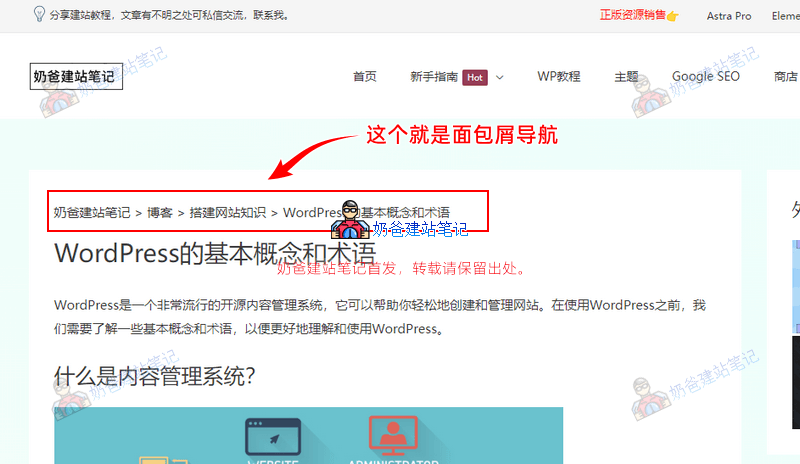
Breadcrumb navigation is not included in every Theme. Naibabiji usesAstra Theme, breadcrumb navigation is supported by default. If your Theme does not support it, you can also considerinstalling a separate breadcrumb Plugin to display it.。
Sidebar
The sidebar is an area located on the side of a website page, typically used to display recent Posts, Categories, Tags, advertisements, and other content. The sidebar can be customized as needed, adding or removing different Widgets.
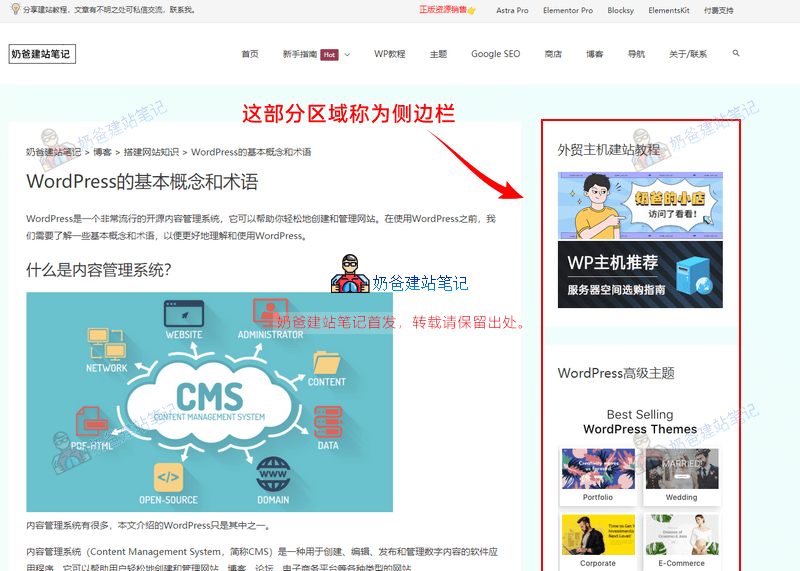
Not every Theme supports a sidebar, and not every Theme's sidebar is on the right. Some Themes have the sidebar on the left, and some Themes have sidebars on both the left and right.
Widgets
Widgets are Plugins used to add different content in areas like sidebars and footers. For example, the content in the screenshot box above is added via Widgets. Not every Theme supports Widgets.
Plugins
Plugins are tools used to extend WordPress functionality, helping you achieve more features and characteristics. For example, you can install an SEO Plugin to optimize your website's search engine ranking. Install WooCommerce to achieve product sales or management.
Note: Only one Plugin with the same function needs to be installed. Installing too many Plugins on a website will severely affect website speed.
Themes
A Theme is a template used to control a website's appearance and layout. WordPress provides many free and paid Themes. You can choose a Theme suitable for your website and perform custom settings.
Some Themes come with many designer-prebuilt templates. You can import them with one click and then modify them yourself. You can also use a page builder Plugin to design the website from scratch yourself.
Of course, there are also Themes written purely in code by programmers, but that type of Theme is not very friendly for beginners without programmer logistical support, as they cannot DIY the design themselves.
Users
Users are personnel used to manage a WordPress website. Each user has their own username and password. WordPress supports multiple users, and different permissions and roles can be assigned.
Page Builder
A WordPress page builder plugin is a tool used to create and edit website pages. It helps users easily create and edit website pages without writing code. Page builder plugins typically have a visual interface, allowing users to create and edit pages by dragging and dropping.
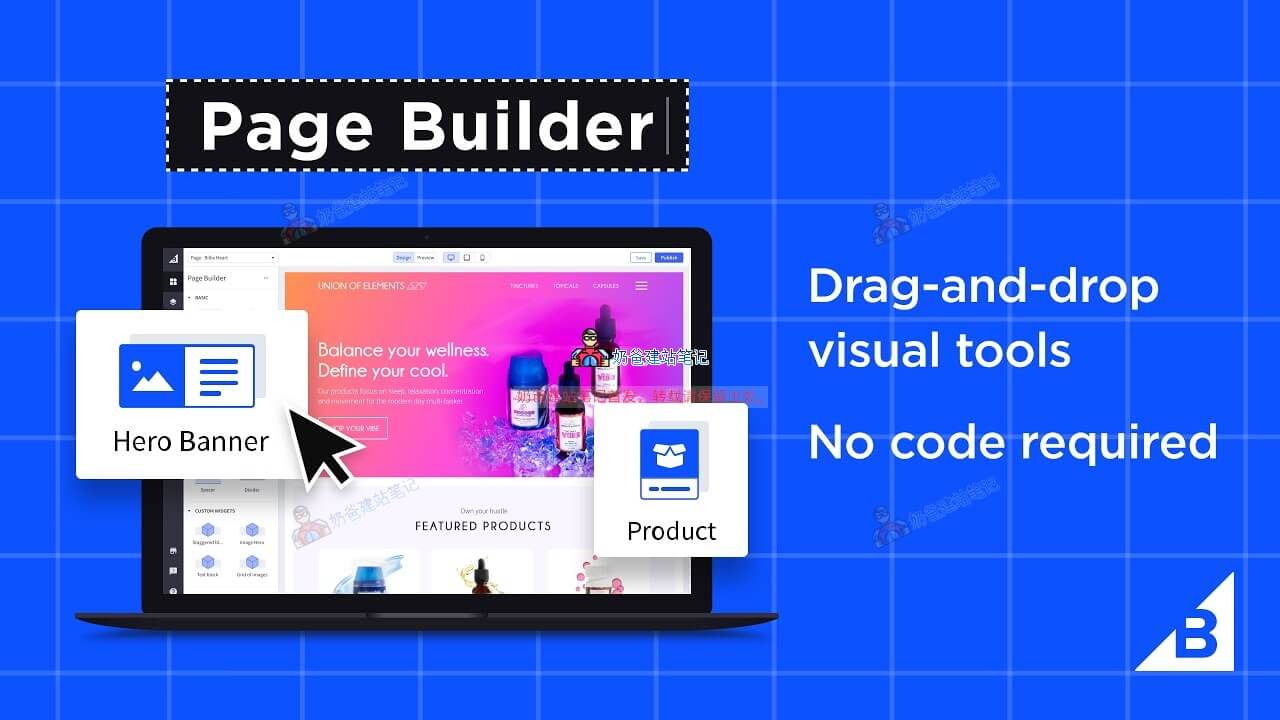
Currently common page builders include:Elementor, Beaver Builder, Divi Builder, WPBakery Page Builder, and Gutenberg, etc.
Among them, Elementor has the largest user base and is also the most convenient to use. The Gutenberg editor is now the default in WordPress and may surpass Elementor in many years, but it is not yet mature enough.
These are the basic concepts and terms of WordPress. Understanding these concepts and terms can help you better comprehend and use WordPress.