
By default, after WooCommerce is installed, the shopping cart button text is „加入购物车“ or „ADD TO CART“. Some foreign trade websites, in pursuit of personalization, want to modify this Add to Cart button text. The method is very simple; just add a piece of code to the theme„s functions file to solve it. The effect is as shown in the image below:
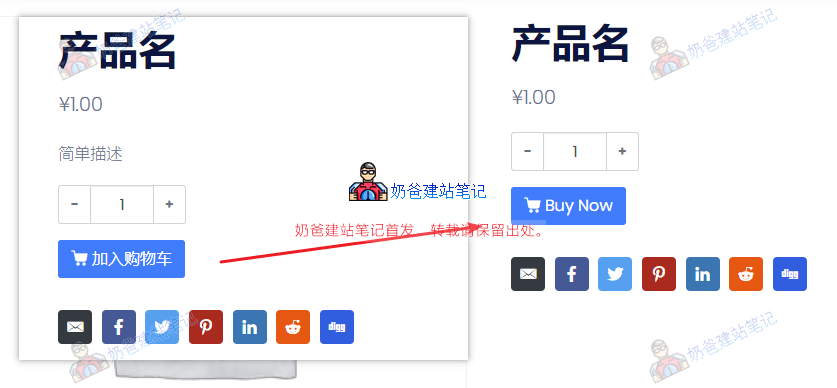
Implementation method: Copy the content below and add it to the theme's functions file.
// 修改单个产品页面的购物车按钮文字
// https://blog.naibabiji.com/woocommerce/change-add-to-cart-button-text.html
add_filter( 'woocommerce_product_single_add_to_cart_text', 'woocommerce_custom_single_add_to_cart_text' );
function woocommerce_custom_single_add_to_cart_text() {
    return __( 'Buy Now', 'woocommerce' );
}

// 修改产品归档页购物车按钮文字
add_filter( 'woocommerce_product_add_to_cart_text', 'woocommerce_custom_product_add_to_cart_text' );
function woocommerce_custom_product_add_to_cart_text() {
    return __( 'Buy Now', 'woocommerce' );
}
Modify "Buy Now" in the code above to whatever text you want.
If you want to add an inquiry button to WooCommerce, see the following two articles: