
Afterbuilding a corporate website using WordPressit's common to include contact information and a company map on the site. This article shares two methods for inserting a Baidu Map into a website.
Method One: Baidu Map Generator
1. Open the Baidu Map Generator webpage.
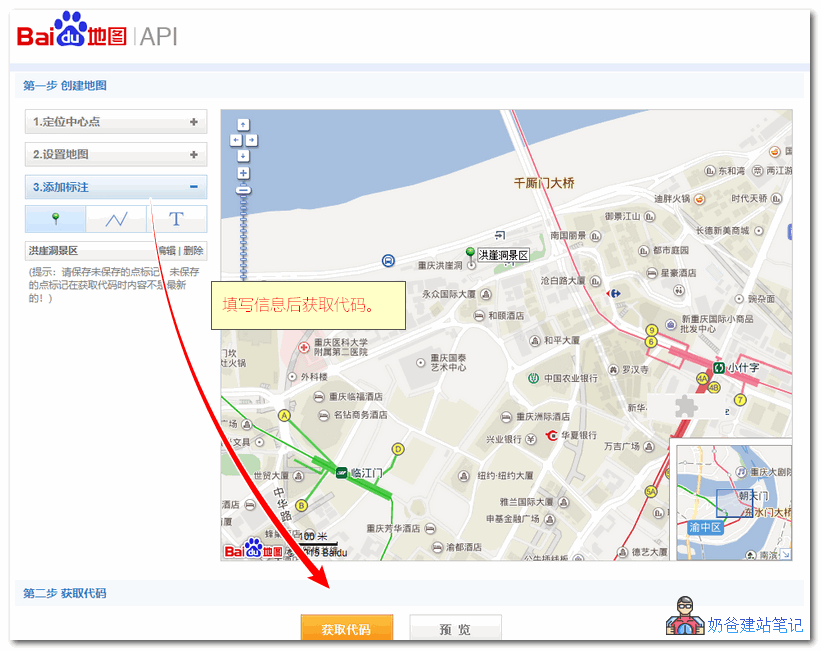
2. Fill in the necessary information on the left, locate the position you want to display on the map, and click the 'Get Code' button.
3. Copy the obtained map code and save it as an HTML file, for example, baidumap.html
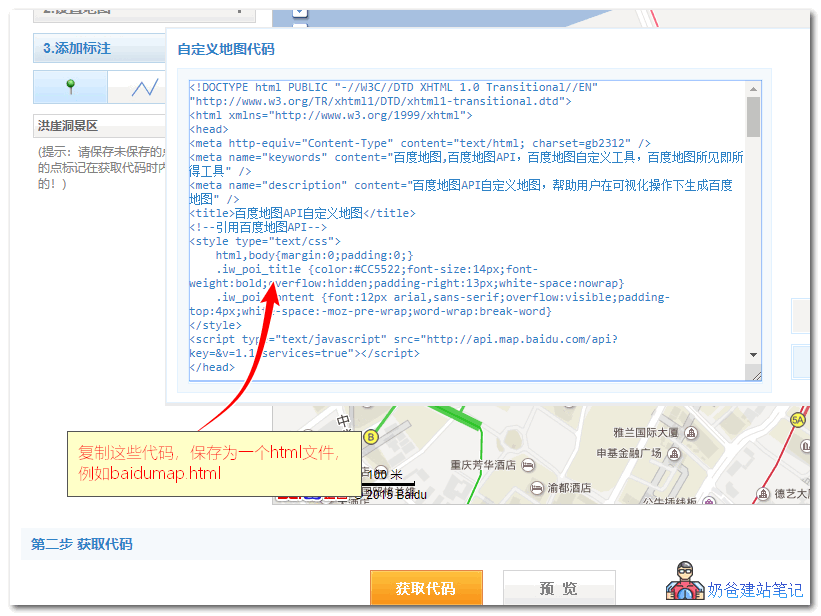
4. Upload the baidumap.html file to your website's root directory or another folder.
5. Insert the following code where you want to call the Baidu map on your webpage, and reference it.
<iframe src="baidumap.html" width="600" height="600" frameborder="0" scrolling="no"></iframe>
Method 2: Generate using the plugin API
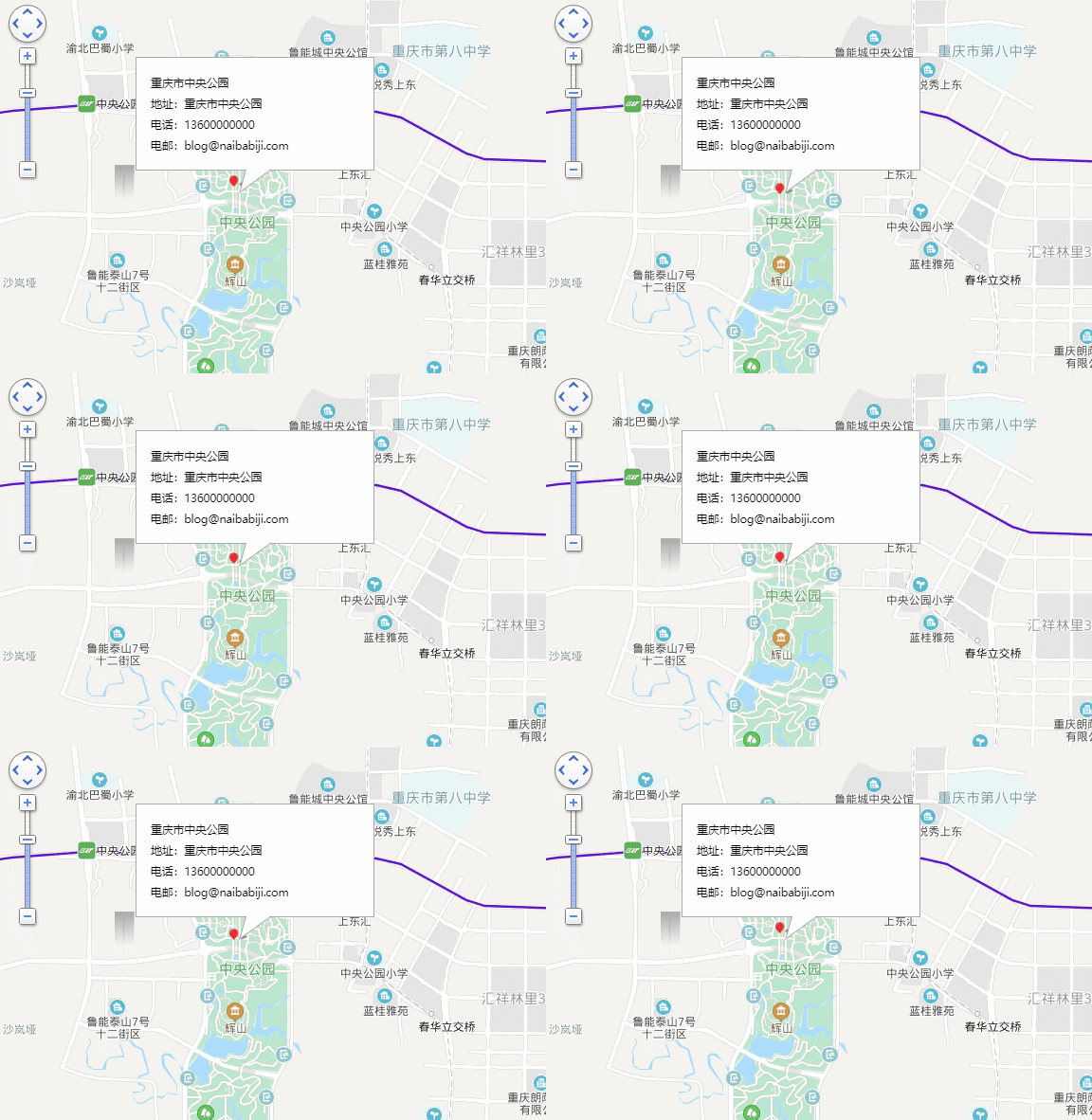
The display effect is as follows:
1. Install the WordPress Baidu Map plugin
Group 774633089 Shared Files > WordPress Plugins > CJ11.baidumap.zip
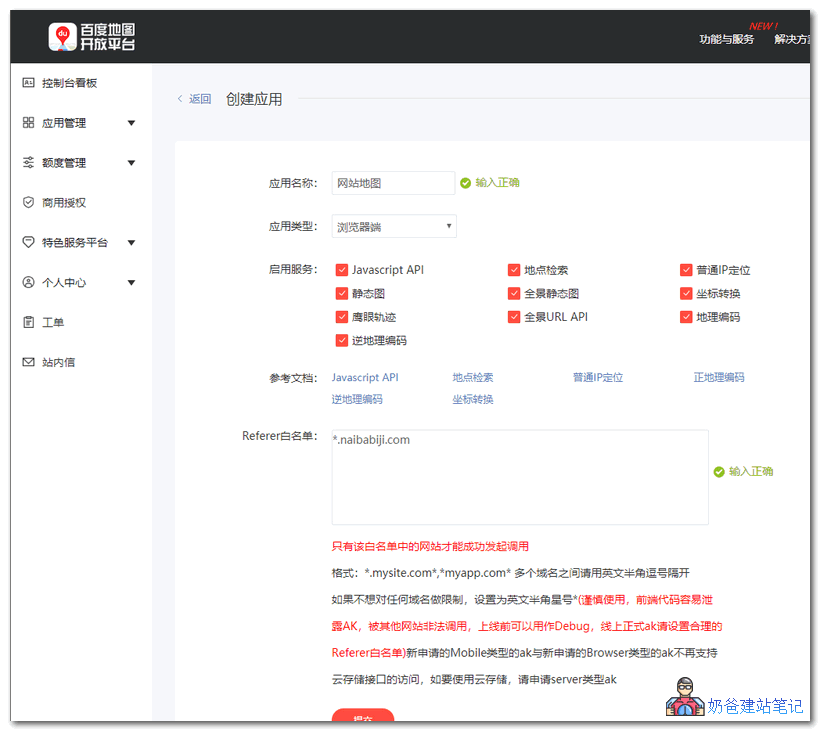
2. InBaidu Map Open Platformcreate an application, as shown below:
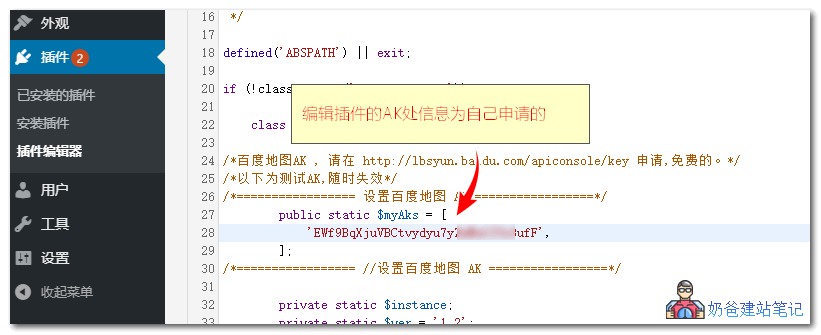
3. Modify the built-in AK information in the plugin to the one you applied for.
4. When publishing a post, click the map button to insert the map, as follows:
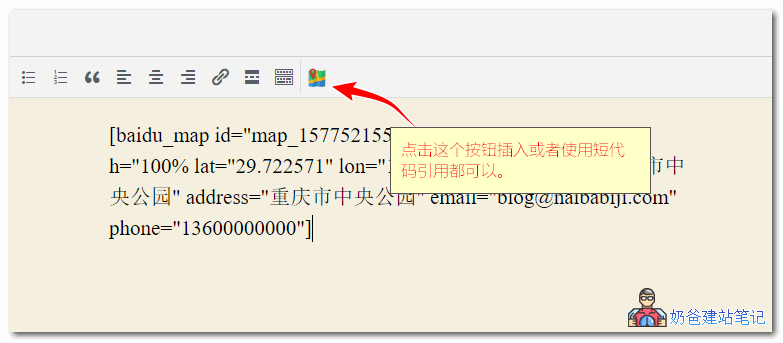
When inserting a Baidu Map, you also need to fill in latitude and longitude coordinates, which you canget from here。
Alright, these are the two methods to insert Baidu map location information on your website. If you have any questions, feel free to join the group for discussion.