
Widgets are a very commonly used feature in WordPress, which can conveniently add content to the sidebar or footer of a website. This article will introduce how to add widgets in WordPress.
Yesterday, a foreign trade user added Naiba on WeChat to ask how to add an inquiry window to their website. After detailed communication, we found that her actual need was to add a Contact Form 7 widget at the bottom of the website.
Therefore,This article uses the example of adding a contact form widget to the website to explain how to use WordPress widgets.
Understanding Widgets
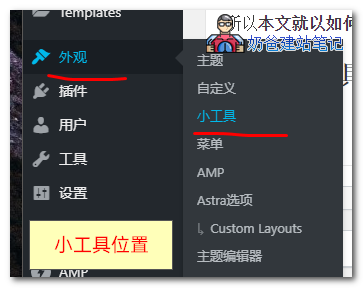
Widgets are located under the Appearance menu, in English it is Appearance – Widgets
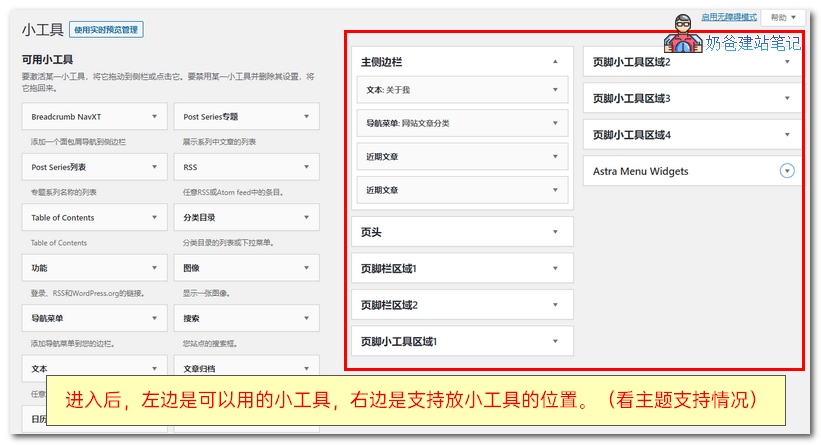
After entering the Widgets interface, the left side shows the widgets available for your theme, and the right side shows the positions where your theme supports using widgets.
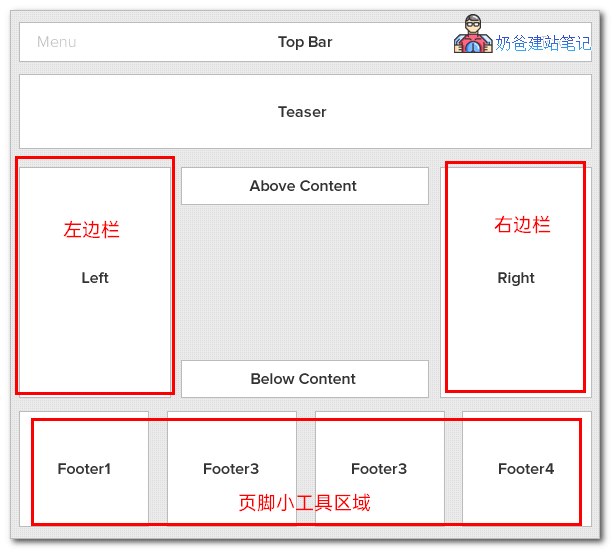
Most themes support widgets in the sidebar and footer, but this depends on the actual situation of the theme you are using; not all themes support widgets.
Using Widgets
After understanding widgets, Naiba will teach you how to use them. Here we take adding a Contact Form 7 contact form widget to the footer area of the website as an example.
For installation and usage of Contact Form 7, seethe previous article, which will not be introduced here.
After installing Contact Form 7, go to the Widgets screen.
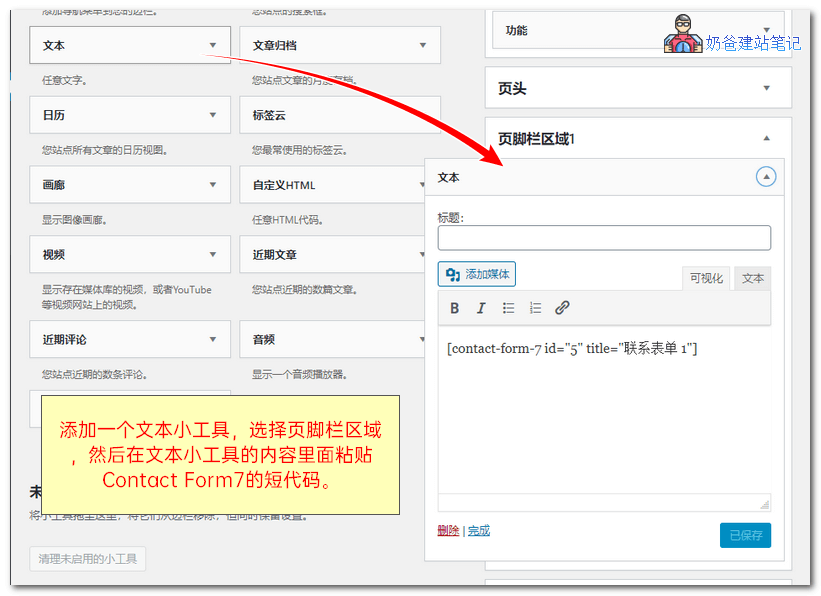
Add a Text widget to the footer area.
There are two methods to add:
- Click on the Text Widget, a location selection will appear, choose Footer.
- Directly drag the Text Widget to the footer area.
Then copy the shortcode of Contact Form 7 and paste it in, then save.
Then go back to the front end of your website, and you will see the contact form widget you just added.
Advanced Widget Usage
You can install some plugins to customize widgets, to display different widget content on different pages, such as the following ones.
- Custom Sidebars – Dynamic Widget Area Manager
- Simple Page Sidebars
- Content Aware Sidebars
- Lightweight Sidebar Manager
That concludes the introduction on how to use WordPress Widgets. For more WordPress basics, you can find links on theInstalling WordPress tutorial page.