
If you want to install a WordPress website on your own computer, Naiba previously shareda tutorial on installing WordPress on Windows. This article shares a tutorial on how to install a WordPress website on a Mac computer.
Step 1: Download MAMP
MANP is software that can quickly set up a website environment on your computer.
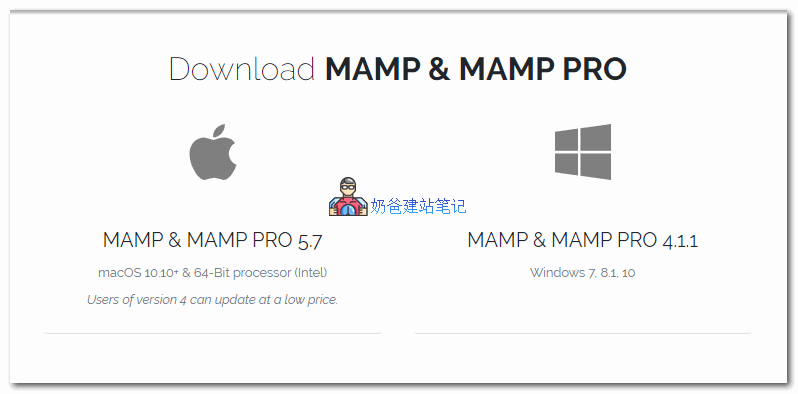
After downloading, install and run MAPP. Installing the MAMP PRO version is not mandatory.
Step 2: Start the MAMP website service
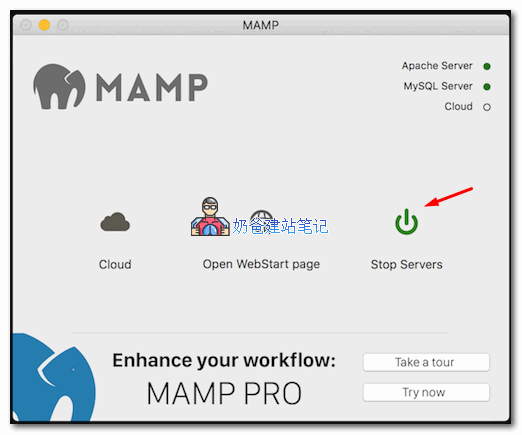
After running MAMP, start the services, and click the „Open WebStart page“ button to access PHPmyadmin.
Step 3: Download WordPress Installation
- Go toWordPress Downloadpage, and download the WordPress installation package.
- After extracting the installation package, copy its contents into the MANMP document root folder.
- Create a database within PHPmyadmin.
- Access the WordPress installation page via http://localhost/newwpsite.
- Fill in the corresponding information according to your actual situation to complete the installation.
By installing WordPress on your own computer, you can quickly get familiar with the entire WordPress installation process, and it can also serve as a local testing environment.
For more WordPress installation tutorials, please visitWordPress Tutorials page。