
If there is a problem with the VPS server purchased on Linode and we need to reinstall the OS, we can follow the steps below.
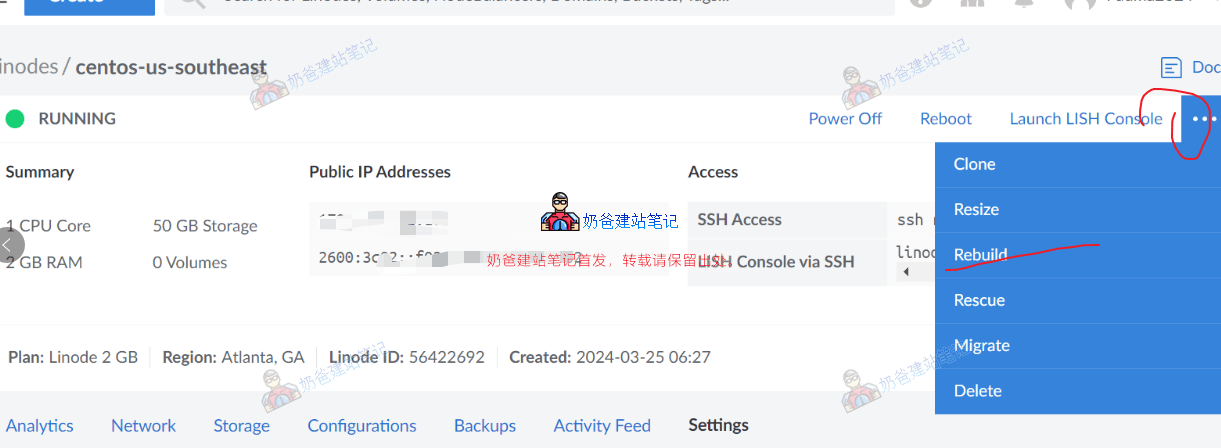
On your server details page, click the three dots in the upper right corner, then click Rebuild.
In the interface that appears, reselect the OS, fill in the server label information. At the very bottom, there is a Confirm confirmation prompt.
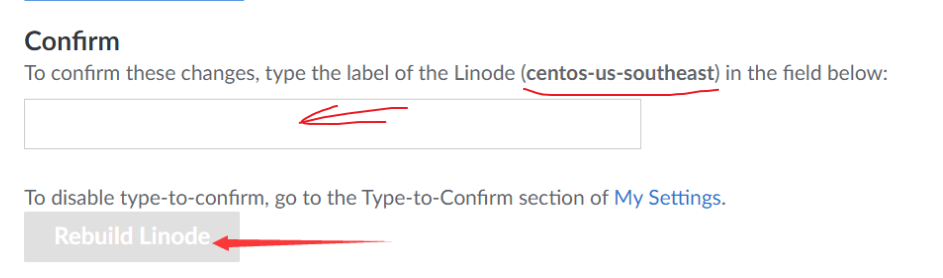
Enter the text as prompted into the text box, then you can click the Rebuild Linode button to reinstall the OS.
Wait for the system to indicate the reinstallation is complete, then you can use an SSH tool to connect to the VPS for subsequent operations.