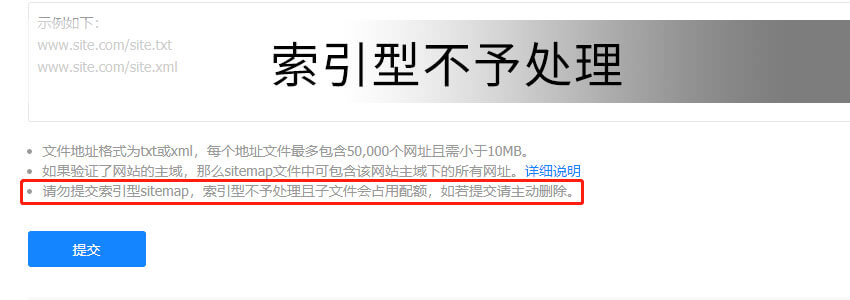
Recently, friends often ask Naiba why Baidu prompts „Index Type Not Processed“ when submitting the website sitemap file. Actually, this is because Baidu officially updated the Sitemap submission optimization process on July 8th, no longer supporting the submission of sitemap files where XML files are nested within XML.
Cause of the Problem
The root cause of this problem is that Baidu modified the website sitemap submission method, no longer supporting index sitemap files.
On the afternoon of July 8th, the Baidu Search Resource Platform issued the "Sitemap Submission Method Optimization Announcement," stating that to improve the processing efficiency of sitemap files, the commonly used collection and dead link submission tools on the Search Resource Platform will no longer support index sitemap files (i.e., XML documents nested within XML documents).
Solution
General Solution
From the cause, we know that index sitemap files in the format of XML nested within XML documents are no longer supported.
What is XML nested within XML?
For example, some websites have a sitemap.xml file. When you open sitemap.xml, it contains several other XML files.
而We only need to submit the final XML file that displays the list of website article URLs after opening the XML file.
WordPress Solution
Taking WordPress as an example, almost all Sitemap plugins generate a main XML file, as shown below:
https://blog.naibabiji.com/sitemap_index.xml, when opened, you will find several nested XML files below.
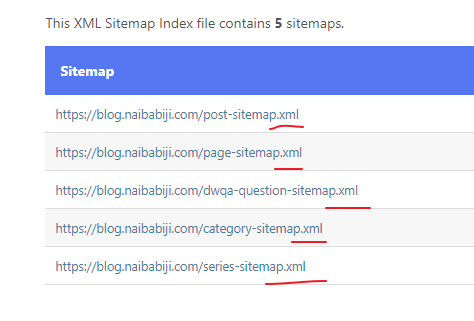
Therefore, we cannot add this overall sitemap.xml file; instead, we need to individually submit these internal files, as shown in the figure below:
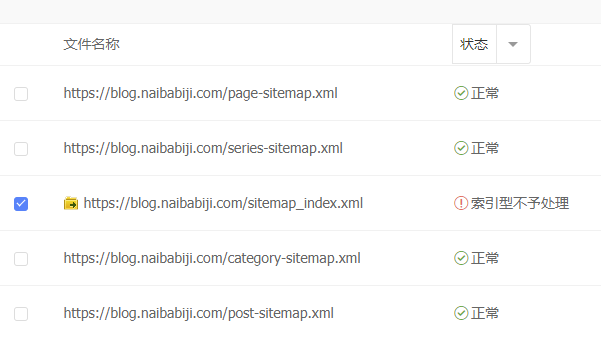
After performing this operation, it can be normally submitted to the Baidu backend.
Related articles:
zBlog Solution
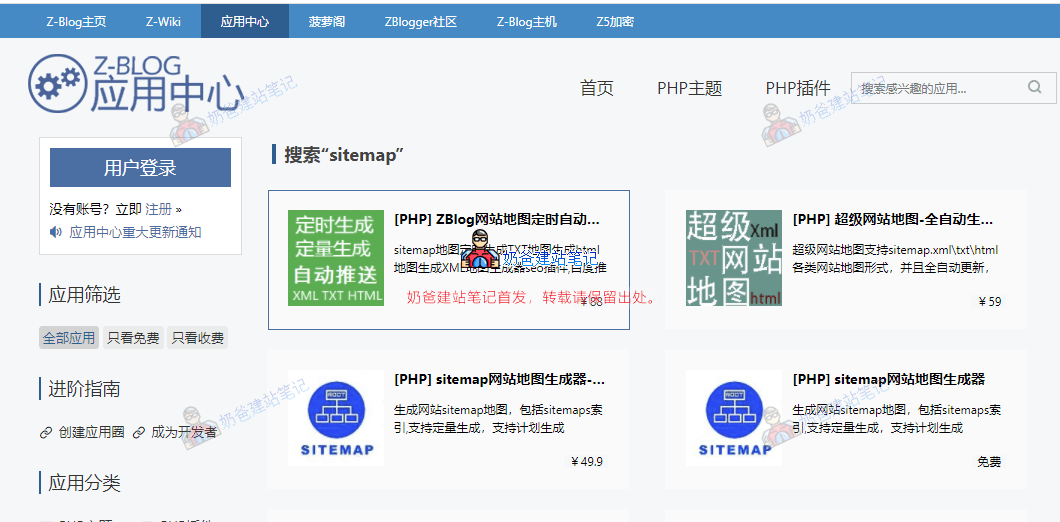
If you are using Z-Blog, you can go to the Z-Blog Application Center to search for a sitemap plugin, install it, and then submit the corresponding sitemap address.
Sitemap Solutions for Other Websites
If you are using other programs that do not have built-in Sitemap functionality and no corresponding plugins, you can use third-party websites to manually create sitemap files. You can find them by searching on Google or Baidu.