在Website OperationDuring the process, analyzing statistical records is a very important task. When Naiba selects Acquisition - Overview - Organic Search in the search sources of Google Analytics, he sees that the keywords not set and not provided account for the majority in the statistical results, but specific information is not known.
What does 'not set' mean?
What does "not set" mean? Literally, it means not set. So as a webmaster, seeing that the largest traffic source keyword is "not set" can be confusing.
And "not provided" means not provided.
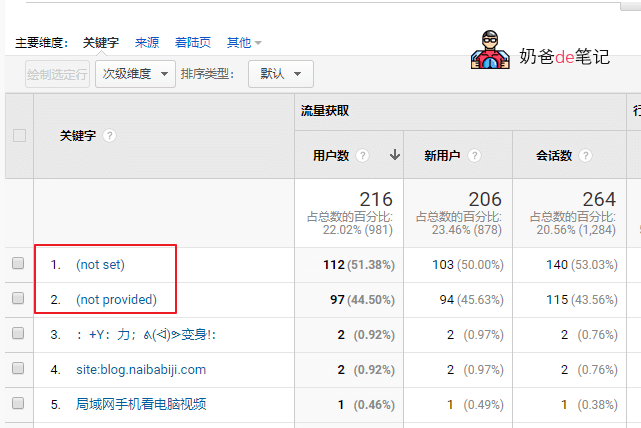
The keyword "not set" usually comes from Baidu, while "not provided" usually comes from Google.
As shown in the figure below:
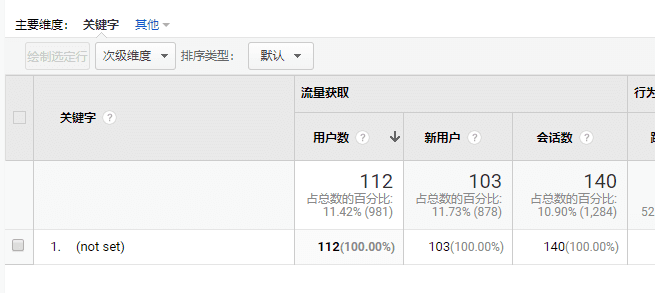
Clicking on not set to enter the keyword details page only shows one record, and the specific keyword cannot be seen.
Reasons for not set and not provided
Why do "not set" and "not provided" appear?
The main reason is that most search engines and websites have now adopted HTTPS. Compared to HTTP, HTTPS provides better protection of private information. Baidu officially canceled the display of keywords in the referrer on June 25, 2015. Reference information is as follows:
Date: June 28, 2015 Author: Baidu Webmaster Platform
Dear website administrators:
Baidu has achieved full-site HTTPS, becoming the first among BAT to complete full-site encryption to promote a secure network environment. To further protect user privacy and prevent third-party eavesdropping and tampering, Baidu officially canceled the display of keywords in the referrer on June 25, better protecting site traffic keyword data and making site data more private. When webmasters need to obtain website traffic keywords, they can still use the traffic and keyword tools provided by the Baidu Webmaster Platform or Baidu Statistics related functions for queries.Source
Google is similar. After implementing HTTPS, it cannot directly analyze keyword information from the URL as before, so this type of search source from Google becomes not provided, while Baidu becomes not set.
Workaround One
Since keyword statistics are no longer available, are there any workarounds to let webmasters know what pages visitors are accessing and roughly what words they used to search for the site?
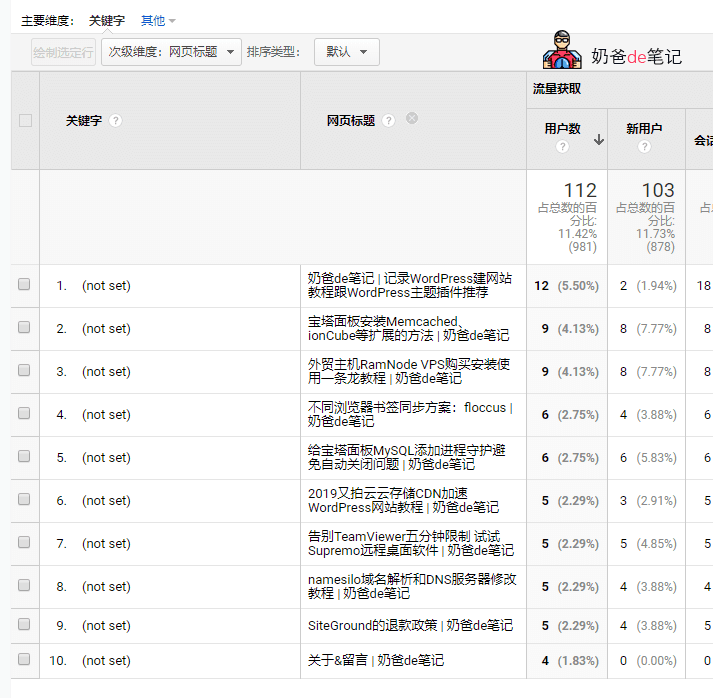
In Google Analytics results, click the secondary dimension below the keyword, search for "Title", as shown below:
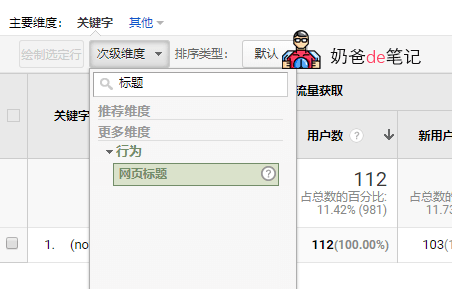
Then you can see the titles of the articles visited. Through the titles, you should be able to infer which pages users accessed via search. Then optimize the landing pages to improve the website's PV and conversion rates.
Workaround Two
Most domestic websites still rely on Baidu for search traffic, so you can consider using Baidu Statistics. However, Naiba also used Baidu Statistics for a while initially, and many statistical keywords were meaningless English letters, similar to the statistics plugins installed on WordPress, so it was not very meaningful, and then switched to Google Analytics code.
In addition, although Baidu has opened a backdoor for Baidu Statistics to see Baidu keyword information, Google search sources still cannot see keywords, and Google has not opened a backdoor for its own statistics.
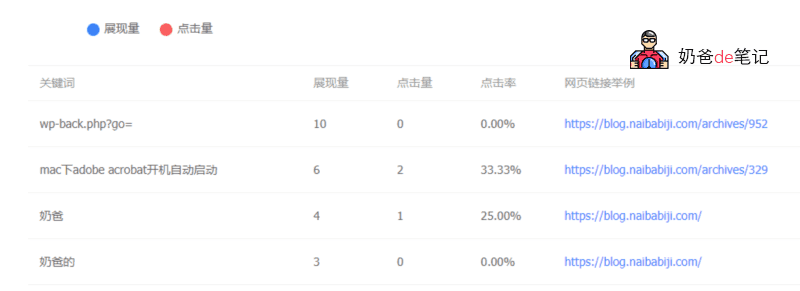
But there is another place to view Baidu keyword source information, which is the Baidu WebmasterTraffic and Keyword Tool。