
As a corporate website, it's common to place company information, contact details, and business hours at the bottom (footer) of the site. For beginners who don't know how to code or modify themes themselves, how can they add nice contact information and such content to their website?
Using the System's Built-in Widgets
Log into the WordPress admin dashboard, then select Widgets under Appearance, choose Custom HTML, and you can add the widget to the theme's footer (if the theme doesn't support footer widgets, you can also add it to the sidebar.)
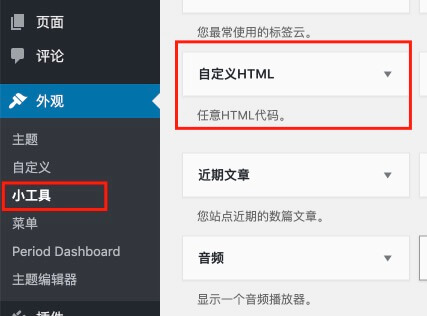
Write the content you want to display inside the HTML widget and save it, then you can see the effect on the front end of the website.
More Attractive Widgets
After adding using the built-in widgets, you will definitely find the frontend effect too ugly. So Naiba recommends a more beautiful widget: Footer widget bundle
Footer widget bundle is a collection of footer widgets that can insert company information, contact address, recent posts (displayed as thumbnails or icons), and business hours.
After you install and activate the Footer widget bundle plugin, when adding widgets in the backend, you will see the following widgets. Select the ones you need and add them to the website's widget area.
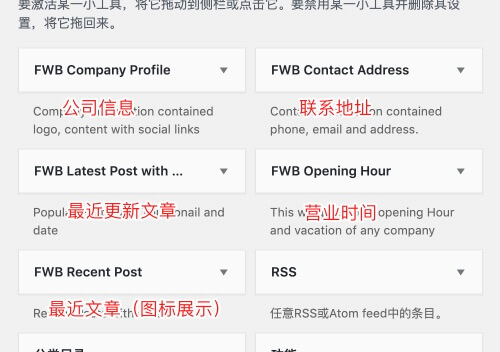
Detailed front-end display effects are as follows:
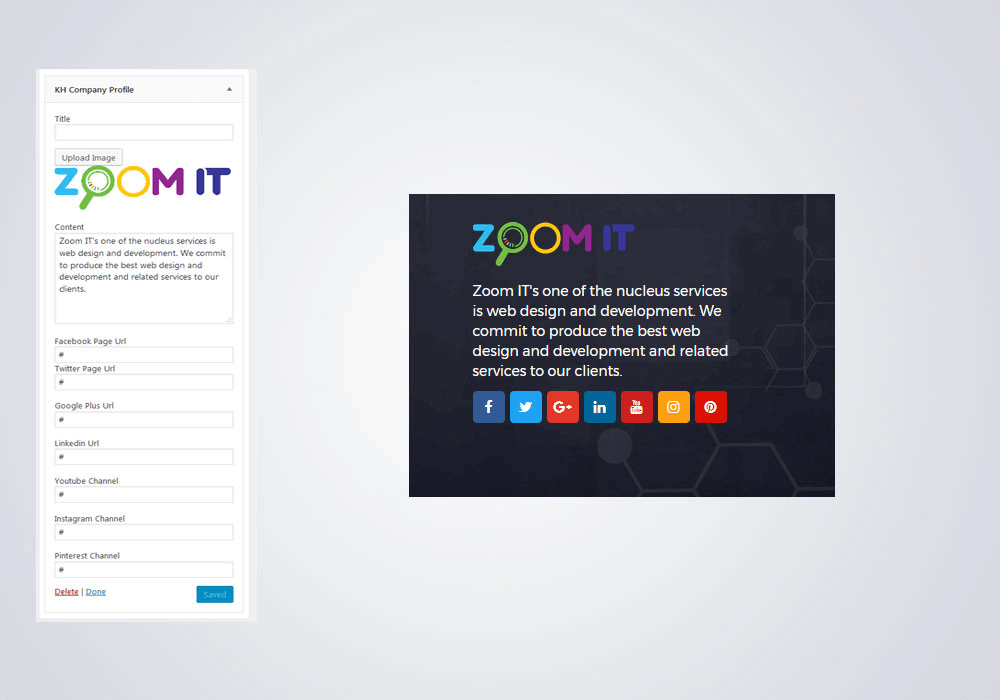
Company Information, where you can fill in a title and upload an image, and set the company's social media icon links. If you are a domestic company, you might not need these social icons, but if you run a foreign trade website, they will come in handy.
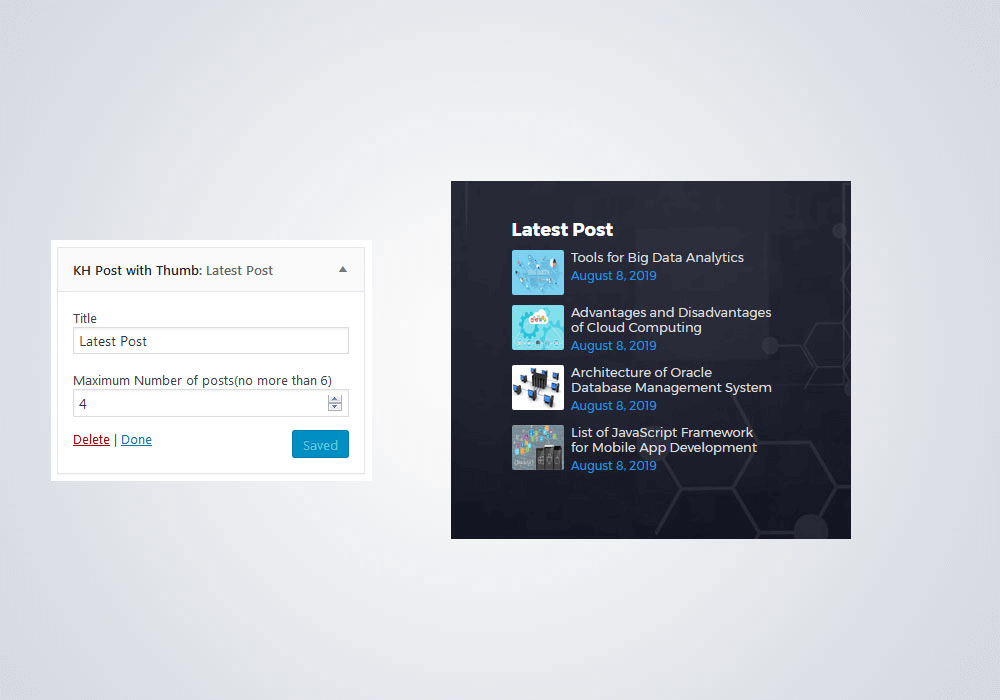
Recently updated articles, displayed using thumbnails. You can set the maximum display count to 6.
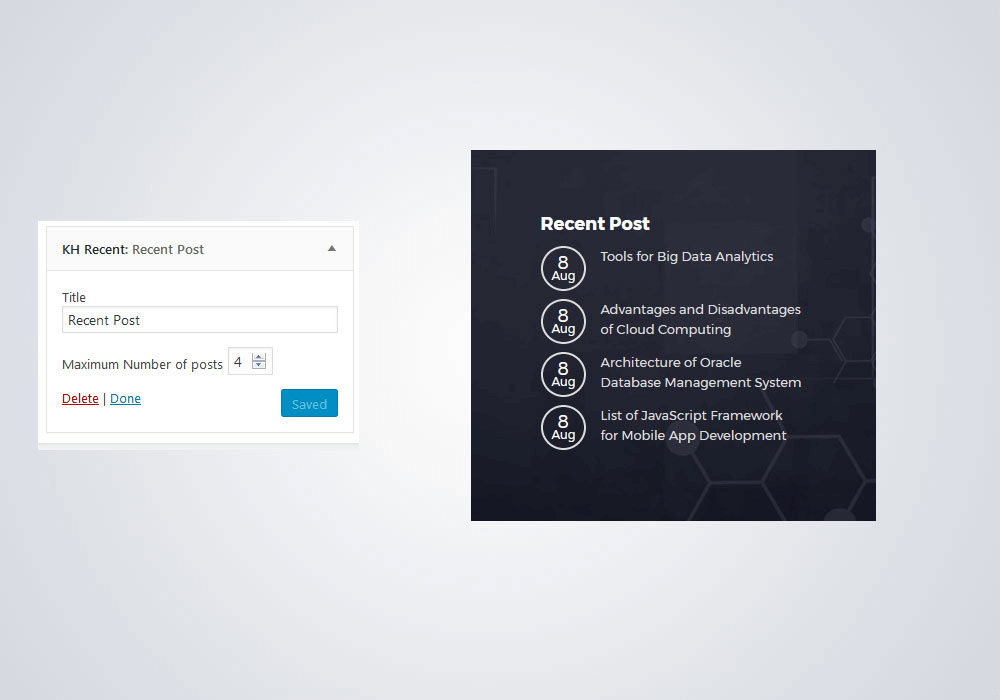
Another recent posts widget with icons.
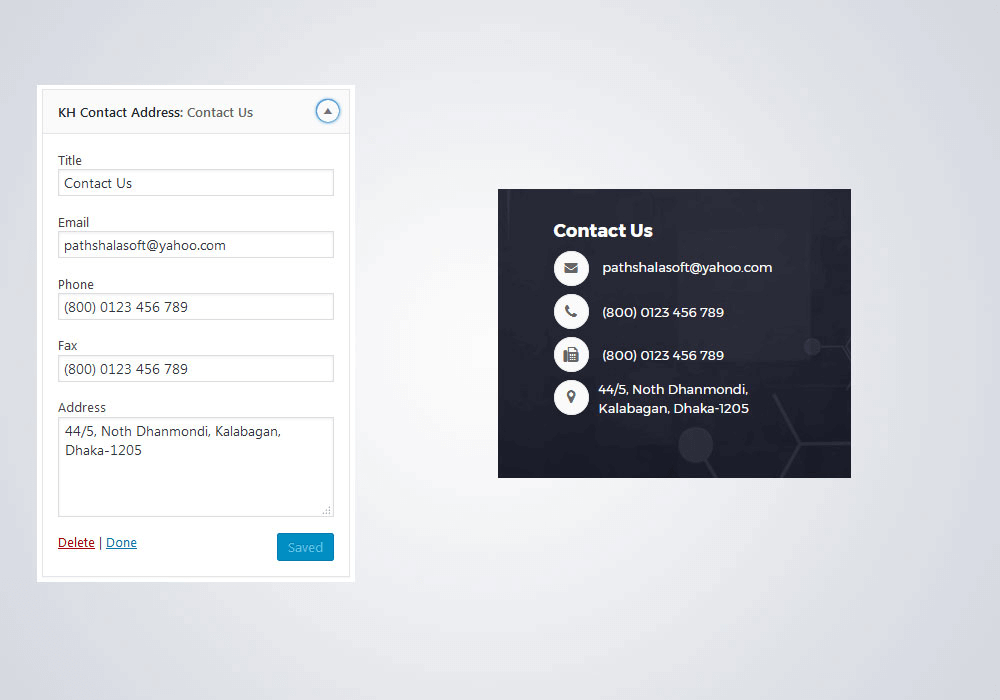
Contact Us. After writing the content, icons will be automatically added in front, which looks better than using the system's HTML widget.
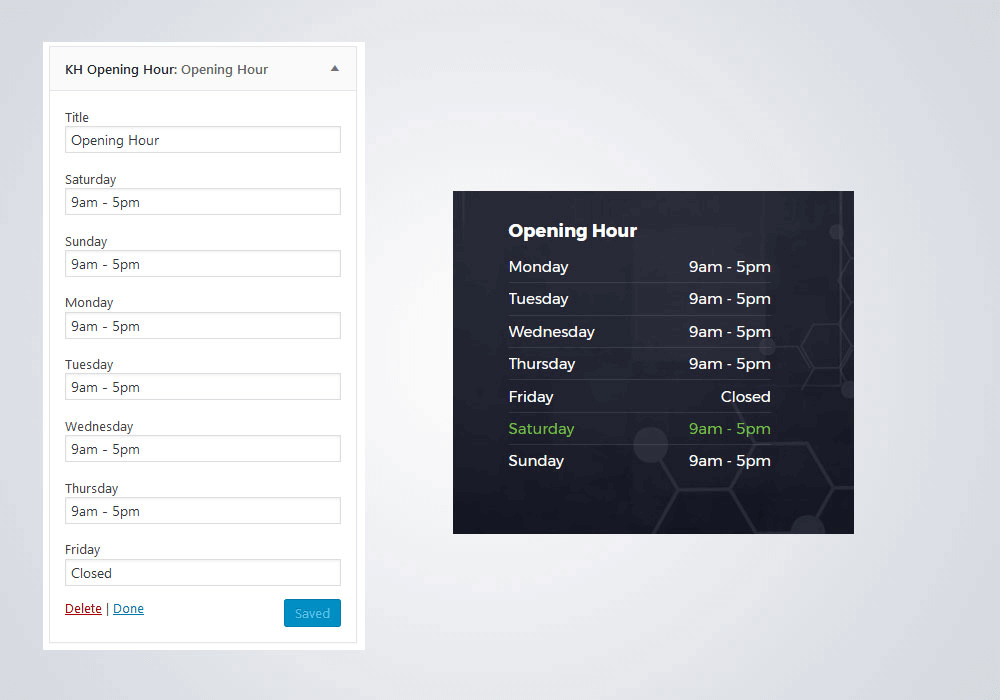
Business hours can be set individually for each day, and the current day's business hours will be automatically highlighted based on the day of the week.
If you need it, click the button below to download and upload it to the website's plugin page to install. With the Footer widget bundle plugin, even if you don't know how to code, you can easily add beautiful contact information to the website footer.