
I think many of you may know about WordPress scheduled post publishing, which can be done by modifying the post time directly when publishing. But sometimes we wantScheduled Post RevisionWhat to do? This PublishPress Revisions plugin can help you accomplish that.
Plugin Introduction
The function of PublishPress Revisions is simple: it adds a revision feature to your site that allows you to schedule a revision to replace the live version at a specified time.
Supports setting whether different user groups canScheduled Post Revision, supports custom fields, and the premium version also supports scheduling modifications for pages generated by page builders.
For example, an article published by Naiba Web DevelopmentHow to Make Money with a Website? 30 Ways to Monetize a Personal WebsiteThis article, using this PublishPress Revisions scheduled modification plugin, can automatically change at midnight on January 1st toHow to Make Money with a Website? 30 Ways to Monetize a Personal Website.
Another use case is when we publish an article today that is related to a previous article, we can create an internal link. The normal workflow is:
- Schedule the post for publishing;
- After the post is published, modify the article that needs the internal link added.
But with the help of PublishPress Revisions, you can add the internal link to the target article right after scheduling the post, then set a scheduled modification time. Very convenient.
Usage Instructions
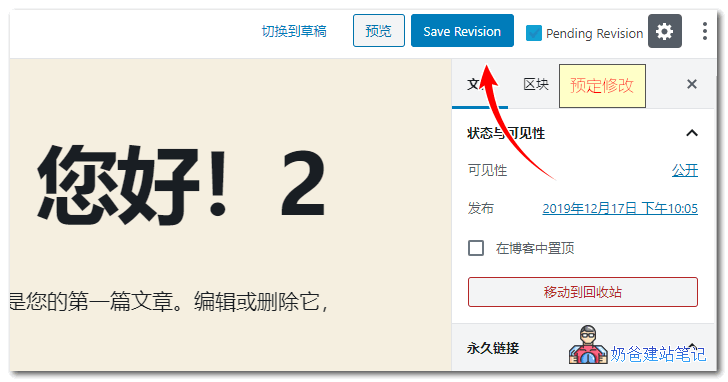
1. Edit the article you want to modify on a schedule. After making the content changes, select a new publish time, and click Save Revision (check Pending Revision if you need to preview).
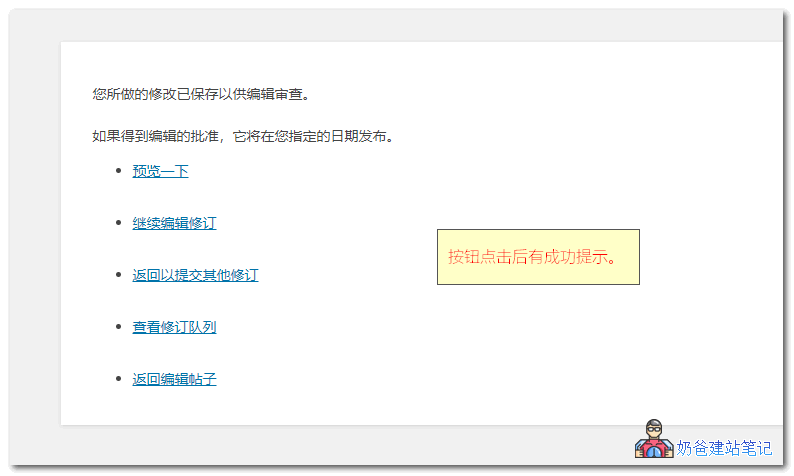
2. Then a prompt like the image below will pop up.
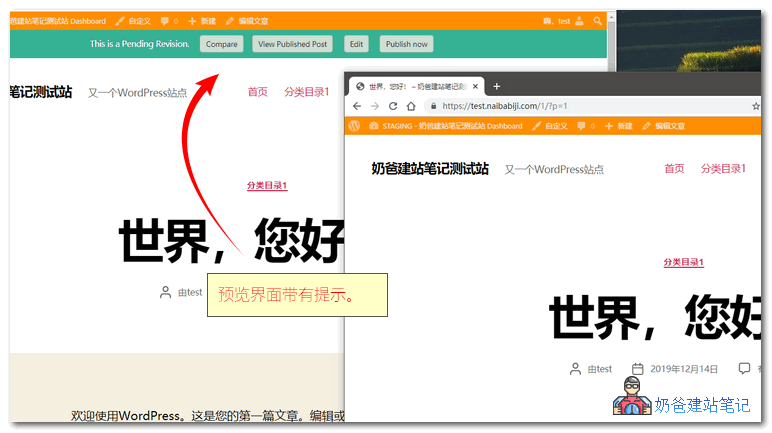
3. The preview page has functional buttons at the top, allowing you to compare article differences, as well as publish or approve.
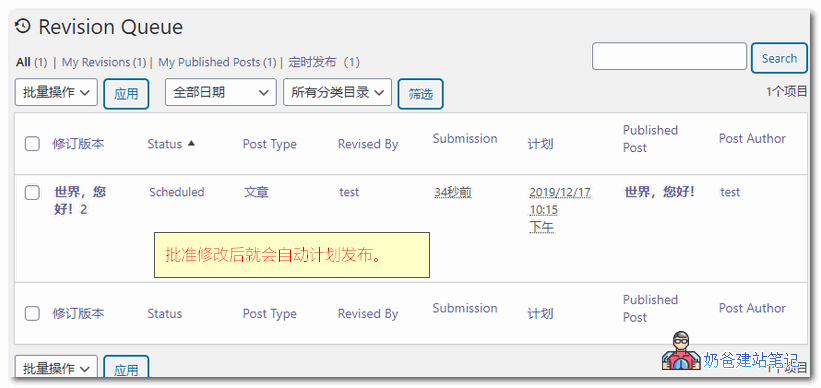
4. When you approve the changes, a scheduled modification task will be automatically created.
Plugin Download
You can directly search for PublishPress Revisions in the WP admin to install it. If users in China cannot install it, you can also download and upload it for installation, or use thekill 429 pluginHelp you.