
Home Experience & Tips Sharing Standard Post

Standard Post

WordPress Configuration Zoho Mail Email Sending Tutorial

Many friends who build foreign trade websites have purchased paid Zoho Mail, but when setting up Zoho Mail email sending through SMTP plugins, errors occur. In this case, it is recommended to directly use Zoho Mail's official WordPress plugin for configuration. The specific method is as follows: Zoho Mail WordPress Plugin Settings...

Posted on October 28, 2021 About 1 minute read
WordPress配置Zoho Mail邮件发送教程

Many friends building foreign trade websites have purchased paid Zoho Mail, but errors occur when setting up Zoho Mail email sending via SMTP plugins. It is recommended to directly use the official Zoho Mail WordPress plugin for configuration. The specific method is as follows:

Zoho Mail WordPress Plugin Setup Tutorial

1. Search for Zoho Mail in the website backend plugins and install it.

2. After installation, go to the plugin settings from the left menu.

3. ClickZoho OAuth Creationto obtain the account information needed.

4. Select Server-based Applications and click Create.
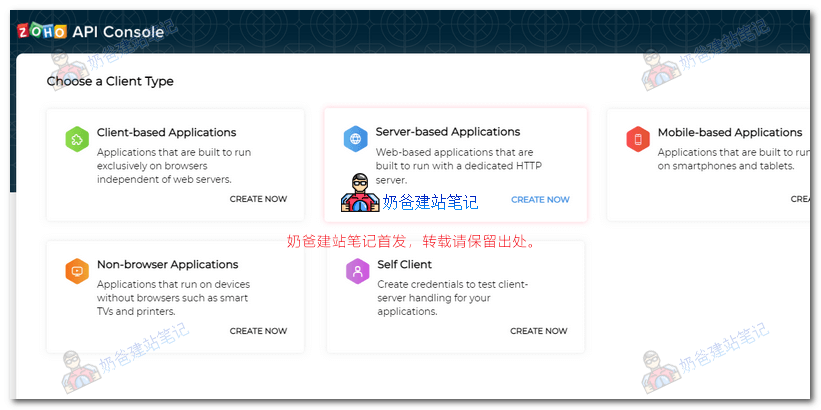
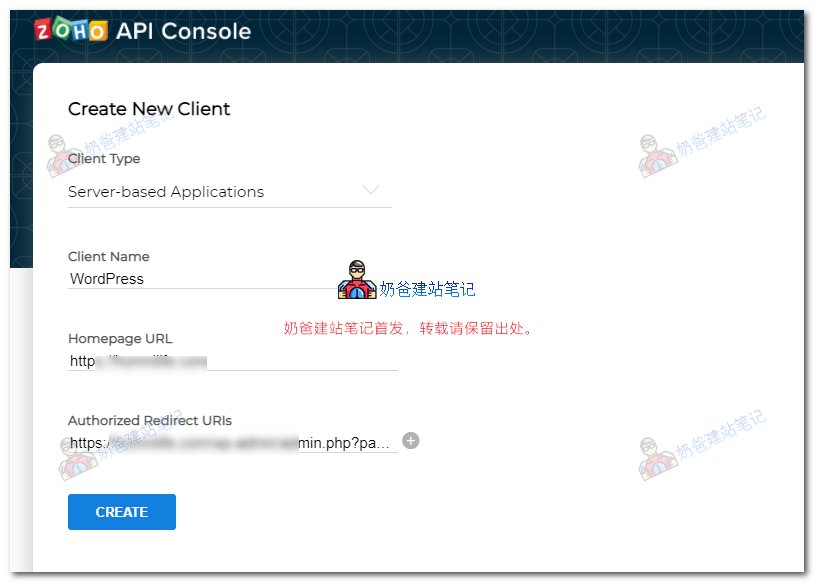
5. Fill in the website URL and redirect URL (copy from the WP Admin Dashboard plugin), then click CREATE.
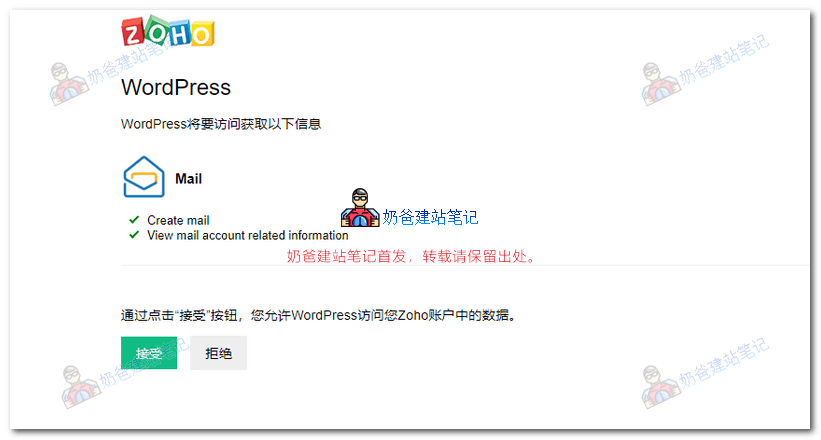
6. After saving, a permission reminder will pop up; click Allow.
After setting up, you can test by sending a test email to verify if it works.


5/5 - (2 votes)
Previous How to Set Up Allowlist/Denylist for WPForms Inquiry Form Tutorial Continue reading content around the same timeline. Next Solution for cURL error 60: SSL certificate problem: certificate has expired View the next related tutorial or experience.

AI Website Building Assistant

🤖
Hello! I am the Naibabiji AI Assistant. How can I help you?
Quick Consultation: