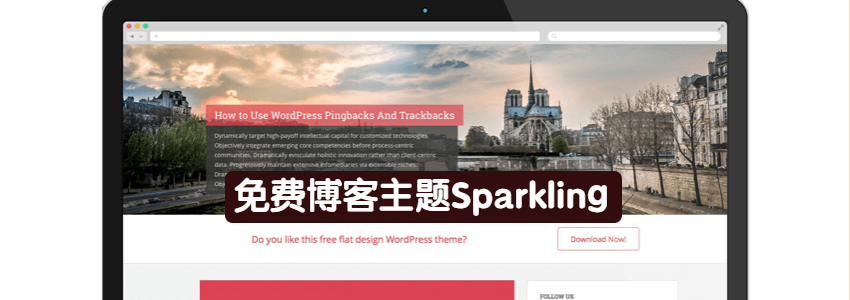
If you don't know how to design a WordPress theme yourself, then directly using free WordPress themes shared by others is a good choice. In this article, Naiba shares this theme called Sparkling with everyone.
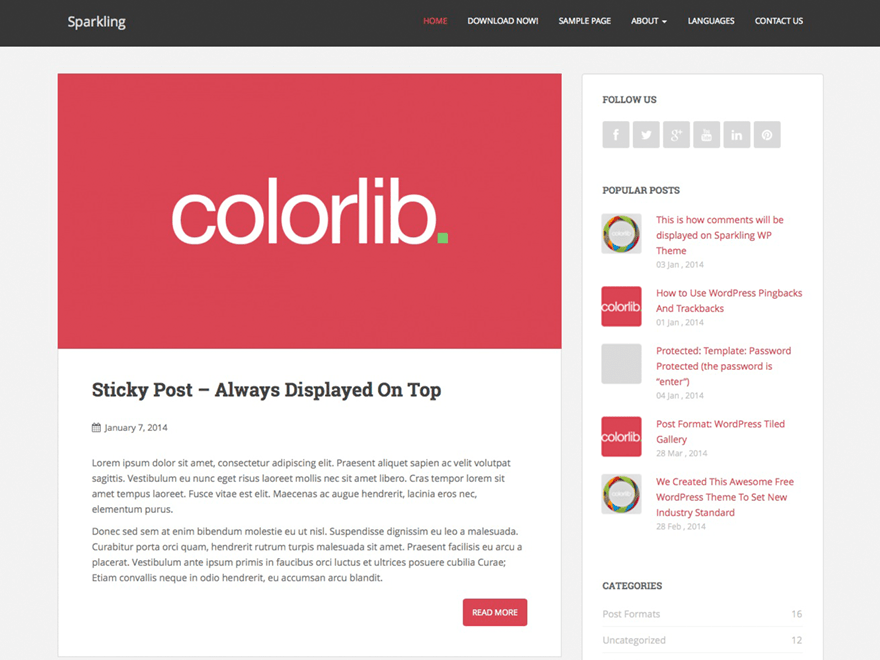
Sparkling Theme Features
- Free Theme
- Settings include Chinese language
- Responsive Layout
- Includes a slideshow
- Built-in post truncation
- Built-in popular posts widget
- Supports custom layout
- Supports custom fonts and colors
- Supports fixed top menu bar
- Built-in pagination
- Built-inSupports documentation
Sparkling is a concise and compact responsiveWordPress ThemesVery suitable for travel, health, business, finance, portfolio, design, art, photography, personal, e-commerce, and any other creative websites and blogs. Sparkling theme is developed with Bootstrap 3, has good support for mobile devices, clean code for SEO, built-in slideshow, popular posts, etc.
Theme demo site:Official Demo Site
Sparkling Theme Download and Usage Help
Download address:https://wordpress.org/themes/sparkling/
WordPress Theme Installation Tutorial
After installing Sparkling, click on Customize in the admin bar at the top or go to Appearance > Customize in the backend to enter the settings for the Sparkling theme.
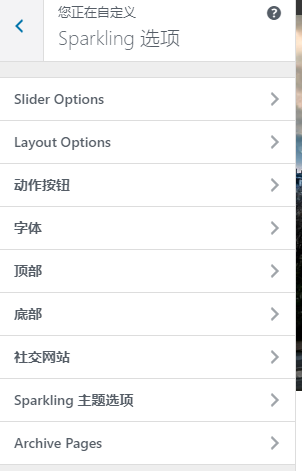
To display the top slideshow, go to Slider Options and enable it. It is recommended to use images of 1920x600 pixels for the slideshow. Adding them to the post's featured image will automatically call them.
Layout Options allow you to set the layout, such as left sidebar, right sidebar, or single column.
To display post excerpts, go to Sparkling theme options and enable it.
It is recommended not to modify Archive Pages; use the system defaults.
If you have other questions, you can leave a comment to discuss with Naiba. If you are also interested in building a website, click here to viewWebsite Building Tutorial from Scratch