Hello everyone, I am Brother Leifeng. Sometimes when helping others write WordPress backend features, you need to add icons to the function menu. Here I'll teach you how to reference Dashicons font icons, so you don't need to separately reference other icon files. Since WordPress 3.8, the admin menu in the backend has supported Dashicons font icons. As a Theme or Plugin developer, you should also keep up with the times.
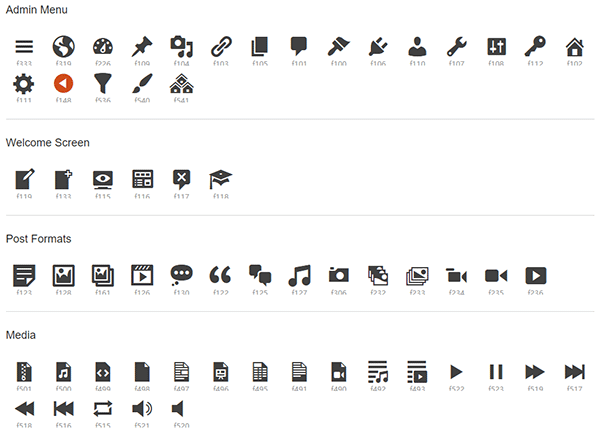
About Dashicons
Dashicons is an open-source font icon project, currently hosted on GitHub, currently mainly used in the WordPress backend. Of course, you can also use it in your own themes or plugins.
View Dashicons font icons:https://developer.wordpress.org/resource/dashicons/
How to use?
Using Dashicons in Custom Post Types
If we use ‚dashicons-images-alt2‘ as the menu icon, then the relevant code should be as follows:
register_post_type('slides', array( 'labels' => array( 'name' => 'Slides', 'singular_name' => 'Slide' ), 'public' => true, 'has_archive' => true, 'menu_icon' => 'dashicons-images-alt2' ) );Using Dashicons in Plugin Top-Level Menus
You can also use Dashicons when creating plugin menus, for example, using the add_menu_page() function to add a top-level menu as shown below:
add_menu_page( 'Menu Page Title', 'Menu Title', 'manage_options', 'menu-slug', 'mytheme_menu_callback', 'dashicons-wordpress' // Dashicon 图标的CSS类 );
The two code examples above are considered quite common; other locations are rarely used.
Disable Dashicons
Conversely, if you don't want the backend to load Dashicons, you can also disable it, which can reduce the loading of about 30kb of style files and improve backend speed. Open the Theme's functions.php file and add the following code:
// remove dashicons
function wpdocs_dequeue_dashicon() {
if (current_user_can( 'update_core' )) {
return;
}
wp_deregister_style('dashicons');
}
add_action( 'wp_enqueue_scripts', 'wpdocs_dequeue_dashicon' );
It's important to note that if your Theme uses Dashicons icons, it is not recommended to disable them, as this may cause icons not to display or become misaligned.
Other recommended articles: