
Because the official WordPress CDN service blocks traffic from China, domestic servers may fail when installing or updating WordPress plugins, and the website will display429 Too Many Requests, Naiba here summarizes for everyoneThe Ultimate Solution to Fix WordPress 429 Error。
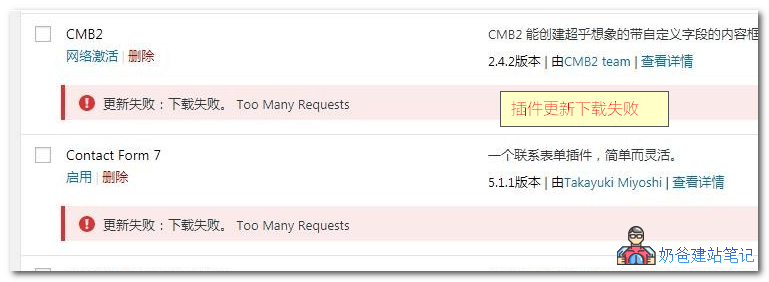
Method 1: Update using a proxy plugin
The method of using a plugin is very simple: install and activate it directly, and then when the website updates plugins, it will make requests through a proxy server. Currently, there are three options available in China that can proxy WP plugin updates.
Plugin 1: WP China Yes
The working mode of WP China Yes is to proxy data from the official WordPress server through a server and save it to its own CDN server. The author says that they will cooperate with universities in the future to provide community sources, which will be more secure and reliable.
It also supports setting your own proxy server.
Open source address: https://github.com/sunxiyuan/wp-china-yes
If you cannot open the official website, you can download it from the open source address.
Plugin 2: kill 429
kill 429 is a plugin released by Lightning Blog to solve the 429 error on domestic servers. It was the first of its kind, but its stability is average. Their approach is not to store data; each of your requests is directly proxied through their server and then returned. It also supports configuring your own proxy server.
Plugin 3: wpjam-proxy
wpjam proxy is shared by the Chinese WP developer Suizhuyu, with source code written by Baiyunshan. The entire code is relatively simple, but it does not provide an official proxy server; you need to have an overseas server to use it. Moreover, this plugin is bound to the WPJAM plugin; if you don't install WPJAM, you won't see the settings menu.
The download file provided by Naiba here contains the original version and a stripped-down version (wpjam-proxy_modify.zip).
Plugin Usage Method:
- Upload the wp-proxy.php file from the wpjam-proxy.zip folder to any directory on your overseas server;
- Set the plugin's proxy address to the access URL of this file (for the stripped-down version, directly modify the wpjam-proxy.php file to fill in the address and save).
 Method 2: Manual update
Manual update is relatively troublesome, and you need to be able to access the WordPress website to download the new version of the plugin. Of course, there are also reverse proxy WordPress websites in China.
WordPress reverse proxy URL:http://cn.wp101.net/
You can go there to download the new version plugin package and then upload it to the backend to update.
Usually, to manually update a plugin, we need to delete the old version first and then upload the new one. Here, Naiba recommends a plugin for you.Easy Theme and Plugin Upgradesplugin. After installation, just follow the normal plugin installation process: upload and activate it. It will automatically deactivate and back up the old plugin.