
This WooCommerce tutorial by Naiba teaches you how to add a small video to the product gallery, similar to the display style on Taobao product pages. The video uses a YouTube external link, which won't waste server resources or slow down the website.

Implementation Method:
1. Download and install the WooCommerce video gallery plugin.
2. Go to the product editing page, and at the bottom you will see a YouTube URL field.
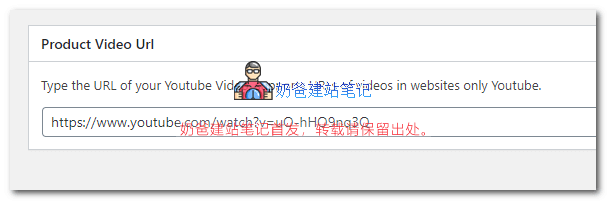
3. Insert the URL of your video uploaded to YouTube, update the product information, and you can see the effect on the frontend.
Other notes:
After installing the plugin, you need to go into WooCommerce settings to set the video display format. Each article's gallery can only upload one video; videos only support YouTube external links.
The video plugin introduced in this article is free and already meets the basic product display video function. If you want better features, you can consider purchasing some paid plugins.