
WeThemeforest websiteSome paid WordPress themes purchased on the site can be installed and used directly, while others require entering a verification key before use. So where can you find this activation code information? The method is as follows:
1. In the download list of Themeforest, click on the theme you purchased, then select „License certificate & purchase code”
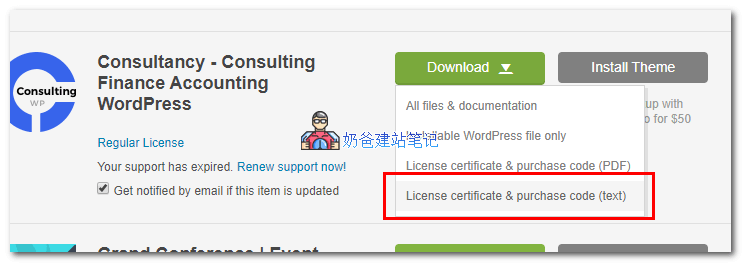
2. After downloading, open the text file and find theItem Purchase Codeinformation.
3. Enter it into the theme's activation code box and save.
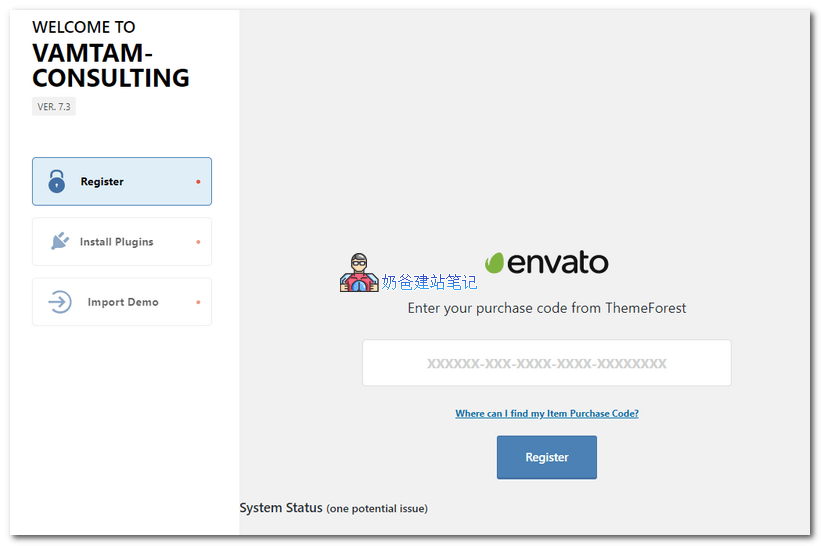
After clicking Register, it will prompt that activation is successful, and then you can use all the features of this theme.