
Home Astra Theme Tutorial Standard Post

Standard Post

How to Activate the Genuine License Serial Number for the Astra Pro Paid Theme

To activate the advanced features of Astra Pro, you need to install the Astra Pro plugin first. If you purchased it from the official website, go to the Download page and you will see three files: Astra Theme, Astra Child Theme, and Astra Pro Plugin. Download the Astra Pro Addon Plugin...

Published on March 1, 2020 About 1 minute read
Astra Pro付费主题要怎么激活正版授权序列号

To activate the advanced features of Astra Pro, you need to install the Astra Pro Plugin first. If you purchased it yourself from the official website, then go to the Download page where you can see three files: the Astra Theme, Astra Child Theme, and Astra Pro Plugin. Download the Astra Pro Addon Plugin, install and activate it.

Astra Pro Addon Plugin

After activation, go into the Astra Theme options, and in the top right corner, there will appear a place to enter the serial number. Fill in yourAstra Pro Serial Number.
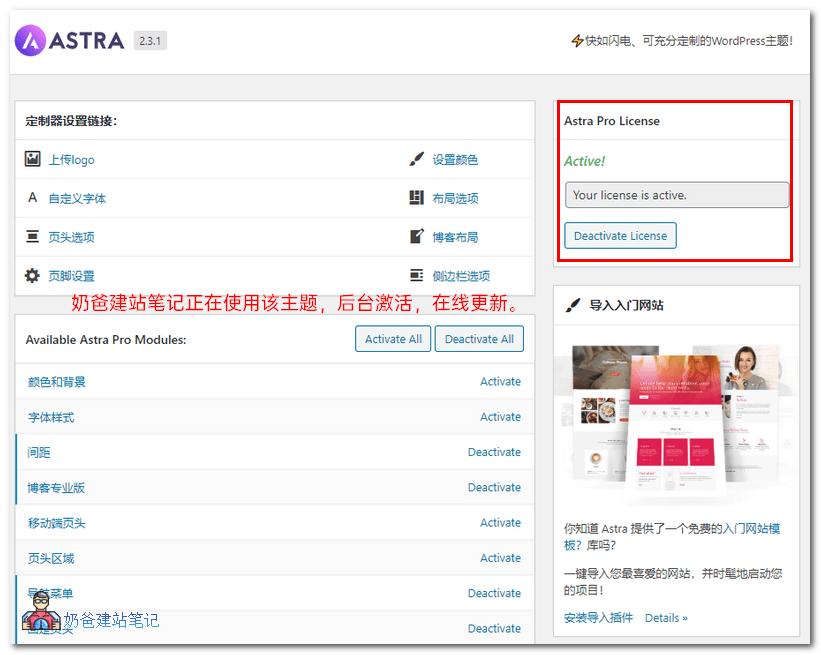
Astra Pro后台截图

2.1/5 - (7 votes)
Previous Top 5 WooCommerce Dropshipping Plugin Recommendations Continue reading content around the same timeline. Next Google Prohibits Displaying Identical FAQPage Structured Data on Multiple Pages View the next related tutorial or experience.

AI Website Building Assistant

🤖
Hello! I am the Naibabiji AI Assistant. How can I help you?
Quick Consultation: