
SG Optimizer is a WordPress optimization tool developed by SiteGround itself. It can easily enable website caching and database Memcached caching to improve website response speed. Below, Naiba will teach you the specific settings of SG Optimizer.
First, install SG Optimizer.
We can directly search for SG Optimizer in the WordPress backend plugins and install it.
Note: SG Optimizer requires a SiteGround server. If you are not using SiteGround, it is recommended to useWP Rocket
If you don't know how to install it, you can checkWordPress Plugin Installation Tutorial。
After installation, you can see the SG Optimizer settings menu in the backend settings menu, as shown below:
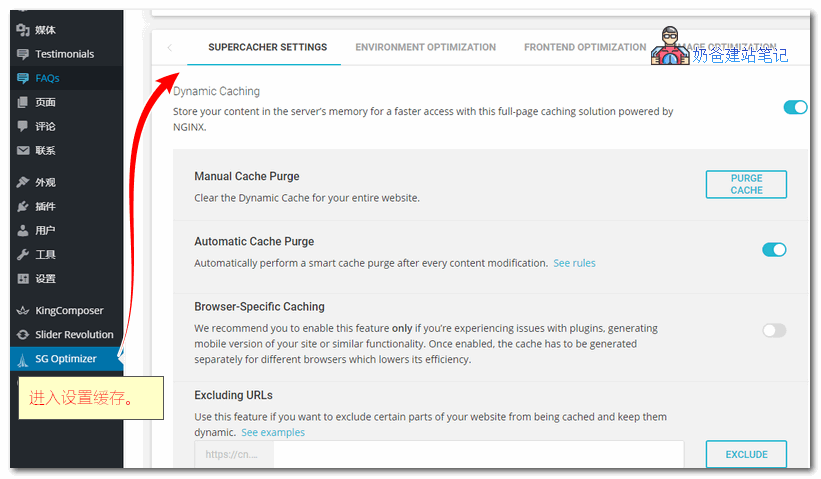
Before proceeding with specific settings, let's go to the SiteGround Admin Dashboard to enable the Memcached caching feature (not supported on the StartUp plan). This can cache database queries and significantly improve website response speed.
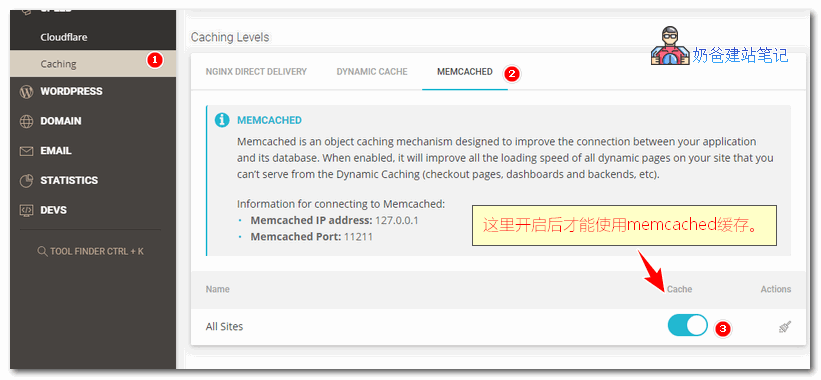
The specific method to enable Memcached on SiteGround is:
New backend: SITE TOOLS, then enter the Caching menu, find the MEMCACHED interface as shown above, and enable it.
Old backend: Log in to the cPanel panel, then find SuperCacher and enter it, enable level 1, 2, and 3 cache settings.

Below is an introduction to the specific settings of SG Optimizer:
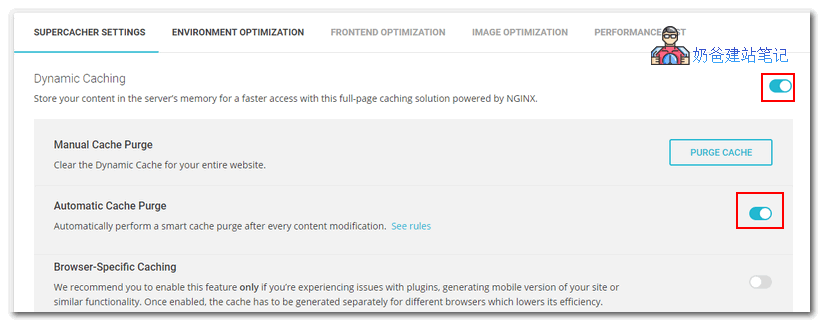
In the SuperCacher Settings interface, enable Dynamic Caching and Automatic Cache Purge. If the website content is modified and the cache is not updated, you can manually click the PURGE CACHE button above to clear it.
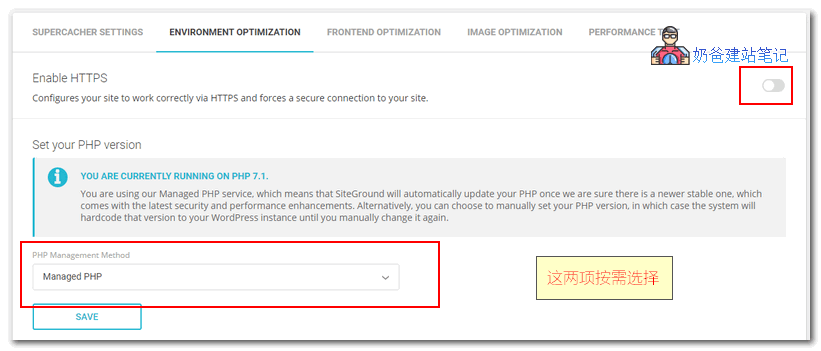
The HTTPS button on the Environment Optimization interface, if you have already configured it, you don't need to turn it on.
Below is the PHP version selection. Usually, the default one is fine; choose if needed.
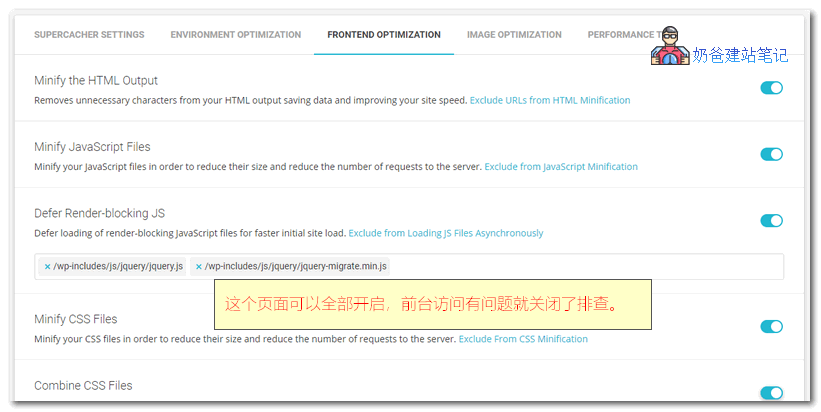
The Frontend Optimization interface is for optimizing frontend code, such as compressing HTML code and merging CSS. You can enable all features. If you encounter bugs on the website interface after enabling a certain function, then disable it.
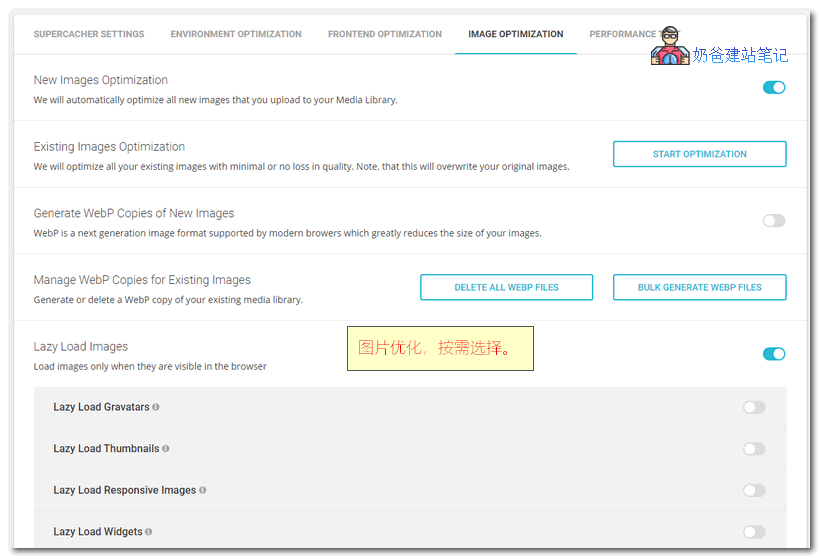
Image Optimization is for image optimization; it is recommended to enable it. Lazy Load images is for lazy loading images, meaning images are loaded only when they appear in the browser window; images not seen are not loaded by default, which can speed up the webpage. However, if it causes display issues, disable it.
The last one is Performance Test, which is a webpage score test that calls Google PageSpeed. A score around 80 is considered good.
Of course, if after optimization you find that the website score is still not high, or the speed has not significantly improved (in fact, domestic access is mainly affected by the network), you can pay Naiba to help you optimize. Contact us if needed.