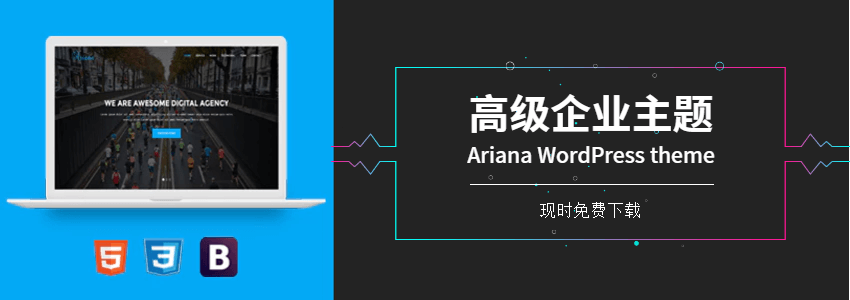
If you are looking for afree WP enterprise theme, then we recommend using this Ariana theme. It can be directly modified to look like a corporate website, or you can DIY it for other website uses. Thispremium WP themeis free for a limited time and can be downloaded officially for free.
Ariana Theme Introduction
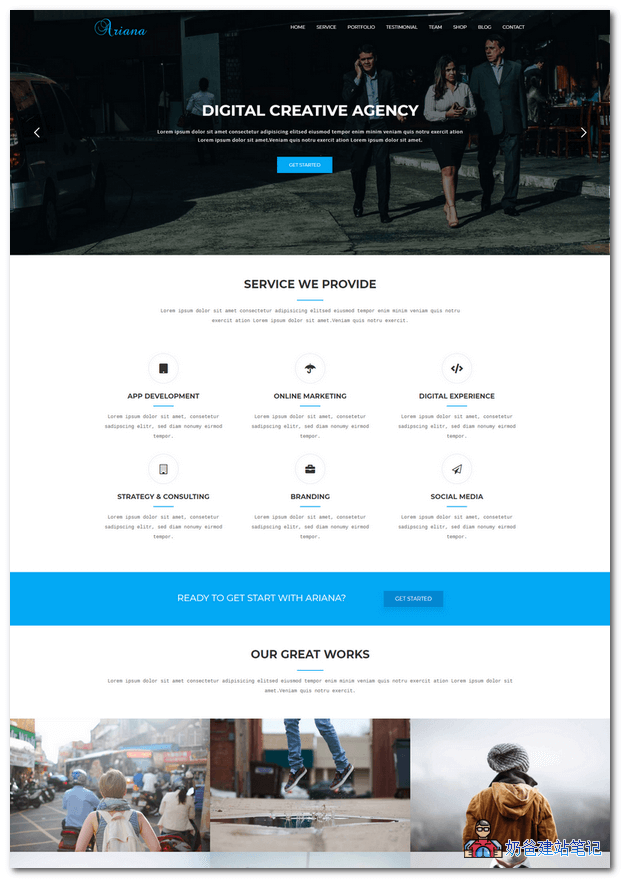
Ariana is a clean and modern Digital Agency One Page WordPress theme. Ariana is a corporate web solution for individuals, creative agencies, freelancers, graphic designers, photographers, or any type of creative agency or individual.
Ariana – Digital Agency One Page WordPress Theme has the typical web page template layout for corporate websites.
- Top Large Slider
- Services We Provide
- Service Case Demo
- Customer testimonials
- Expert Team
- Partners
- Contact Information
- WooCommerce Support
BasicallyBuilding a corporate website, for example, users of foreign trade websites can directly install the Ariana theme, modify it with their own content, and then go live.
Ariana Theme Download Address
Ariana is a paid theme, originally priced at $39, and is currently offering a free download promotion. The free download deadline is December 31, 23:59 AEDT +11:00!
If you want to download it yourself, please visit the following URL:
If you cannot download it yourself, or if the free download period has passed, you can join the group 774633089 to download.
Group 774633089 shared files > wordpress themes >ZT09.Ariana.zip
Ariana Theme Usage Tutorial
Extract the downloaded compressed package. After extraction, you will see Ariana.zip and Ariana-child.zip. Upload both to the backend for installation, then activate the child theme.
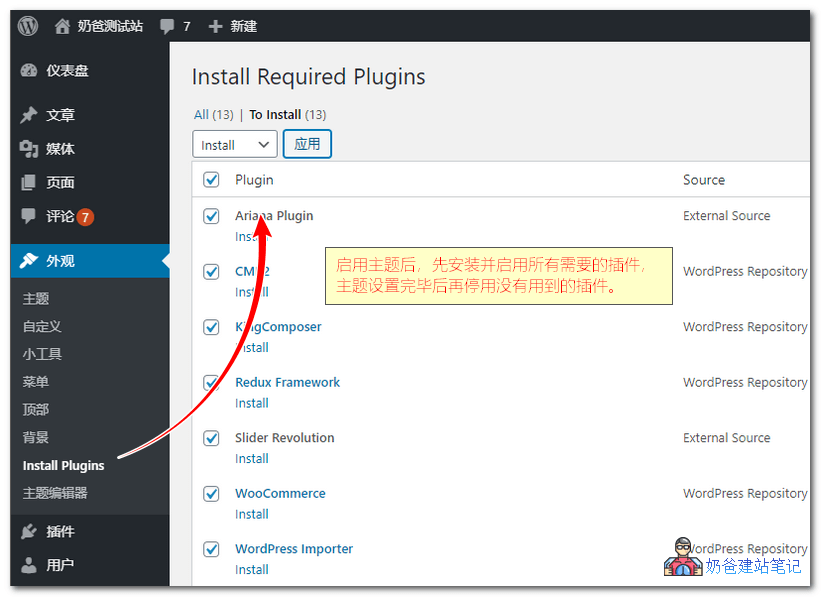
Enter the plugin installation interface, first install all the plugins required by the theme. Finally, after you have made your adjustments, you can disable any unused plugins.
Import Demo Data: Tools, Import, Import from WordPress, select the XML file, then import the slider from the home-one.zip compressed package.
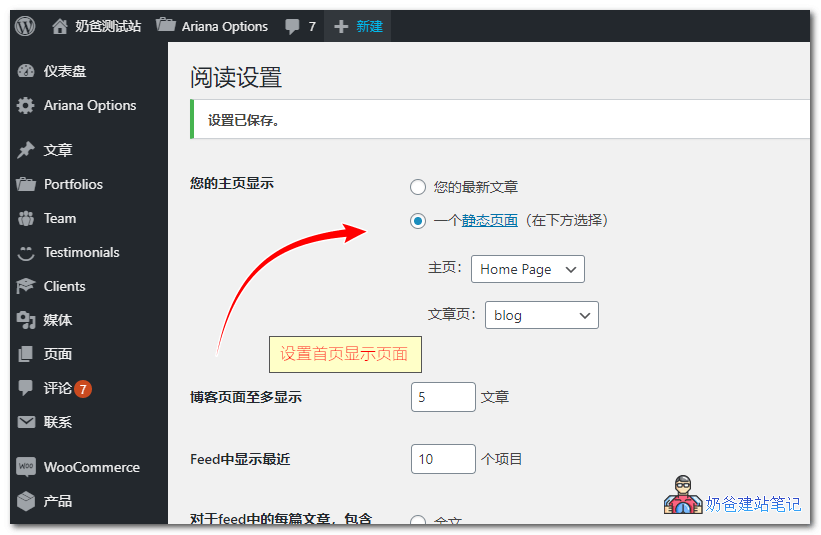
Finally, set the homepage display: home page as the front page, and blog as the posts page.
Visit the front end, and it will display the same interface as the demo.
Click 'Edit Page' at the top to customize the displayed content, including adding and removing modules.