
After upgrading to WordPress version 5 or above, the default editor is updated to the Gutenberg editor. For long-time users, it might feel unfamiliar to use, so I'm sharing this.Method to disable the new WordPress Gutenberg editor.
Method to Disable the WordPress Gutenberg Editor
The simplest method: Use a plugin
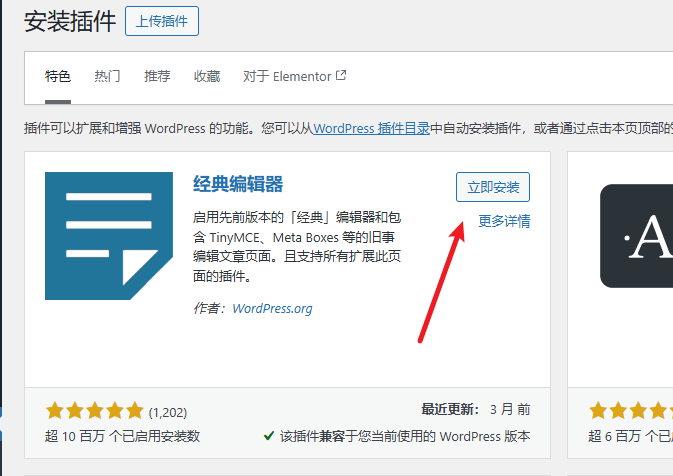
Directly from the WordPress Admin Dashboard, go to Plugins, Add New, search for „Classic Widgets" (called Classic Editor in Chinese), install and activate it.
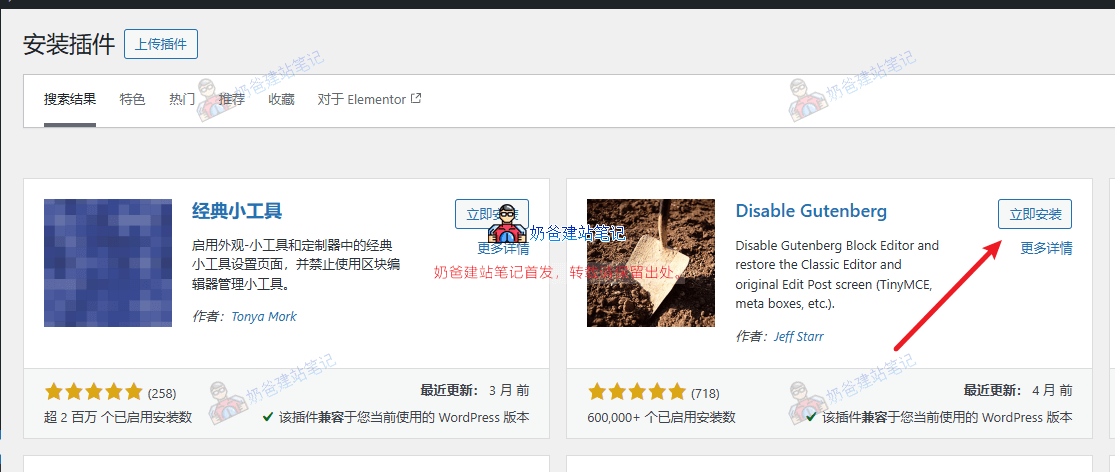
Or search for „Disable Gutenberg", installing this plugin can also disable the Gutenberg editor.
The more complex method: Use code
Using code to disable it might be a bit troublesome for beginners; improper operation can cause website errors, so beginners are not advised to use code directly. If you must use code, you can also consider using the Code Snippets plugin to implement it.
Add the following code to the theme's functions.php file (in WP Admin, Appearance, Theme File Editor):
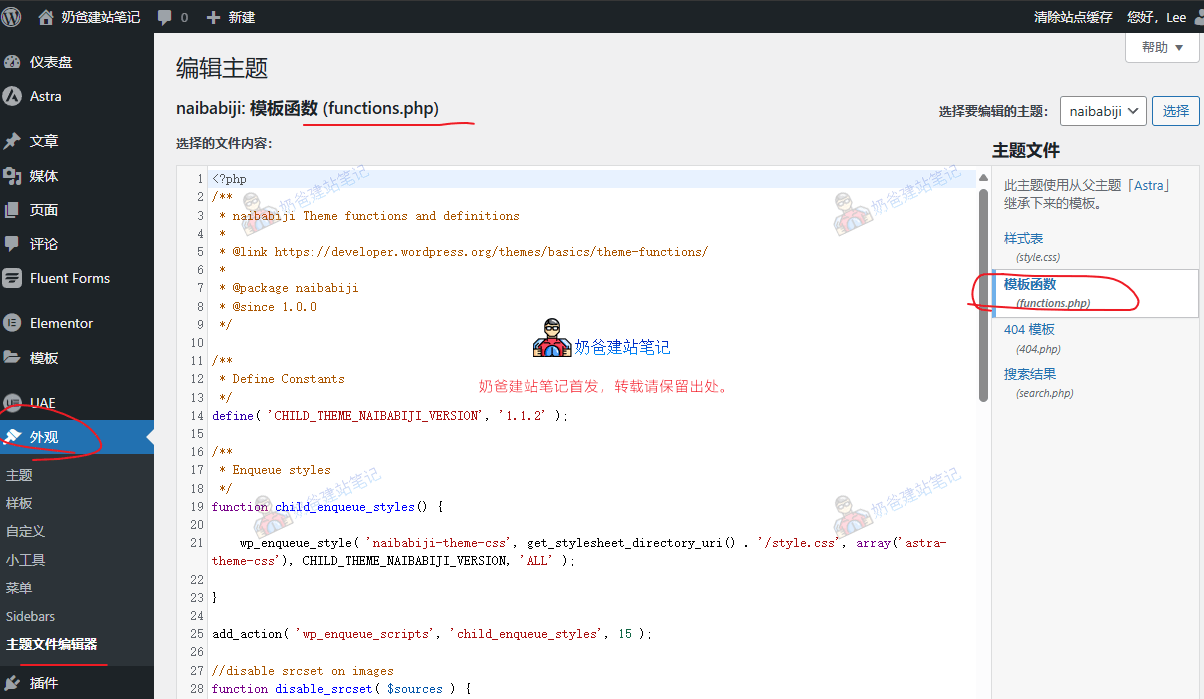
// 禁用古腾堡编辑器并启用经典编辑器
add_filter('use_block_editor_for_post', '__return_false', 10);
add_filter('use_block_editor_for_post_type', '__return_false', 10);
Copy and paste the above code into the end of the functions.php file, then save it.
If you want to completely disable the Gutenberg editor, use the code below:
// 完全禁用古腾堡编辑器
add_action('wp_enqueue_scripts', 'disable_gutenberg', 100);
function disable_gutenberg() {
    wp_dequeue_style('wp-block-library');
    wp_dequeue_style('wp-block-library-theme');
    wp_dequeue_style('wc-block-style');
}
A safer method than modifying code: Edit the wp-config.php file
Modifying the theme's functions file is relatively more troublesome for beginners. If you know how to edit the wp-config.php file, you can also add the following code into the wp-config.php file.
// 禁用古腾堡编辑器
define('DISALLOW_FILE_EDIT', true);
define('DISALLOW_FILE_MODS', true);
The wp-config.php file requires using the server's file manager to operate. If you don't know how, it's still recommended to use a plugin to disable it.
How to use the new Gutenberg editor
The Gutenberg editor is a block editor. The development goal of Gutenberg is to make adding and editing rich text content simpler and more enjoyable for users.
Simply put, content written in Gutenberg is composed of blocks. You can drag and drop their positions freely. For example, if you want to swap the first and third paragraphs of your post, you just need to drag the block of the third paragraph above the first one.
Another point is that inserting HTML code or other elements is more convenient in Gutenberg compared to the old editor. See the details in the image below.
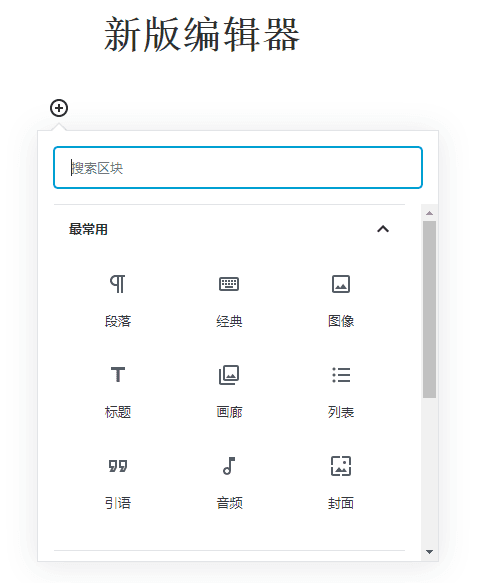
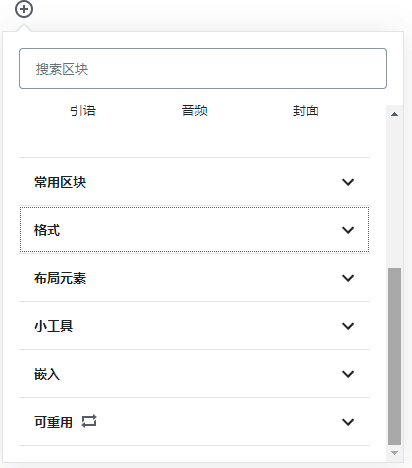
The new editor comes with a wide variety of built-in blocks, allowing you to easily insert the effects you want.
For example, setting the background color of a specific paragraph.

The Gutenberg editor also makes it easy to insert columns, which was difficult to achieve in the old editor.
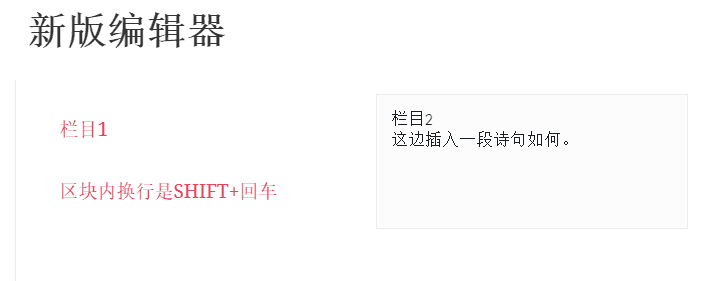
In summary, if you have a new website, you might consider using the Gutenberg editor to write posts from the start. Once you get used to it, you'll find it quite convenient.
Related articles: