
One of the basic requirements for building a website is needing website space, which refers to shared hosting and servers. This article explains the difference between shared hosting and servers for beginner friends.
Note: To facilitate understanding for beginners, the following explanatory examples may not be entirely accurate. For precise explanations, please refer to Baidu Baike.
Common Classifications of Shared Hosting and Servers
Taking building a foreign trade website as an example, when purchasing website space from an overseas IDC, the most common classifications are: SHARED WEB HOSTING, DEDICATED WEB HOSTING, VIRTUAL PRIVATE SERVER (VPS), MANAGED WORDPRESS HOSTING.
SHARED WEB HOSTING
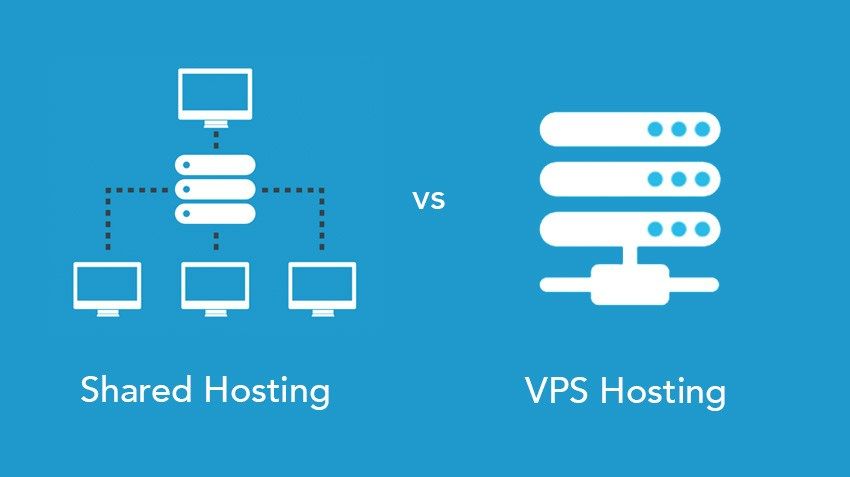
Shared hosting is the cheapest type of hosting, where many websites share one server (one computer) and share one IP.
An easy-to-understand example is the software folder on your computer's D drive. Each software folder corresponds to a website, and all websites are on your D drive.
Shared hosting shares server resources such as CPU, hard disk, memory, and bandwidth.
The advantage of shared hosting is low price; the disadvantages are poor performance (usually hundreds or thousands of websites on one server) and poor security (like if a software you install has a virus, the whole computer gets infected. If one website on your server is infected, your website may also be affected.)
DEDICATED WEB HOSTING
Don't be misled by the term 'dedicated' in dedicated hosting; it's actually not much different from shared hosting. The main difference is that you are assigned a dedicated IP (similar to creating a shortcut for you. Shared hosting shares one IP, so to find the software, you must open the D drive and then the software folder). There is no significant performance difference between shared IP and dedicated IP, but a dedicated IP is beneficial for website SEO. Additionally, reputable providers typically limit the number of websites on a dedicated hosting server, resulting in relatively better performance compared to shared hosting.
VIRTUAL PRIVATE SERVER (VPS)
VPS is a popular space for building websites in recent years. If you have used virtual machines on your computer, it is easy to understand the difference between it and virtual hosting. Virtual hosting is like separate folders on a computer, while VPS is an independent space. Although there are many VPS on the same server, you won't get infected just because another VPS is infected.
At the same time, VPS resources like CPU, hard disk, and memory are exclusively yours (bandwidth is sometimes shared). Simply put, VPS offers better performance and higher customizability, but has a higher learning curve than shared hosting.
DomesticAlibaba Cloudcloud server ECS andTencent Cloudcloud server CVM are essentially VPS.
MANAGED WORDPRESS HOSTING
Managed hosting is a new type of hosting that is specifically tailored for a certain website program.
Usually, various programs can be installed on shared hosting, and you don't know which program has vulnerabilities, causing server insecurity.
Managed WordPress hosting only allows you to install the WordPress website builder. If a version has vulnerabilities, it will promptly remind you or help you update, and it also optimizes performance for WordPress. Simply put, managed virtual hosting is more user-friendly and stable than other virtual hosting. You don't need to worry about how to set up WordPress; you only need to focus on content. However, it is still virtual hosting.
A More Common Explanation
In communication with novice webmasters, I found that some still don't understand the difference between shared hosting and VPS, so I'll give a more relatable example.
Both shared hosting and VPS are called web servers.Here, we compare shared hosting to a group rental apartment and VPS to an independent apartment.。
Compare website data to yourself.。
And different server providers are compared to different landlords or professional leasing companies.
Would you (website data) rather live in a group rental (shared hosting) or a private apartment (VPS)?
Shared hosting (virtual hosting) is cheap, but everyone shares the bathroom (CPU), kitchen (memory), and living room (network bandwidth).
A private apartment (VPS) is more expensive, but you have your own bathroom (CPU), kitchen (memory), and living room (network bandwidth).
In a group rental (shared hosting), your basic hardware is set up by the landlord.
With a private apartment (VPS), you can also decorate it yourself and upgrade the hardware.
How to Choose Between Shared Hosting and VPS?
Having introduced the differences between several types of virtual hosting and VPS, you may still want to know which type of space to choose for building a website. Here is Naiba's suggestion.
For beginners to practice with a limited budget, consider shared hosting.
For enterprise website building but no one to maintain the server, consider managed hosting. For example:SiteGround Registration Tutorial for Foreign Trade WordPress Website Managed Hosting
Businesses building websites with server maintenance personnel should consider VPS or dedicated servers. For example:Complete Tutorial on Building a Foreign Trade Independent Website with Vultr, an Overseas Multi-Datacenter VPS Server
Why prioritize VPS or dedicated servers? Because compared to shared hosting, VPS and dedicated servers offer better performance, higher security, and better customization. The key is that the price is not necessarily higher than managed hosting, and in some cases may be cheaper.
If you are also interested in building websites, click here to viewBasic steps for building a website from scratch
What is the Relationship Between VPS and Baota Panel?
For first-time VPS users, Naiba recommends using the Baota Panel. You may have learned about the Baota Panel from other articles. So what is the relationship between the Baota Panel and VPS? See below.
Related articles:What are the relationships and differences between cloud shared hosting, VPS, and Baota Panel