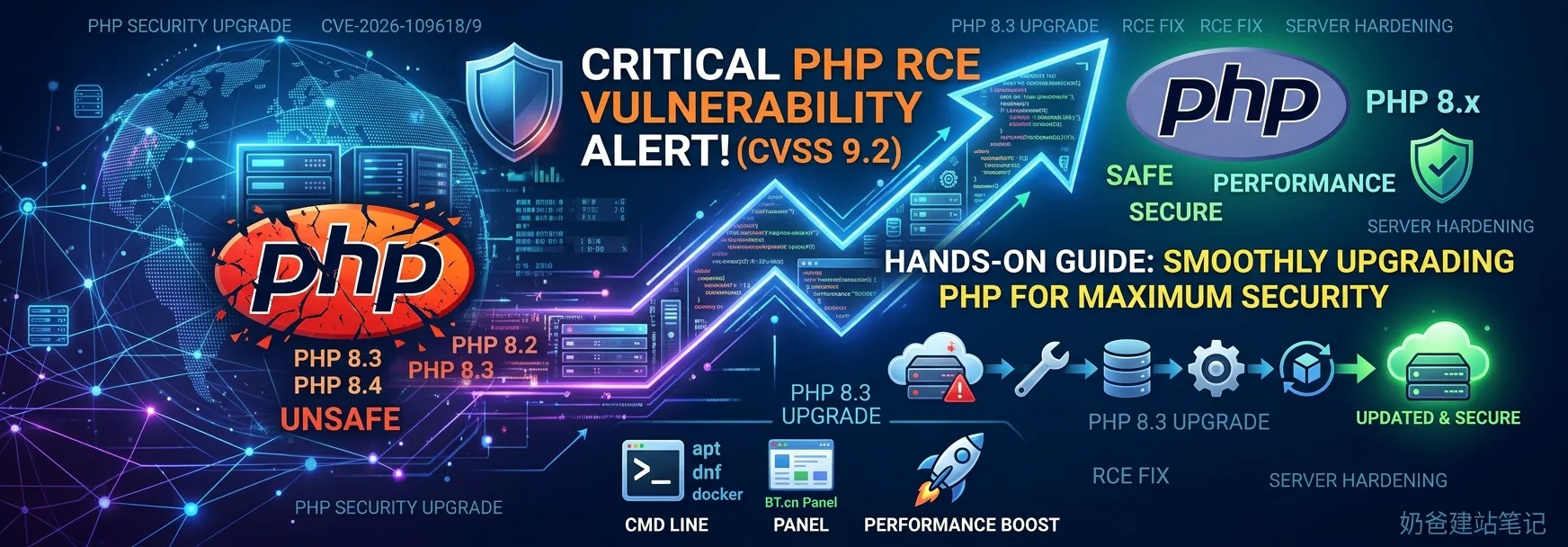
Recently, the PHP official team released an urgent security advisory disclosing two remote code execution (RCE) vulnerabilities with a severity rating as high as CVSS 9.2, affecting multiple mainstream branches including PHP 8.2 and 8.3. Patched PHP versions were released on the evening of October 21, 2026. This article briefly analyzes the vulnerability risks and provides detailed operational guides for smoothly upgrading PHP in different server environments.
I. Background: PHP Official Releases CVSS 9.2 Emergency Patch
On October 21, 2026, the PHP official security team urgently pushed a batch of security fix updates, addressing two severe unauthenticated remote code execution (Unauthenticated RCE) vulnerabilities:
- CVE-2026-109618(Memory Corruption Vulnerability)
- CVE-2026-109619(Global State Residual Vulnerability)
The CVSS v4.0 scores for these two vulnerabilities are as high as9.2 points, affecting almost all common web runtime environments (such as PHP-FPM, Apachemod_php, LiteSpeed, FrankenPHP, etc.). Under certain conditions, attackers can trigger malicious code execution without logging in, severely threatening server security.
The official team has urgently released patched versions:
- PHP 8.2Users need to upgrade to8.2.35or above
- PHP 8.3Users need to upgrade to8.3.36or above
- PHP 8.4Users need to upgrade to8.4.27or above
- PHP 8.5Users need to upgrade to8.5.12or above
For most webmasters and operations personnel, the most thorough and safest solution is toupgrade PHP on the server to the latest secure version as soon as possible。
II. Key Preparations Before Upgrading PHP
Before performing any server upgrade operation, be sure to take the following protective measures to prevent website service interruption due to version changes:
- Full site and database backup: Back up complete data via snapshots, WP Panel backup, Baota Panel backup, or
mysqldumpbackup complete data. - Check plugin/theme compatibility: If it is a WordPress site, ensure that the core and plugins are all updated to the latest version (especially when upgrading across versions from PHP 8.2/8.3 to 8.4).
- Record the old version
php.iniConfiguration: Focus on recordingupload_max_filesize、memory_limit、opcacheand extension add-ons (such as Redis, Swoole, etc.) to prevent configurations from being overwritten after the upgrade.
III. Operation Guide for Upgrading PHP in Different Environments
1. WP Panel
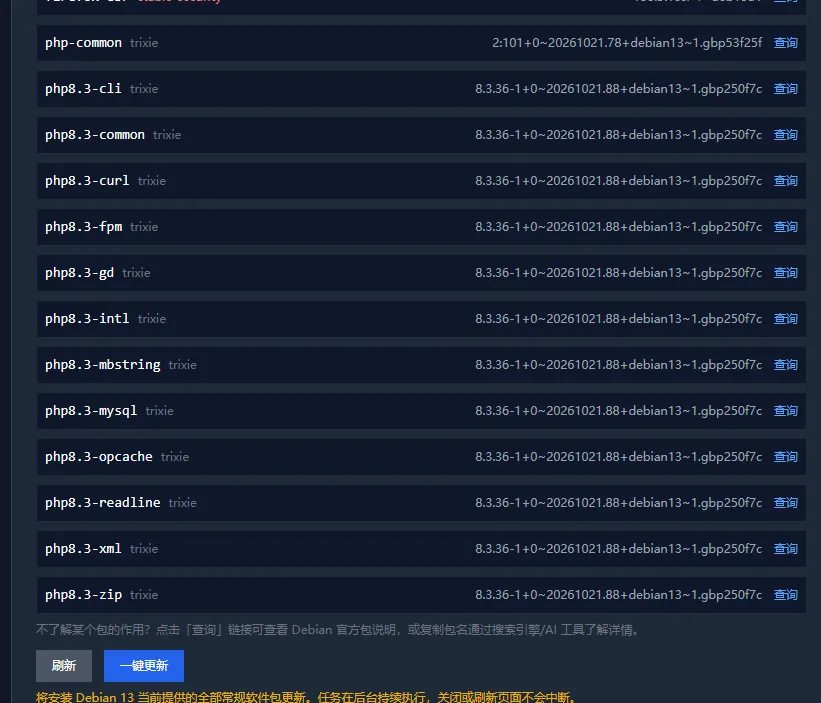
If you are using WP Panel and have configured alert notifications, the panel will automatically remind you that system updates are available. Log in to the WP Panel backend settings interface and click the one-click update button at the system update section to complete the fix. (If it does not appear, manually click refresh to let the system detect updates and then update.)
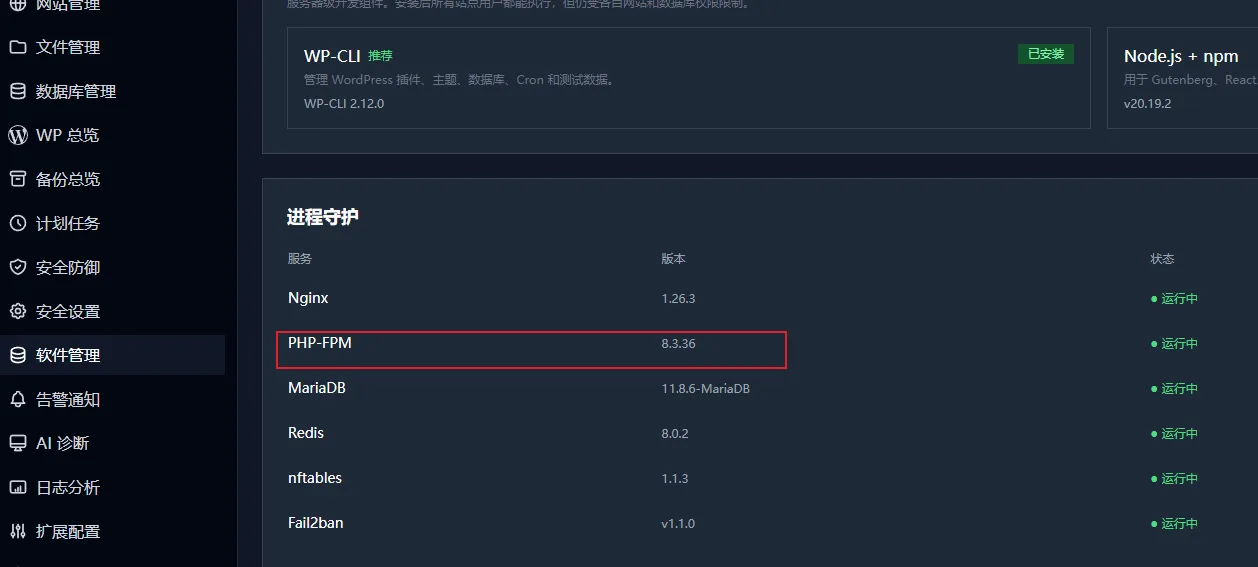
After the update is complete, in the software management interface, if you see the PHP version changed to 8.3.36, it means these two bugs have been successfully fixed.
2. Baota Panel
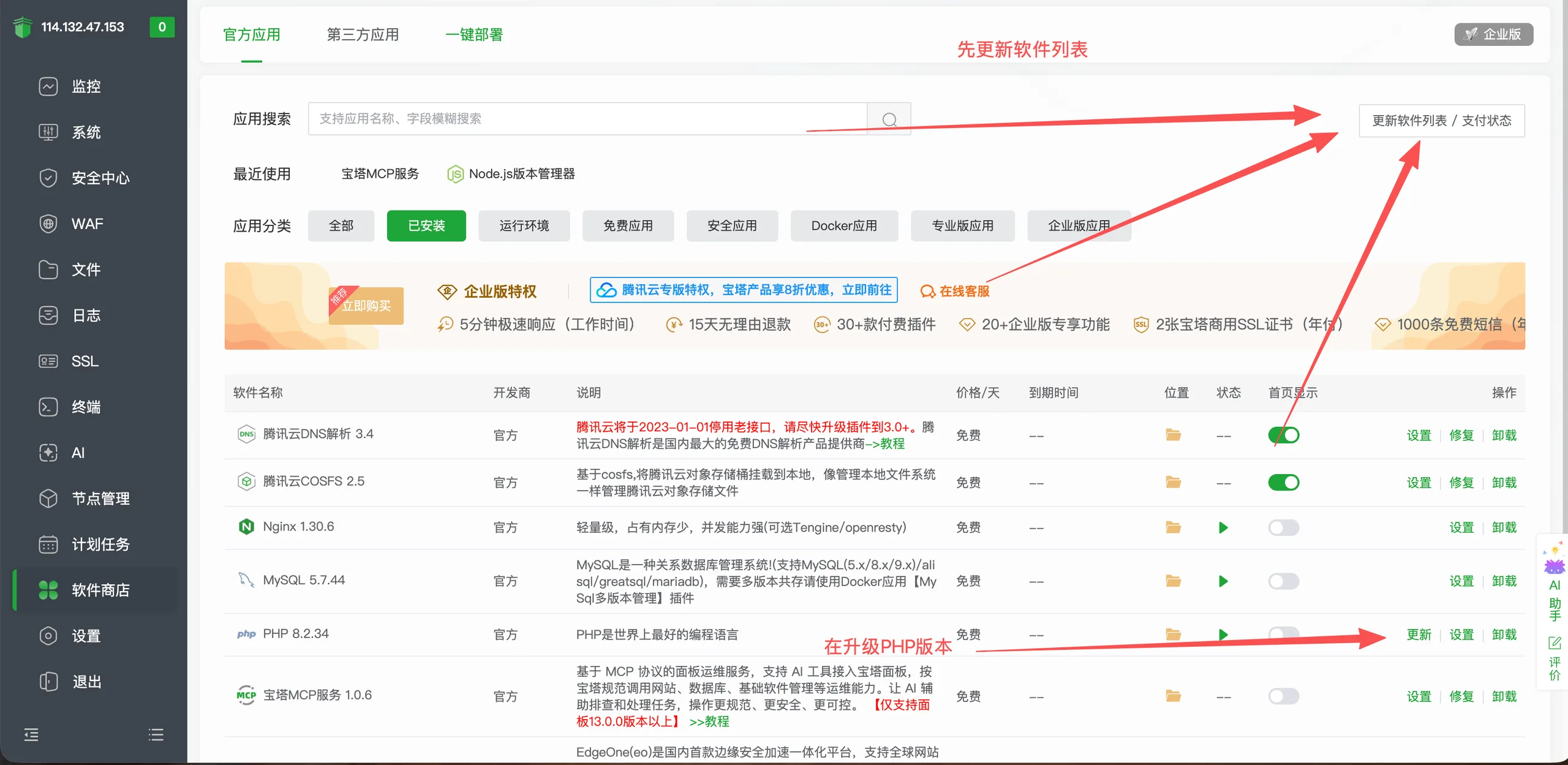
If you are using Baota Panel or a panel, the upgrade steps are as follows:
- Software Store Update: Log in to the panel, go to [Software Store], first click the „Update Software List“ button in the upper right corner to refresh, then click the update button next to the PHP version you are using.
- Cross-major version replacement (e.g., upgrading from 7.0 to 8.3): If you were previously using an older PHP version that is not covered by this update fix, it is best to directly install the fixed version. First uninstall the old PHP version, then install the new fixed PHP version, and then go to the website management interface to switch the PHP version to the new version (for old websites, switching PHP versions will likely have compatibility issues that require additional fixes).
3. Debian / Ubuntu Systems (PPA / Official Repository)
For servers using the native Linux package manager, you can directly apply patch overlay upgrades through the official repository:
Bash
# 1. 更新软件包列表
sudo apt update

# 2. 检查是否有 PHP 可更新版本
apt list --upgradable | grep php

# 3. 升级所有 PHP 相关软件包
sudo apt --only-upgrade install "php8.3*"

# 4. 重启 PHP-FPM 与 Web 服务器
sudo systemctl restart php8.3-fpm
sudo systemctl restart nginx
Note: If using Ondřej Surý's PPA repository, official updates are usually synchronized within a very short time after release.
4. RHEL / Rocky Linux / AlmaLinux (Remi Repository)
Bash
# 1. 清理并更新 yum/dnf 缓存
sudo dnf clean all
sudo dnf check-update

# 2. 升级 PHP 及其扩展包
sudo dnf upgrade "php*"

# 3. 重启服务
sudo systemctl restart php-fpm
sudo systemctl restart nginx
5. Docker Containerized Environment
If your application is deployed in Docker or Docker Compose, fixing vulnerabilities is even simpler:
- Open the
docker-compose.yml或Dockerfile。 - Adjust the PHP image version pull to the latest minor version (e.g.,
php:8.3-fpm-alpine). - Execute pull and rebuild: Bash
docker compose pull docker compose up -d --build
IV. Post-upgrade verification and checks
After the upgrade is complete, you can verify whether the fix is in effect in the following two ways:
- Check the version from the command line: Bash
php -vConfirm that the output version number has reached or is higher than8.3.36(or the secure version of the corresponding branch). - Check FPM / probe output: Create a temporary
info.phpfile (delete it immediately after testing): PHP<?php phpinfo(); ?>Access it in a browser and confirm that the web-side environment is indeed loading the new PHP-FPM version, and that the relevant extensions (such as Redis, OPcache) are properly enabled.
V. Temporary mitigation options (if you cannot upgrade immediately)
If you cannot upgrade the PHP core immediately due to business dependencies, you can first adjust the configuration to reduce the attack risk:
- Disable the session upload progress feature(mitigates CVE-2026-109619): In
php.iniset: Ini, TOMLsession.upload_progress.enabled = 0 - Reasonably limit the request body size(mitigates CVE-2026-109618): Limit
post_max_sizeto a reasonable value (e.g.,16M或32M) and limit at the Nginx / Apache layerclient_max_body_sizeto prevent oversized requests from hitting PHP processes directly.
Tip: Temporary solutions can only partially block known attack paths;upgrading to the official security patch in a timely manner is the only thorough solution。
Summary
With the advancement of AI, more and more previously undiscovered vulnerabilities are being found. WordPress also relies on PHP to run, so even if your website itself has no security issues, if you have not installed the PHP version that fixes this vulnerability, your website may still be hacked, thereby slapping the label of „insecure“ onto WordPress.
For the security of your website and server, go upgrade right away. If you don't know how to upgrade, you can contact your service provider's after-sales support for help, or hire Naiba for a paid service.