The title seems a bit awkward. To explain in more detail: Disable WordPress from detecting plugin and theme updates, disable installing themes and plugins in the backend, disable editing theme and plugin code in the backend.
When is it necessary to disable update checks
When you have helped a novice user install WordPress, configure plugins and themes, and the website is fully functional, you need to use this feature to prevent the curious novice from clicking around and causing unnecessary trouble for you.
Code to completely disable WordPress update checks and installation/editing permissions
define( 'DISALLOW_FILE_MODS', true );
Simply add the above code to the wp-config.php file and save it.
Then, in theWordPressbackend, you will not see options for updates, installing plugins, editing plugins, installing themes, and editing themes. Directly accessing these pages via URL will also prompt that you do not have permission to access.
However, there will still be a prompt for WordPress updates in the dashboard, as shown below. If you cannot stand this prompt, use the plugin version below to disable it.

As a website owner, keeping WordPress and plugins updated is very important.
Disable WordPress automatic update function
The code above disables checking for updates. If you want to disable WordPress automatic updates, you can add the following code to the wp-config.php file.
define( 'AUTOMATIC_UPDATER_DISABLED', true );
For configuring WordPress automatic background updates, refer to theWordPress official documentation。
Plugin version to disable WordPress update checks
The code above is a native solution, but it will still show a core update notification. If you don't want this notification either, you can use the following twoWordPress Plugin, both tested and confirmed effective by Naiba on June 5th.
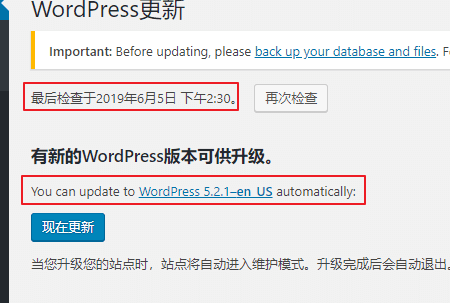
Below is a demonstration of the effect
Effect of using a plugin to disable WordPress update checks:
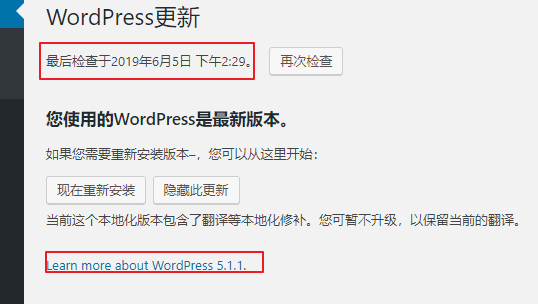
Effect without enabling a plugin to disable WordPress update checks
Disable All WordPress Updates
This is a plugin that prevents WordPress core files and theme plugins from checking for updates. It may itself be updated, but after updating, you can enable it to continue preventing WordPress updates.
Extension Download Address:https://wordpress.org/plugins/disable-wordpress-updates/
QQWorld Speed for China
This plugin is equivalent to a domestic website optimization plugin. In addition to preventing WordPress from checking for updates, it can also disable or replace Google Fonts, Gravatar avatars, and Emoji emoticons.
Extension Download Address:https://wordpress.org/plugins/qqworld-speed-4-china/
Related articles
Besides disabling WordPress updates, you can also check out the following two articles, which are somewhat related to this topic.