Recently, websites using PHP versions below 8.3 have seen the prompt in the WordPress Admin Dashboard: „Your site is running an outdated version of PHP (7.4.33), which does not receive security updates and should be upgraded.“
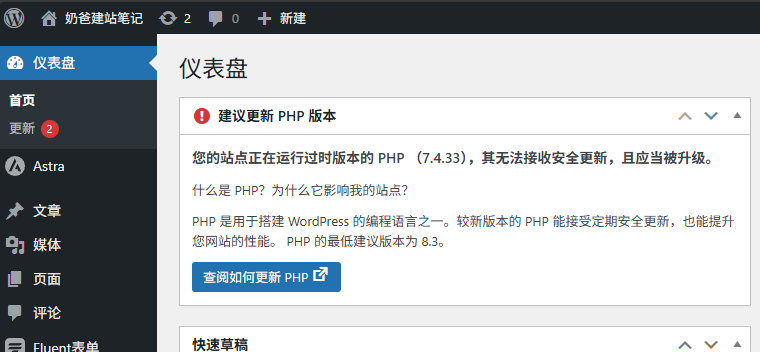
This is because WordPress officially recommends using PHP version 8.3 as the minimum. Any version below 8.3 will trigger this update suggestion.
Impact of Not Upgrading to PHP 8.3
There are three main impacts of not upgrading your PHP version to 8.3:
1. Security
Official security support for PHP versions below 8.3 has expired, meaning you won't receive security patches, potentially exposing you to security risks.
2. Compatibility
Some Plugins may follow WordPress's lead and drop compatibility with PHP versions below 8.3.
3. Performance
PHP 8.3 offers significant performance improvements compared to PHP 7.4, though the gains are less substantial compared to PHP 8.0.
Should You Upgrade to PHP 8.3?
Whether you need to upgrade to PHP 8.3 depends on your current version, project status, maintenance needs, and desire for new features.
If the Themes or Plugins you currently use are not compatible with PHP 8.3, upgrading to a higher PHP version could disrupt your website's normal operation. (WordPress will also alert you if a Plugin requires PHP 8.3.)
If your website is currently running smoothly and you are either unwilling or unable to deal with the PHP upgrade, Naiba's advice is toBackup your websiteonce, then ignore the prompt. If issues arise later, restore from the backup and then consider the upgrade.
How to Upgrade PHP to 8.3?
Upgrading the PHP version requires server support. Shared Hosting providers we recommend, like SiteGround and Hostinger, support upgrading to PHP 8.3. If you use smaller providers, you might not be able to upgrade to the latest PHP 8.3.
Upgrading to PHP 8.3 on SiteGround
By default, SiteGround websites are set to use „Managed PHP,“ meaning SiteGround manages which PHP version is used. To manually switch the PHP version, follow these steps:
In your SiteGround Admin Dashboard, go to your website's details page: Site Tools > Devs > PHP Manager > PHP Version
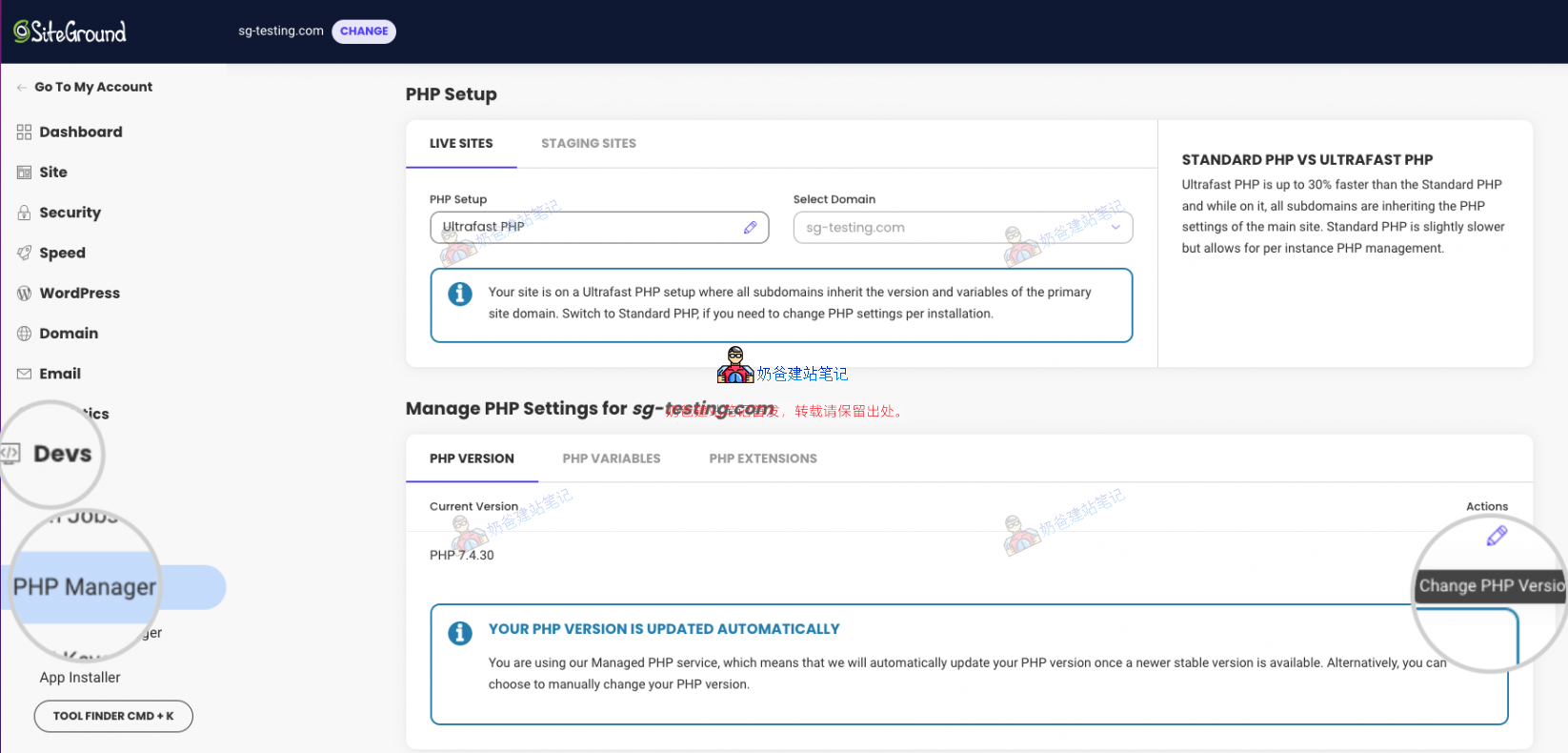
Click the pencil icon next to it to open the PHP switching panel.
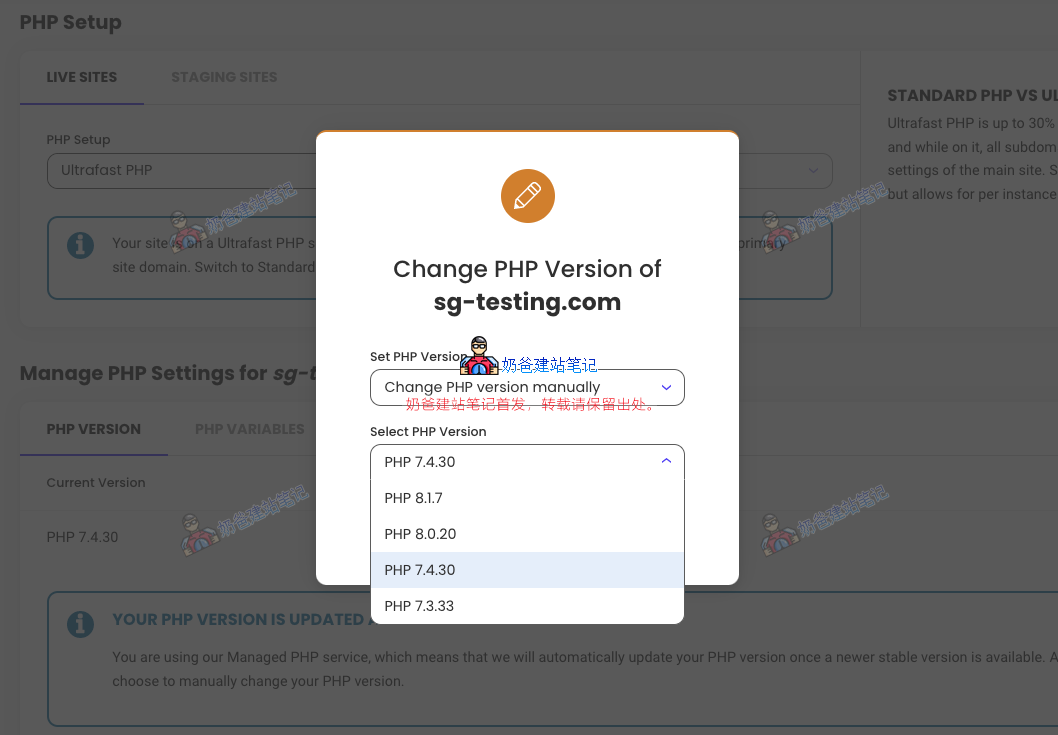
This completes the PHP version switch.
Upgrading PHP to 8.3 on Hostinger
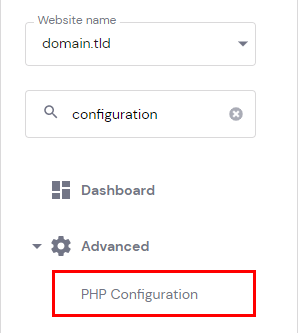
First, go to the product details page for your website in your Hostinger account and select PHP Configuration in the Dashboard.
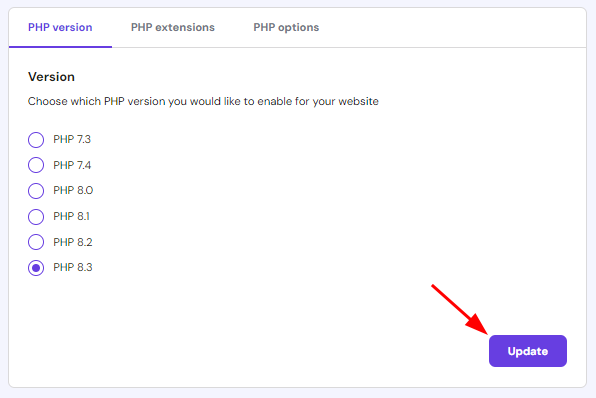
On the PHP Configuration page, select the PHP version you want to use and click update.
Upgrading PHP to 8.3 on Baota Panel
If you built your website on a self-purchased VPS, you likely have Baota Panel installed. You can use the following steps to upgrade to PHP 8.3.
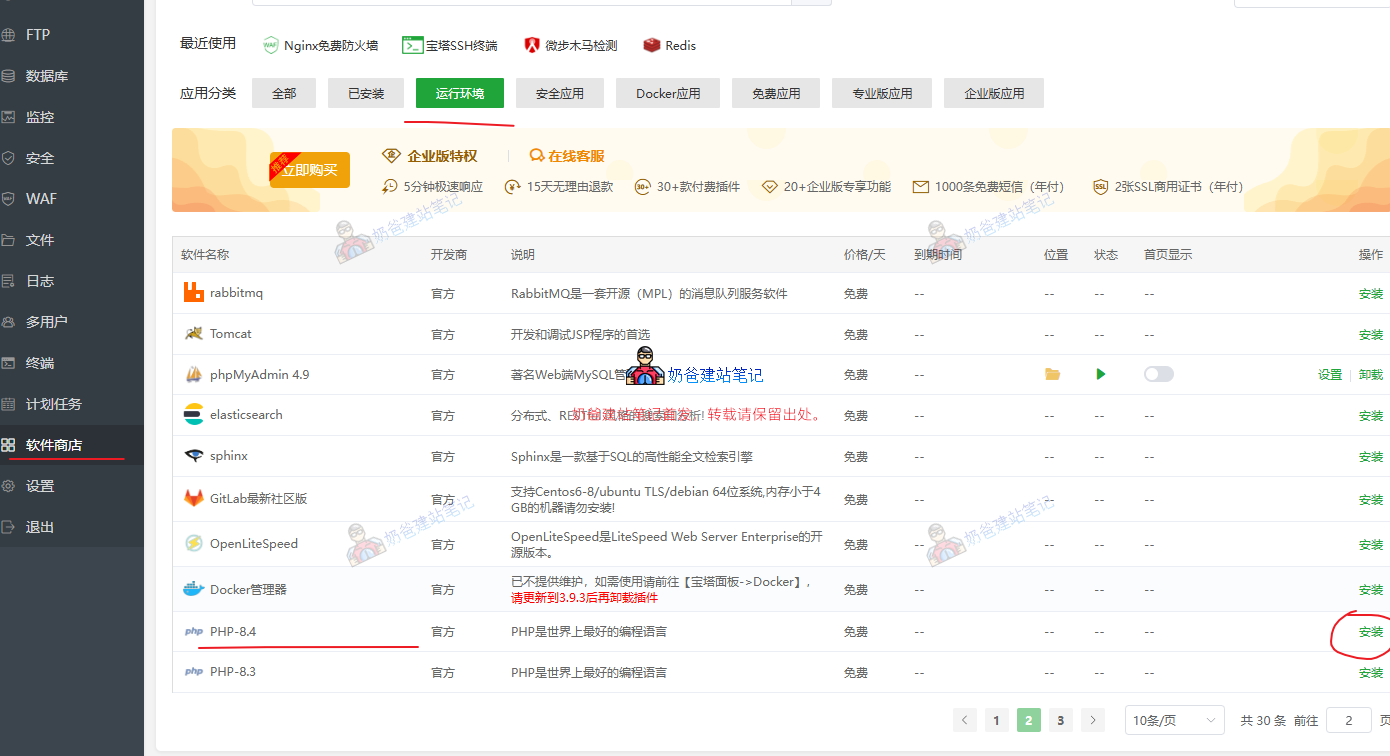
First, go to the Software Store in the Baota Panel backend and install PHP 8.3.
After installation, go to the website list, click on website settings, and switch to the PHP section.
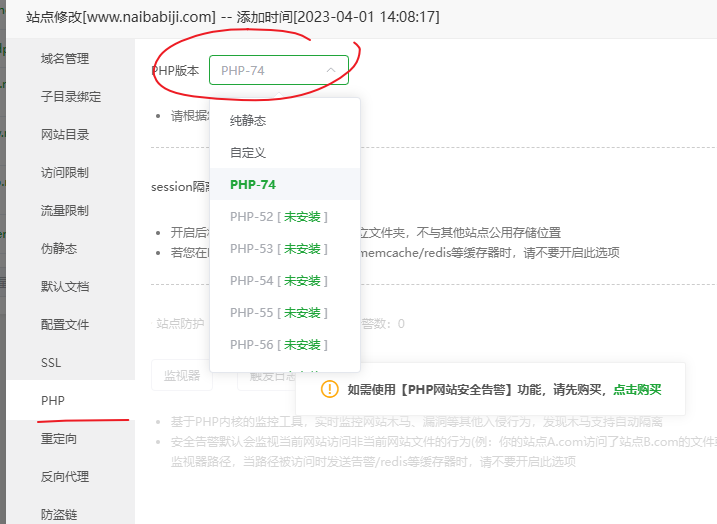
Just select the PHP 8.3 you installed earlier. (Why isn't 8.3 in the screenshot? Because Naiba is too lazy to upgrade now 🤣)
Note:Based on Naiba's experience, after switching PHP here, your website might become inaccessible or display incorrectly. If you encounter this issue and cannot resolve it, you cancontact Naiba for paid assistance。