
If you have built a website server by purchasing a VPS yourself, you may encounter situations where the server network is very slow. To troubleshoot the issue, we need to use tools like iftop to view the server's traffic information in real-time and determine if there are malicious programs sending network packets. This article documents theMethod and Tutorial for Installing iftop on CentOS 7。
CentOS 7 iftop Installation Tutorial
1. Install EPEL source
Enter the following command to install directly (if you still don't know how to use VPS, please readthis article.)
yum install epel-release
If the above command fails to install, then use the following command to install manually
rpm -Uvh https://dl.fedoraproject.org/pub/epel/epel-release-latest-7.noarch.rpm
2. Install iftop
yum install iftop
iftop Usage Tutorial
After installing iftop, simply enter `iftop` to launch it, and you will see the interface as shown in the image below:
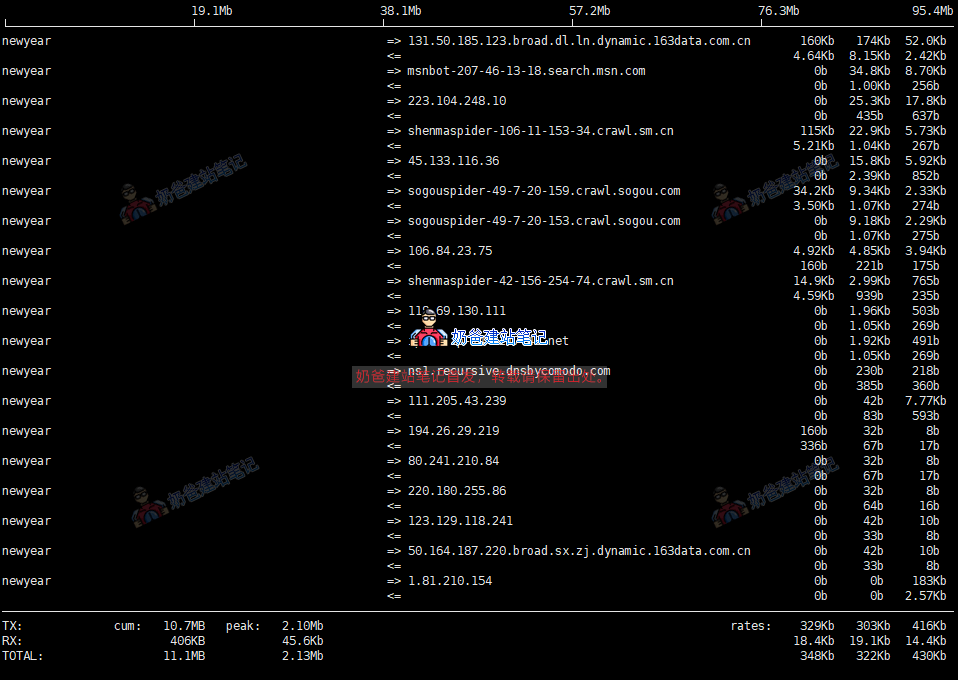
In the image above, the content at the bottom is respectively:
- TX: Transmitted Traffic
- RX: Received Traffic
- TOTAL: Total Traffic
- rates: Represent the average traffic over the past 2s, 10s, and 40s respectively
<= and => represent traffic direction.
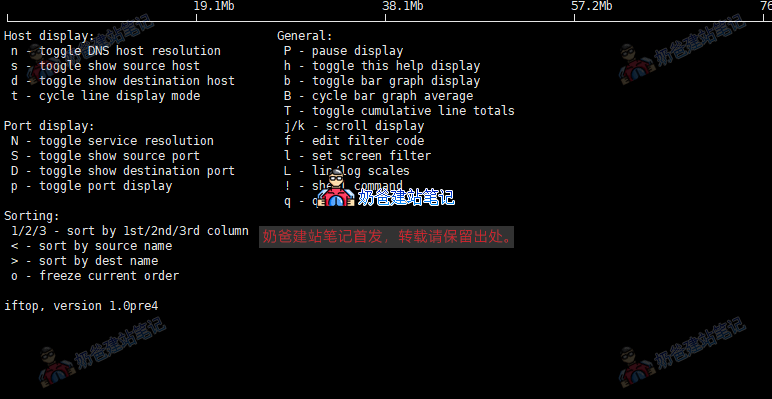
Press the h key on the keyboard to bring up help, as shown below:
For a more detailed iftop tutorial, you can refer tothis article by Wuya。