Many people have followed Naiba's sharing aboutHostinger hostingto build their own independent websites. However, when encountering issues during use and needing Naiba's help, they are asked to provide backend account credentials. They simply send over their Gmail account. In this case, Naiba would need to log into your Gmail first before accessing Hostinger. Actually, you can set a separate password for Hostinger, which would be much less troublesome.
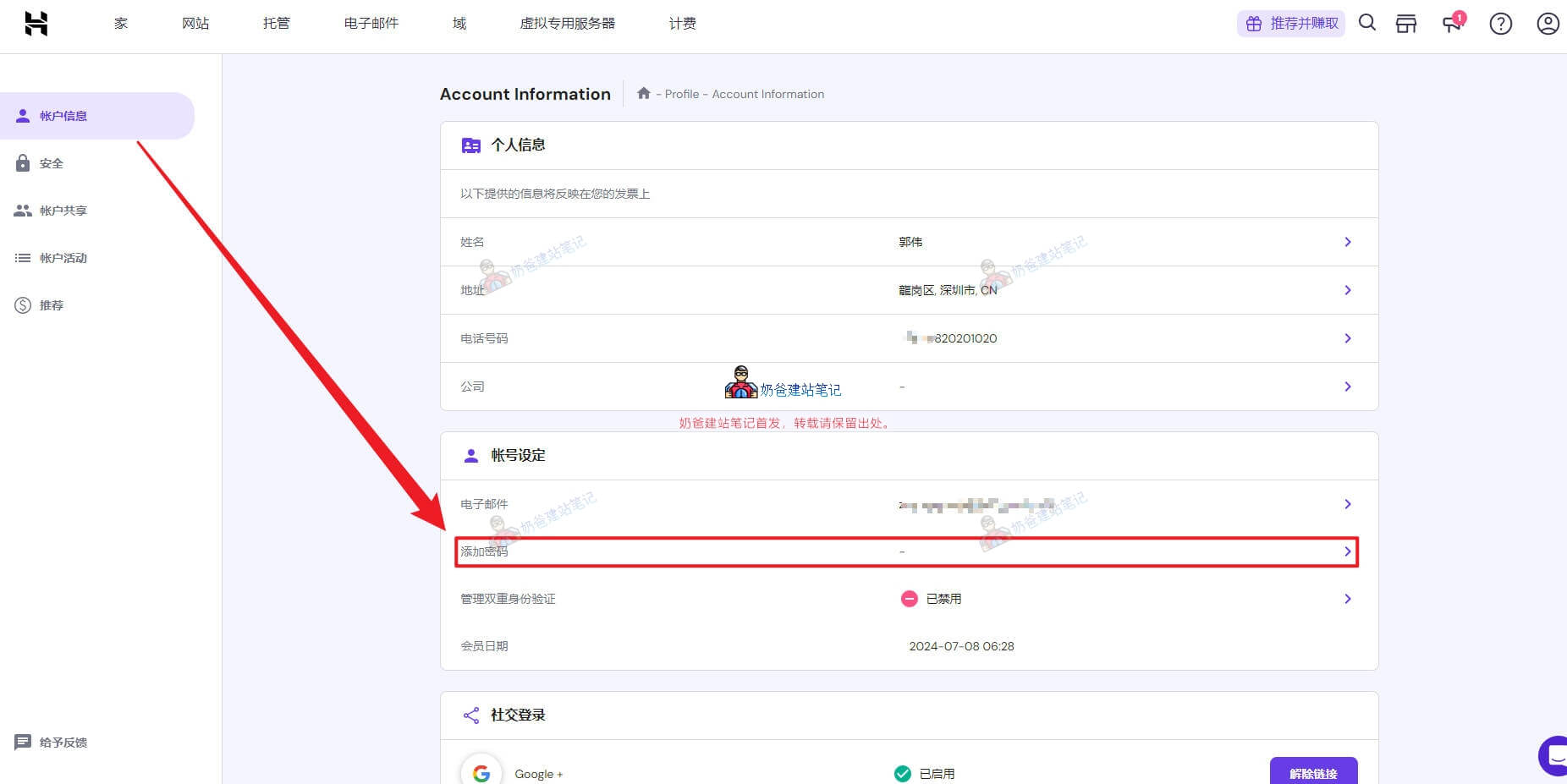
First, log into Hostinger yourself using your Gmail account. Then, go to the account information page, find the option to add a password, and create one yourself. Next time, you can log into Hostinger directly using your email and the password you created.