Building Your Own WebsiteAfter building your own website, how do you submit it to Google? Especially for friends who run foreign trade websites, most of their traffic will rely on Google, so this article introduces the method of submitting your website to Google Search Console.
One of the most important steps in foreign trade website operation isAdd the website to Google Search Console(formerly known as Google Webmaster Tools)
Google Search Console provides some tools for webmasters to analyze their websites, monitor the indexing status and search rankings, etc. Next, let's start adding and verifying your website on your own WordPress site.
1. Log in to Google Search Console and click "Start Now".
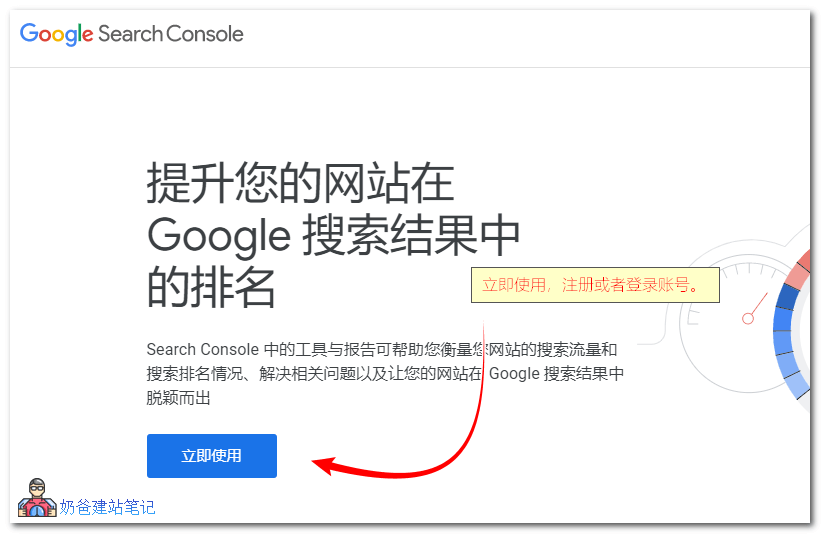
2. After successful login, you will be prompted to add your website. Enter your website URL.
Next, you will be asked to add a verification code, as shown below:
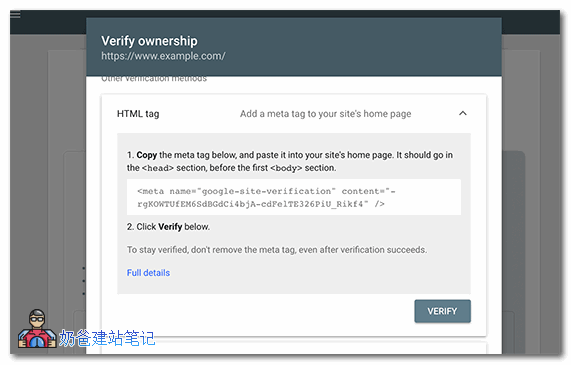
This verification code requires you to copy the code and add it to the header file of your website. The specific method is:
- In the WordPress admin dashboard, go to Appearance -> Theme Editor -> Select the header.php file;
- Paste the code on the line above <\/head>, then save;
- Click Verify.
If you don't know how to add it, you can also use a plugin:Plugins and Methods for Adding Webmaster Statistics Code/ICP Filing Number to the Website Footer
If you use an SEO plugin, such asYoast SEOOr other SEO plugins, usually there is a place in the settings to fill in the Google Webmaster Tools verification code. You can directly fill in the code there, so you don't need to modify the theme files, and you don't have to worry about the code disappearing when changing themes.
Verification successful, your website has been successfully added to Google Webmaster Tools.
Then we canAdd your website's sitemap to Google Search Console, as shown in the figure below:
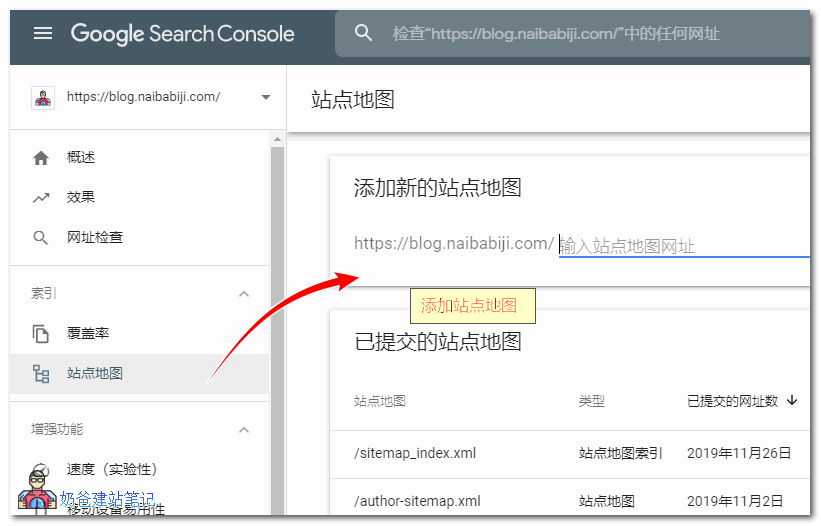
Sitemap: Mainstream SEO plugins have integrated sitemap generation functionality. If you don't have one, you can also install a dedicated sitemap plugin. Search for 'sitemap' in the WordPress admin plugin directory and install one of the top-ranked options.