
When we performSEO Optimizationfor a website, a very important task is to analyze the crawling situation of spiders. If spiders don't even crawl your website, then there will definitely be no indexing. How to observe spider crawl logs? Naiba recommends this Spider Analyser WordPress Plugin here, it's simple and easy to use.
What is a spider?
The spiders mentioned in this article refer to the crawler robots of various search engines. Because they crawl along the links of your website one by one, we all call them search engine spiders.
A web crawler (also known as a web spider, web robot, and more frequently called a web chaser in the FOAF community) is a program or script that automatically crawls World Wide Web information according to certain rules. Other less commonly used names include ant, automatic indexer, simulator, or worm.
Why observe spider records?
The internet is full of various web crawlers, including search engine spiders such as Baidu, Bing, Google bots, and many spam crawlers like MJ12Bot, AhrefsBot, MauiBot, etc.
Bad crawlers consume extra server resources. Some small servers may crash due to bad crawlers, causing the website to be inaccessible. Therefore, we need to regularly observe whether the website is being crawled by bad crawlers, and also pay attention to whether search engine crawlers are fetching pages and their frequency, so as to make targeted SEO adjustments.
Introduction to Spider Analyser Plugin
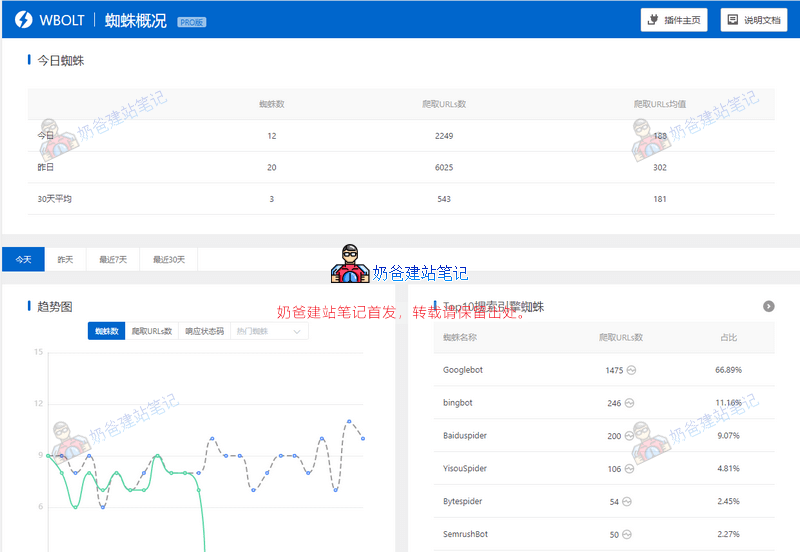
Spider Analyser is a tool for tracking various search engine spider crawl logs on WordPress sites, providing detailed spider crawl data statistics, spider behavior analysis, spider crawl analysis, and fake spider blocking.
This plugin has free and Pro versions. The free version can be installed directly by searching in the WordPress plugin repository. Some features demonstrated in this article are only available in the Pro version.
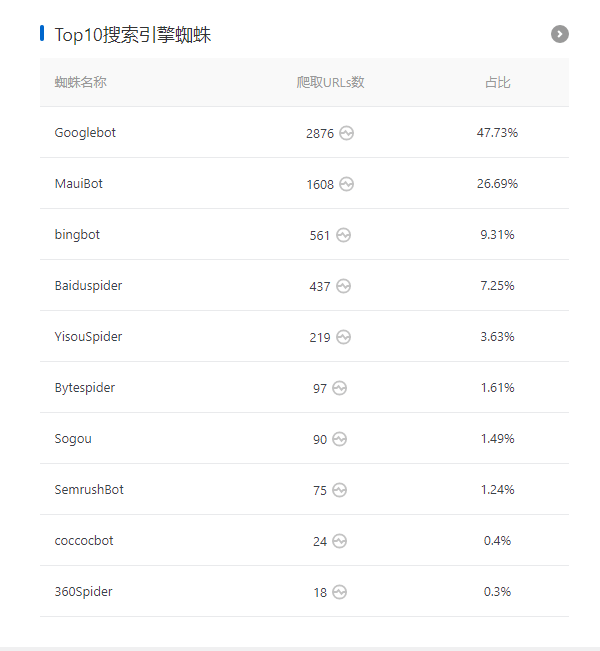
In the spider statistics section, you can see which search engines or web crawlers visit your site most frequently.
In the image above, you can see that Naibabiji has the most Google crawls per day, followed by MauiBot. After searching, I found it is a spam crawler. I will block it directly later, as it wastes server resources and brings no traffic.
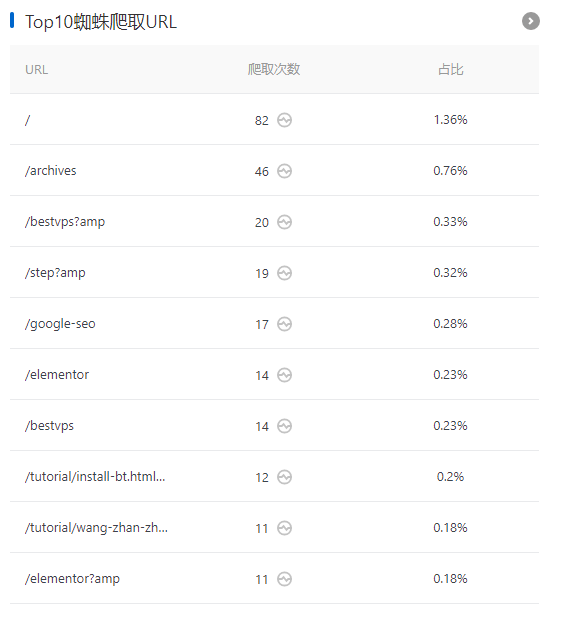
From here, you can see which URLs on the website are crawled the most by spiders. You can appropriately insert an internal link to your newly published articles or articles you want to boost the weight of on these pages, to guide spiders to crawl them.
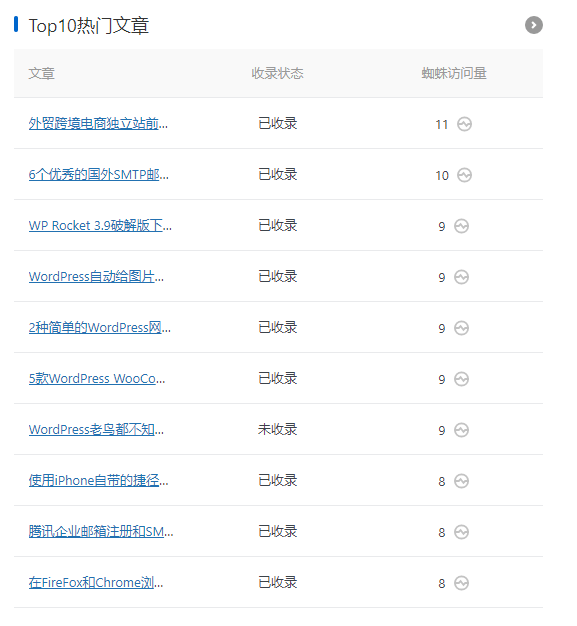
Similarly, popular articles can also insert internal links to guide spiders to other articles.
Then you can also check the indexing status. For unindexed articles, we can check the article quality and submit them to search engines for crawling.
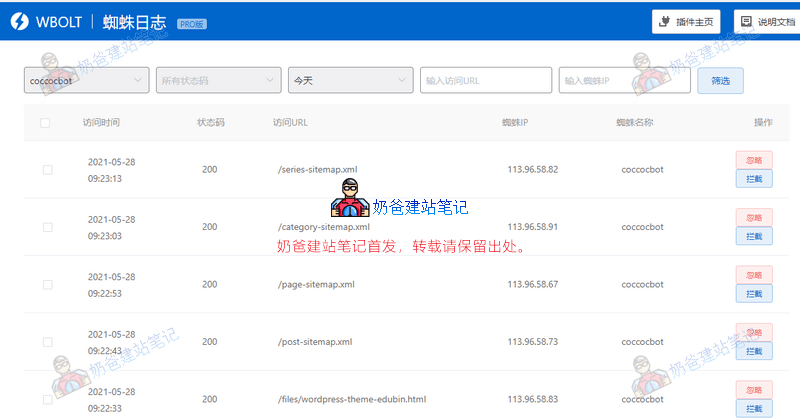
Click the icon after the URL count to view specific spider crawling details. For example, in the image above, we can see that a spider named coccocbot crawled the site's sitemap.
Then Naiba searched online and found that this search engine is from Vietnam. For Chinese websites, crawling by a Vietnamese search engine is meaningless, so it can be blocked directly. This blocking is done at the server level, not via robots.txt, simple and effective.
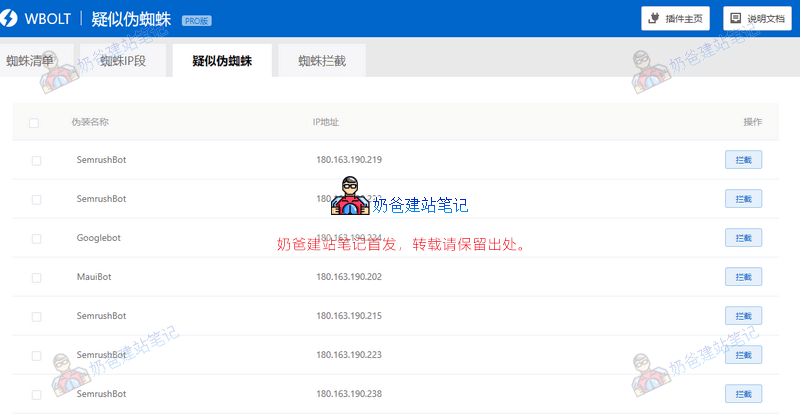
In the spider list, we can see the spider list, spider IP ranges, suspected fake spiders, and spider blocking.
The SemrushBot in the image above is a bot from a famous SEO tool. If you don't want your site to be thoroughly analyzed, you can directly block its crawling. As for whether this IP is a disguised bot, it's hard to tell. Although the IP query shows it's from Shanghai, it's best to check the official IP range on the spider's official website to judge.
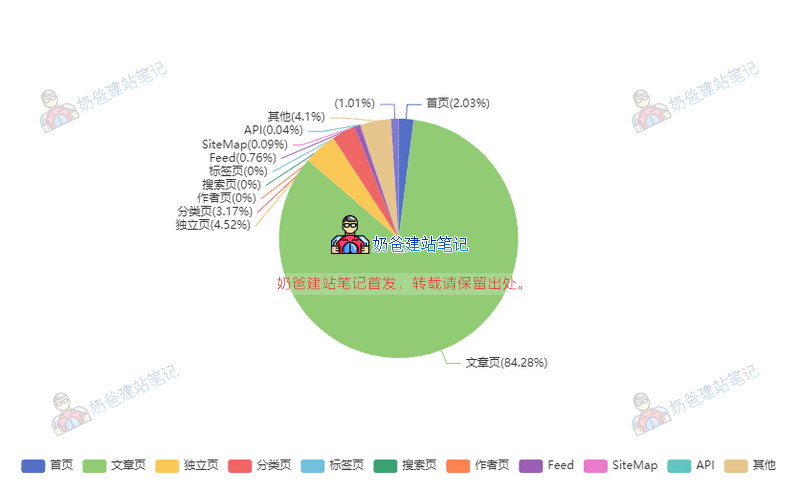
The access path can visualize the spider access situation on your website. If you have an e-commerce website, you should pay attention to the crawling proportion of product pages for targeted optimization.
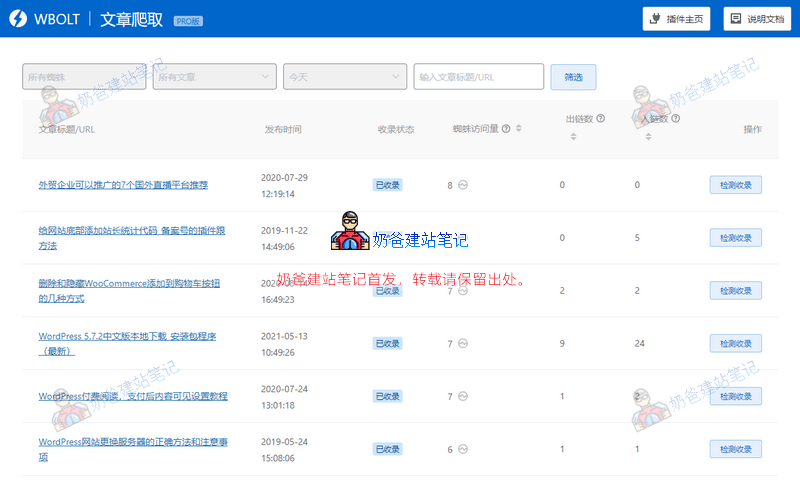
The article crawling feature shows whether it is indexed, spider visits, and number of inbound and outbound links.
Here, focus on pages that have been crawled but not indexed, and consider whether to insert internal links for link building.
Download Spider Analyser Plugin
Spider Analyser is available in Free and Pro versions. Below are the feature differences between the two versions.
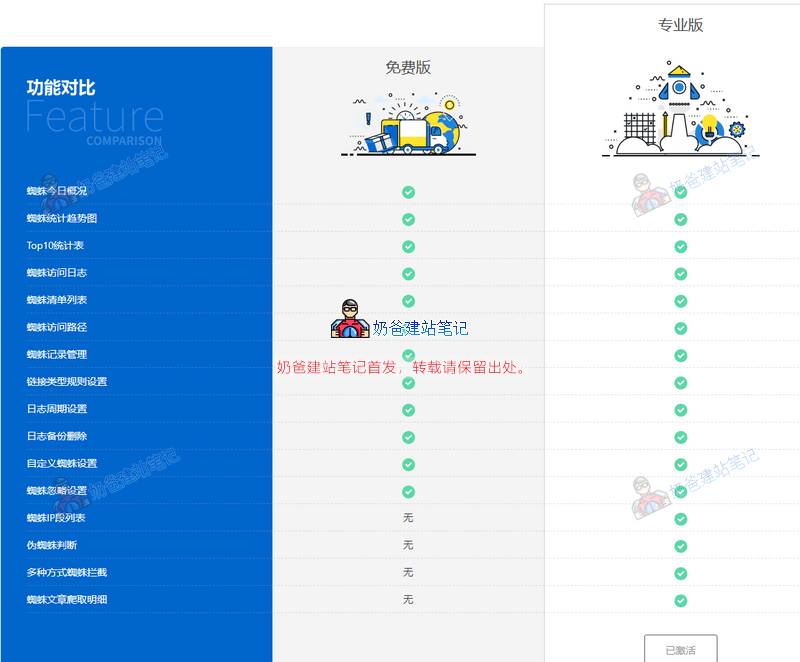
The free version of the plugin can be installed directly by searching in the WordPress plugin repository from the backend.
Professional version: please purchase from the link below, then download, upload, and install.