
Foreign Trade Website BuildingMany companies use WooCommerce as their e-commerce system to sell their products. Today, I'll share a method for remarketing after a customer completes payment, such as displaying related products, guiding shares and follows, or creating a beautiful thank-you page. We can use the WooCommerce after-payment redirect function.
The specific operation method is as follows:
1. Create a new page to redirect to.
2. Copy the code below and paste it into the theme functions file.
/**
* WooCommerce付款后重定向页面
* @link https://blog.naibabiji.com/
*/

add_action( 'woocommerce_thankyou', 'naibabiji_woocommerce_payment_redirect');
function naibabiji_woocommerce_payment_redirect( $order_id ){
$order = wc_get_order( $order_id );
$url = 'https://blog.naibabiji.com/';
if ( ! $order->has_status( 'failed' ) ) {
wp_safe_redirect( $url );
exit;
}
}
3. Modify the URL after $url = in the code above to the redirect page URL.
Save and test if it works.
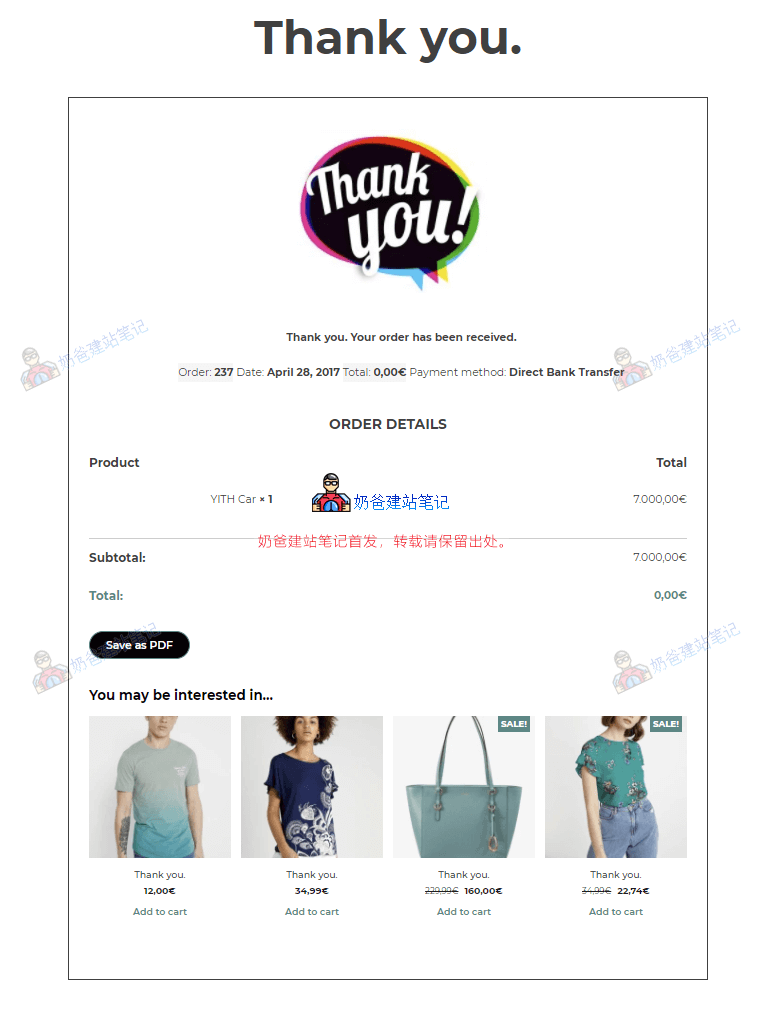
Finally, if you think this code is too simple and cannot meet your personalized redirect needs, you can use the following paid plugin to handle it.
YITH WooCommerce Custom Thank You Page
This plugin helps you customize the „Thank You“ page displayed to customers after order completion and use it to promote upsell products.
- You can customize the „Thank You“ page for the entire store or for individual products.
- You can leverage the „Thank You“ page to promote products related to the one just purchased, thereby increasing sales.
- By having customers share their purchases on social networks, you can gain indirect advertising for your store and products.