Do you know how to choose between opening a link in a new window or the same window? You may have noticed while browsing that some websites open links in a new browser window (e.g., Baidu search results), while others open them in the same window (e.g., Google search results).
This article by Naiba introduces when to open a link in a new window and when to open it in the same window.
What is a new window?
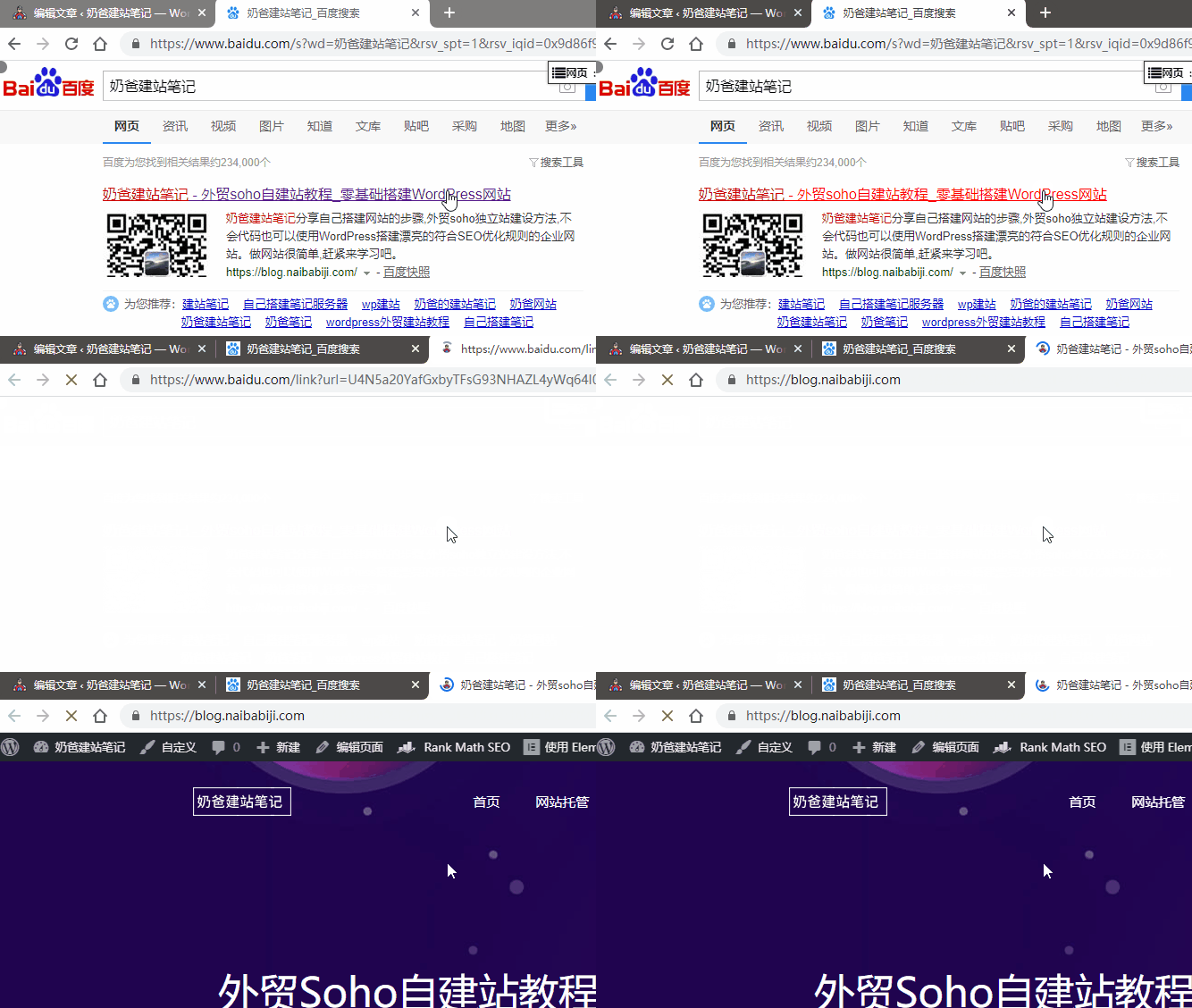
For example, clicking on Baidu search results opens a new browser window.
In HTML, the code would be target="_blank"
<a href="#" target="_blank">Link</a>
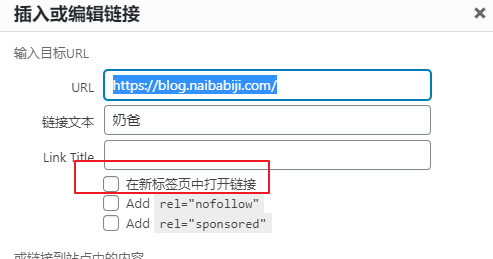
We can set this when inserting links in WordPress.
When should you choose to open in a new window?
First, we need to understand the purpose of opening in a new window.
For example, why does Baidu open in a new window, while Google defaults to opening search results in the same page?
I believe you have noticed that if you open in the same window, you are essentially leaving Google and entering the search result page. Baidu opens in a new window, so you see the result but still keep a Baidu page.
Therefore, when building our own website, when inserting links, usually links to our own website should open in the same window, while links to third-party websites should open in a new window.
But it also depends on the actual situation. For example,Steps to Build Your Own WebsiteMost links in the article open in new tabs. Normally, after reading step one, users will view step two. If opened in the current window, users would need to go back or reopen the page, which is troublesome.
Set all links to open in a new window
If you find it too troublesome to set each link to open in a new window one by one, you can directly add the following code to the webpage header to make all links open in a new window.
<base target="_blank" />
Summary:
In summary, the general rules for opening links in a new window versus the current window are:
- When accessing external websites, open in a new window;
- When accessing pages on your own website, open in the current window;
- When accessing related reading pages on your own website, open in a new window.
Opening external webpages in a new window allows users to stay on your website, increasing page views (PV). However, if all links on your own website open in new windows, users may open several tabs within minutes of visiting your site, which can cause annoyance and negatively impact user experience.