
Home WooCommerce Tutorials Standard Post

Standard Post

Add Taobao-like Videos to WooCommerce Product Gallery

This WooCommerce tutorial teaches you how to add a small video to the product gallery, similar to the display on Taobao product pages. The video URL uses a YouTube external link, which will not waste server resources or slow down the website. Implementation method: 1. Download the WooCommerce video gallery plugin and install and activate it. Download link: 2. ...

Updated on March 25, 2020 About 1 minute read
给WooCommerce产品相册添加像淘宝一样的视频

This WooCommerce tutorial by Naiba teaches you how to add a small video to the product gallery, similar to the display style on Taobao product pages. The video uses a YouTube external link, which won't waste server resources or slow down the website.

Woocommerce视频相册

Implementation Method:

1. Download and install the WooCommerce video gallery plugin.

Download Link

2. Go to the product editing page, and at the bottom you will see a YouTube URL field.
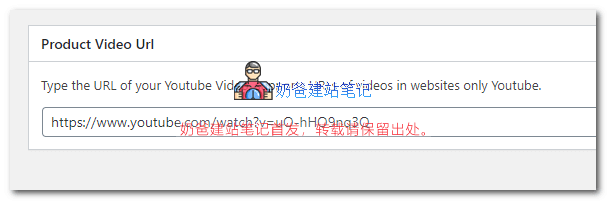
产品视频图

3. Insert the URL of your video uploaded to YouTube, update the product information, and you can see the effect on the frontend.

Other notes:

After installing the plugin, you need to go into WooCommerce settings to set the video display format. Each article's gallery can only upload one video; videos only support YouTube external links.

The video plugin introduced in this article is free and already meets the basic product display video function. If you want better features, you can consider purchasing some paid plugins.

2.6/5 - (14 votes)
Previous Ultimate Solution for WordPress 429 Error, Specifically for Domestic Servers Continue reading content around the same timeline. Next Recommended Plugins and code to solve incomplete display of website tables on mobile devices View the next related tutorial or experience.

AI Website Building Assistant

🤖
Hello! I am the Naibabiji AI Assistant. How can I help you?
Quick Consultation: