
Shopify has a comprehensive ecosystem integrating cloud website building, inventory management, multi-channel sales, etc. It is the preferred SaaS platform for Chinese e-commerce brands going global, allowing you to quickly build a cross-border sales website.
This article will introduceHow to register a Shopify account and open a store to sell your own products。
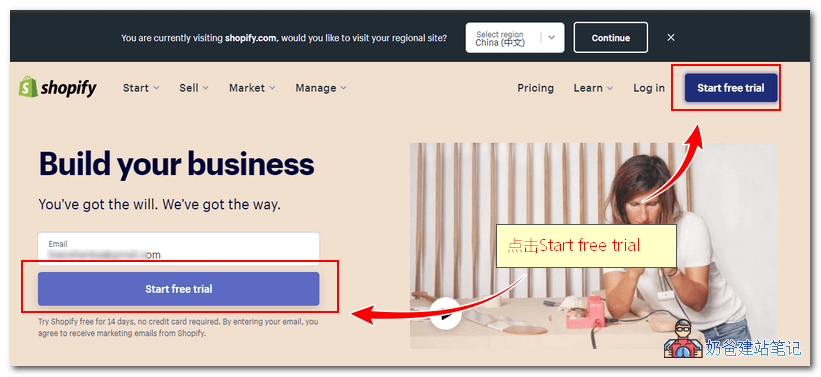
1. Go to the Shopify official website, click the 'Start free trial' button in the top right corner.
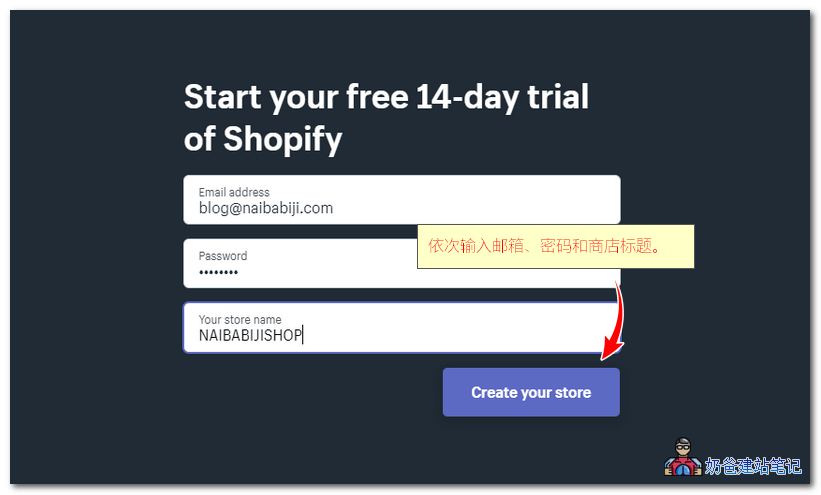
2. In the pop-up interface, fill in your email, password, and store name. Then click the 'Create your store' button.
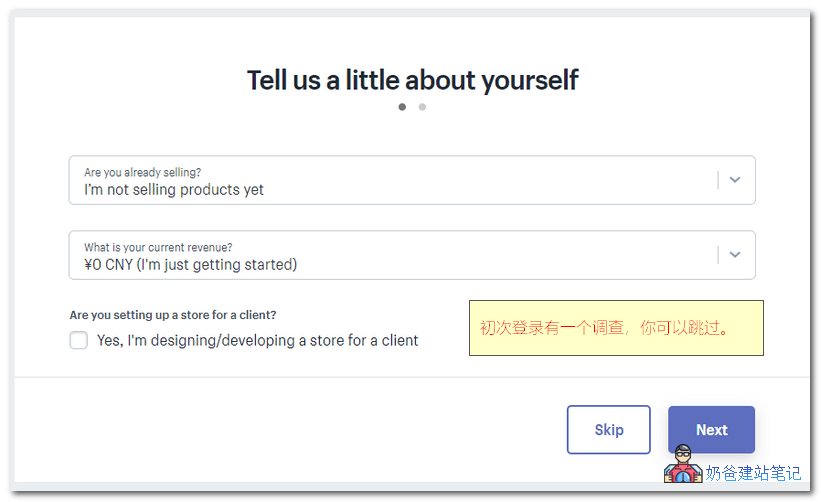
3. The first time you log in, there will be a survey. You can choose to skip it.
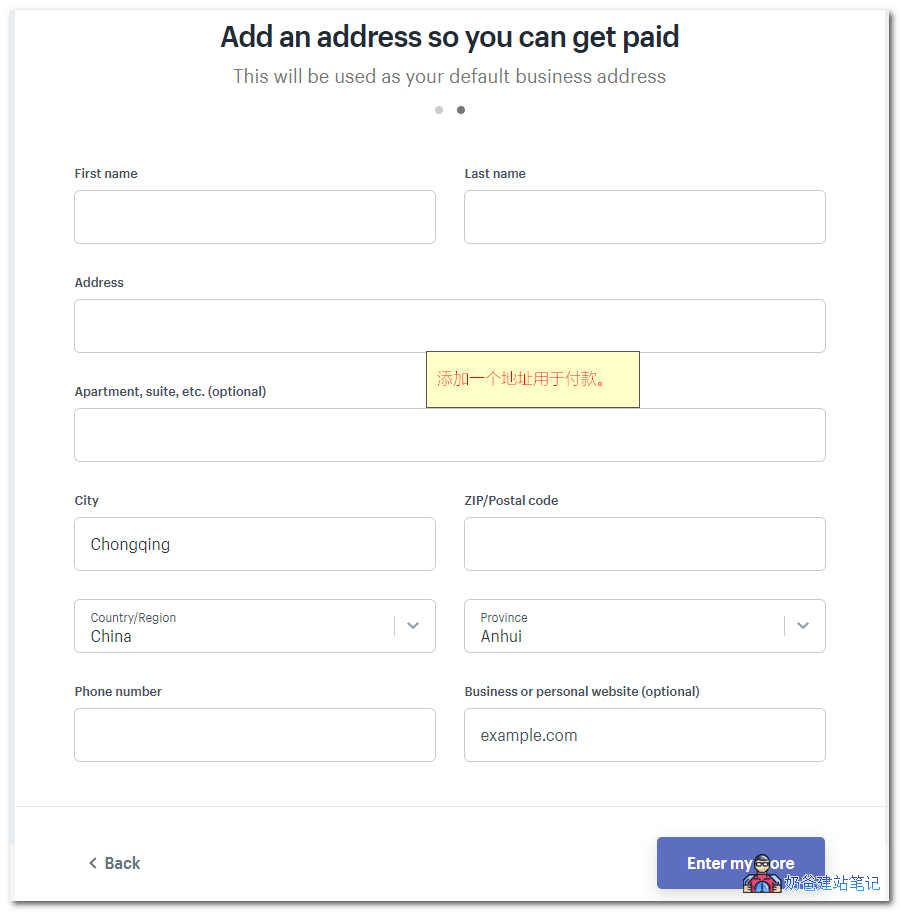
4. Next, you will be asked to fill in an address. After filling it in, click the 'Enter my store' button.
5. Just like that, your Shopify store registration is complete. In the left menu of the image below, 'Online Store' allows you to view what your website looks like.
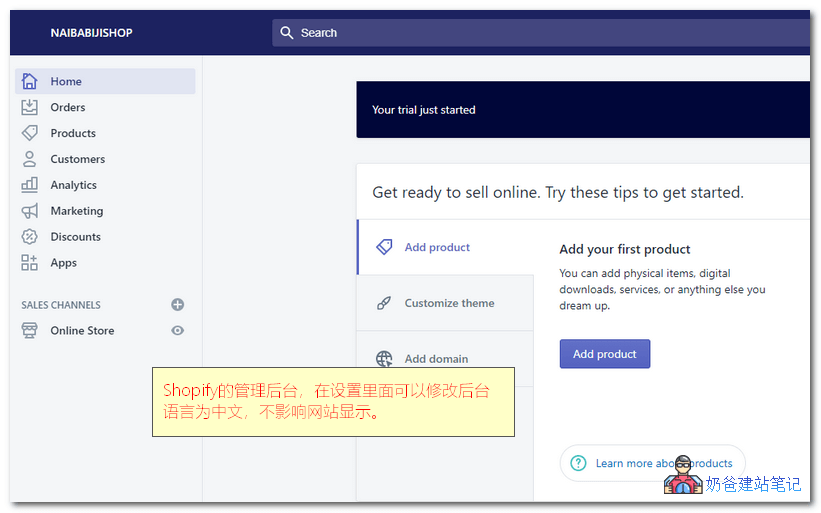
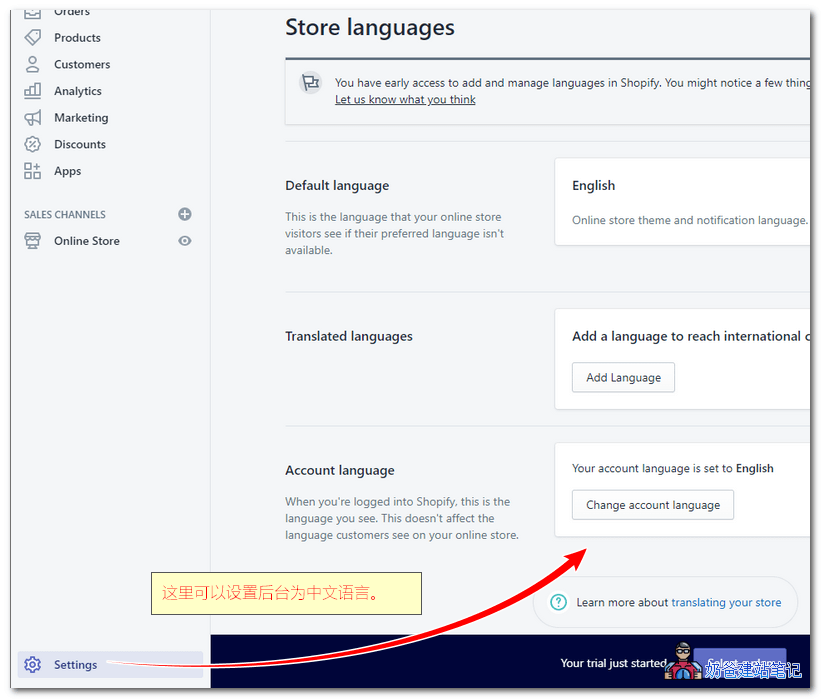
6. In the 'Settings' at the bottom left, 'Store languages' can be set to Chinese interface. This Chinese only affects the admin backend, not the display of the website frontend, so you can set it with confidence.
At this point, we have completed the Shopify registration and store setup process. Next, you just need to configure Shopify settings and theme, upload products, and you can start promoting and selling. Isn't it simple?
For more Shopify tutorials, please follow Naibabiji'sShopify category articles, I will update them periodically.