
Self-installed WordPress websiteAfter that, how do you know if the website has traffic, how many people visit it daily, and where they come from?
To know how many people visit your website, you can add a tracking code. If it is aForeign trade SOHO self-built website, then Google Analytics is the first recommendation.
What is a tracking code
What is a tracking code? Simply put, it is a piece of code that can collect visitor information on your website, including user count, user region, pages visited, where they came from, whether they came via search, referral from other sites, or direct access.
Tracking code analysis can provide the website administrator with a very detailed website report, allowing you to understand the basic situation of the website, avoid blindly updating the website, and find the direction of the website.
For domestic websites, you can use Baidu Analytics to add a tracking code; for English foreign trade websites, use Google Analytics tracking code.
Method to add Google Analytics tracking code
1. Log in to the Google Analytics homepage. If you don't have a Google account, find a way to register one.
Lazy recommendation:Quickly Submit Your WordPress Website to Google and Add Google Analytics Code
2. If you are a new user, you will be guided to create a property. For existing users, simply create a property in the settings.
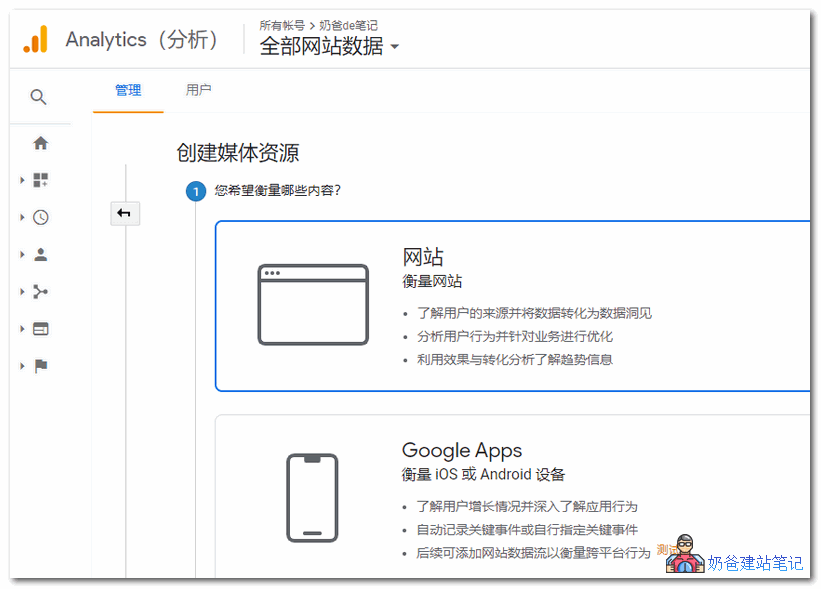
3. Choose website for measurement content
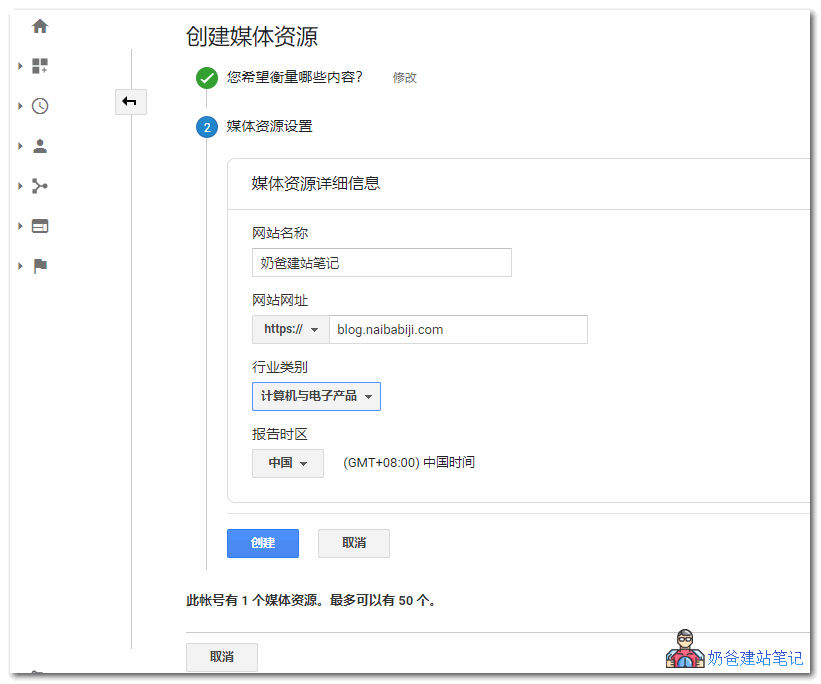
4. Add the website name and URL, then select create.
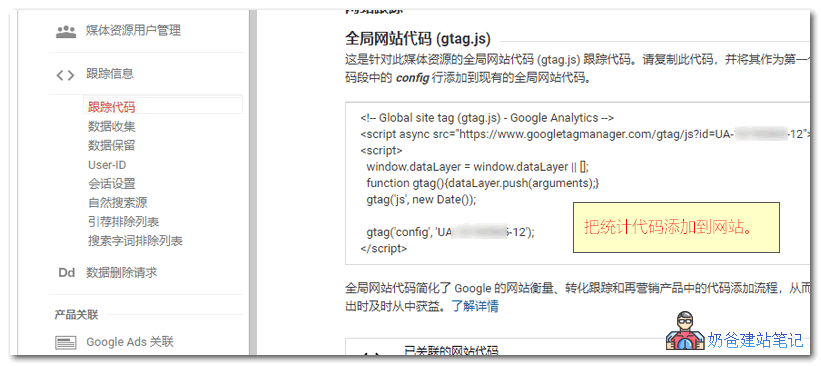
5. After creation, it will automatically jump to the tracking code page. Copy this code.
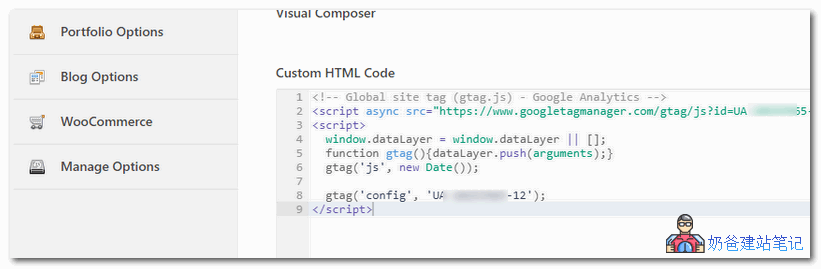
6. Paste the copied Google tracking code into the custom HTML code of your website. After saving, the Google Analytics code is added.
If your theme does not have a tracking code option and you don't know how to add code, you can use the following plugin to help you.
The above content isbuilding your own websiteHow to check website traffic after installation. After adding the Google Analytics code, you can view the website's traffic statistics on the Google Analytics homepage. Newly installed code takes some time to take effect. If your website has caching, it's best to clear the cache first to ensure the tracking code is generated on every page.