Ultimate Member - User Profiles & Frontend Membership Plugin. From the official Chinese translation name, you can tell the purpose of this plugin. It provides frontend display for user registration, login, password reset, profile, etc., without using the default WordPress login and registration interface, offering a better user experience.
This article introducesHow to Use Ultimate Member。
Ultimate Member Tutorial
1. Search for Ultimate Member in the WordPress admin dashboard to install it, or click the link below to download and upload it for installation via the website backend.
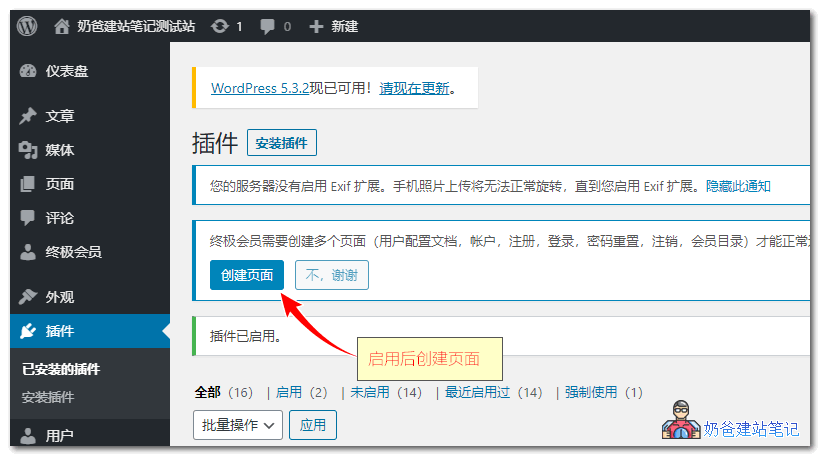
2. After installation, activate the plugin. A prompt to create pages will appear; click 'Create'.
3. Go to the settings, select the content you need to configure, and save after completion.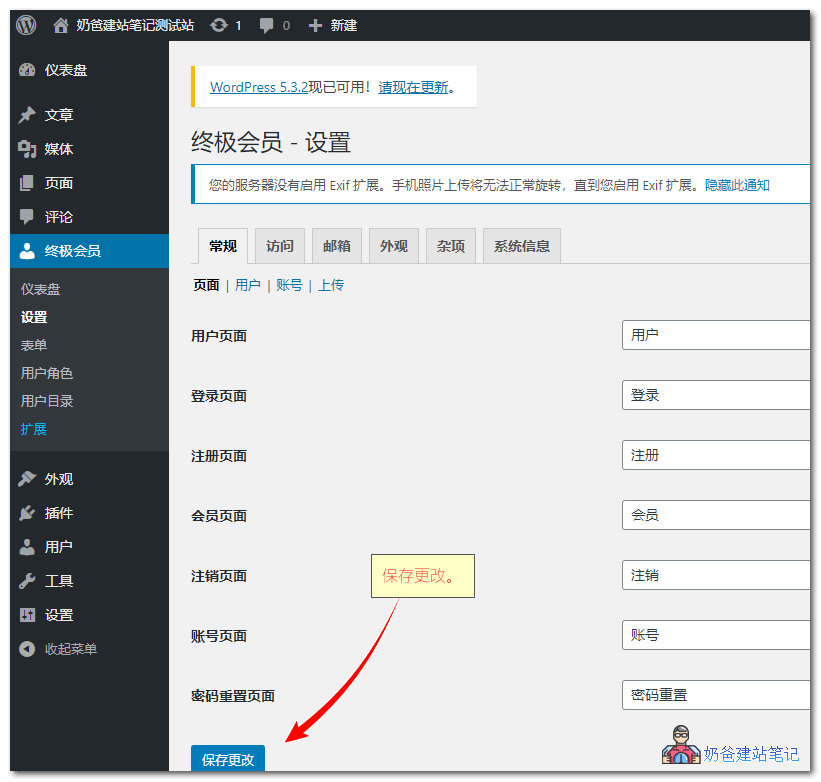
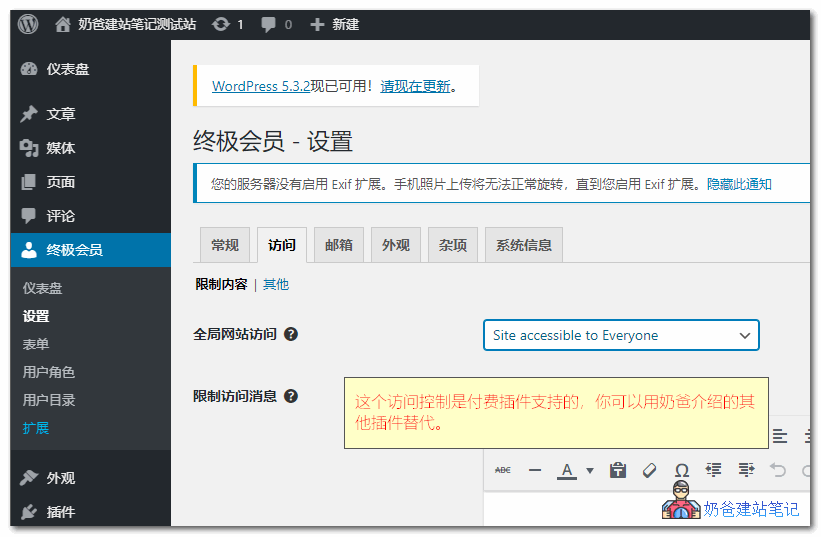
Note::The features within Access Control are only supported in the premium version; enabling this function in the free version will not restrict user access on the front-end. You can use the following plugins to take over this 'logged-in users only' visibility feature.
Update: It works. After configuration, it will automatically redirect.
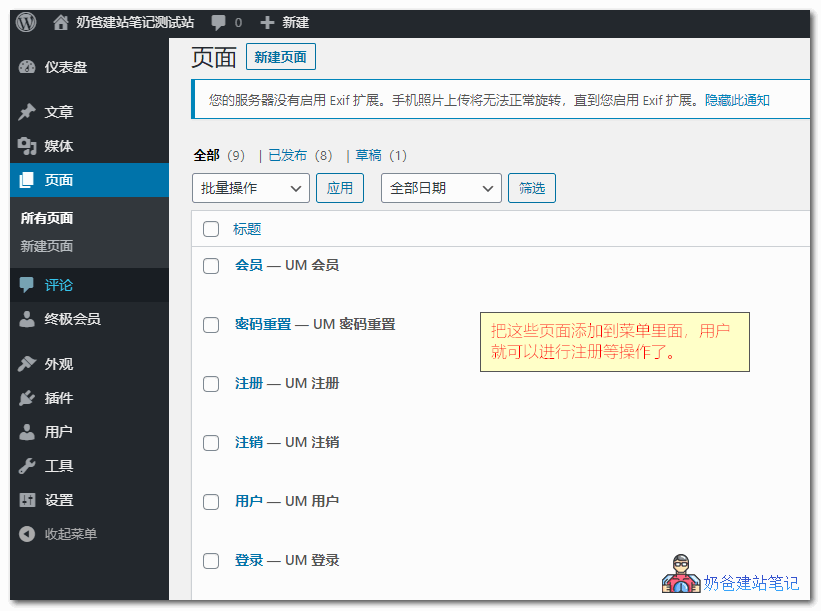
4. All newly created pages are located in the Pages section. You can add these to your menu navigation so they appear on the front-end.
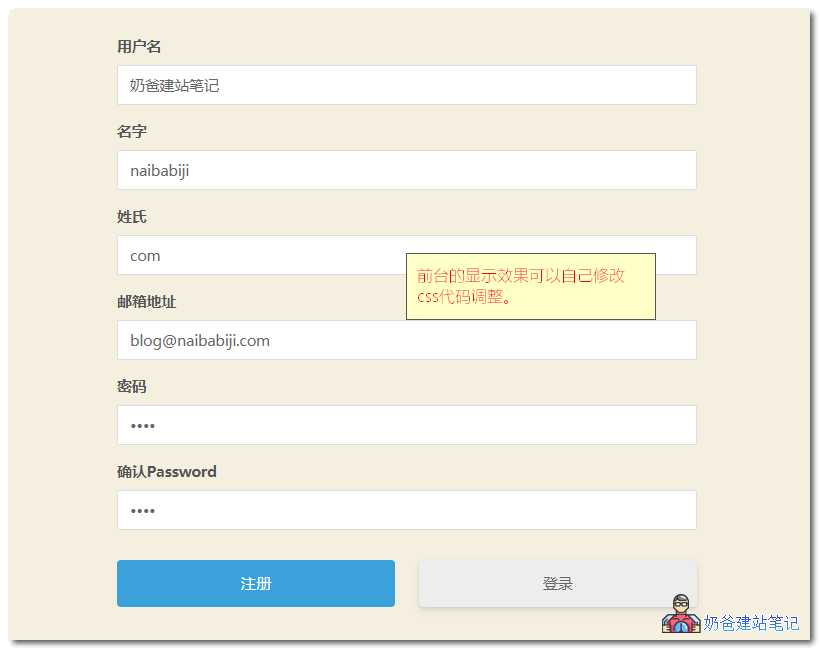
5. When users click the registration button to enter the registration interface, the display will depend on your theme. If the display is unsatisfactory, you can modify it via CSS styles, though novice users may not know CSS code.
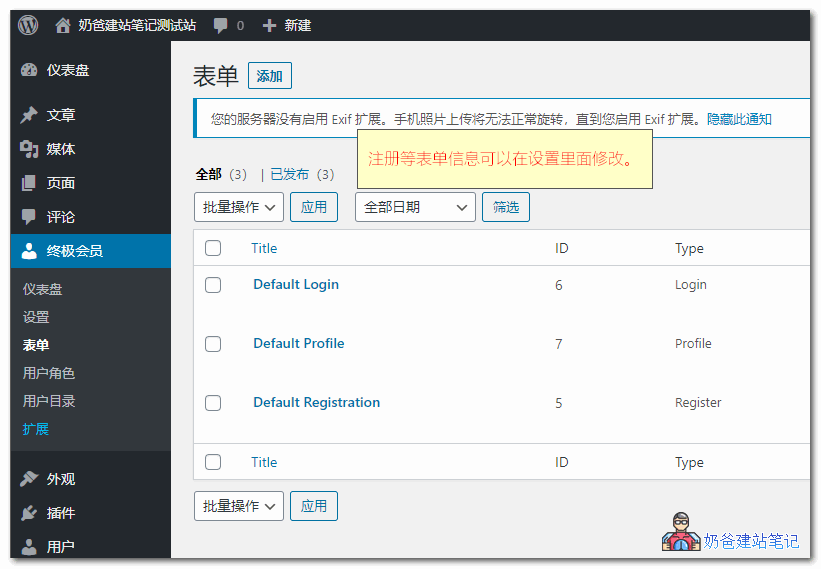
6. All registration form information can be modified in the Forms section of the Ultimate Member settings.
Ultimate Member Premium Features
The basic features are suitable for regular websites. If you want more features, you can purchase Ultimate Member extensions.
Ultimate Member has a series of extensions that allow you to expand the plugin's functionality. You can use anotherAll Access Passor buy extensions individually.
- Unsplash – Allows users to select a profile cover photo from Unsplash within their profile.
- User Bookmarks – Allows users to bookmark content on your website.
- User Photos – Allows users to upload photos to their profile.
- Groups – Allows users to create and join groups around shared topics, interests, etc.
- Private Content – Displays private content only to logged-in users.
- Instagram – Allows users to display their Instagram photos on their profile.
- User Tags – Allows you to add a user tagging system to your website.
- Social Activity – Enables users to create public wall posts and view other users' activities.
- WooCommerce – Allows you to integrate WooCommerce with Ultimate Member.
- Private Messages – Adds a private messaging system to your site, allowing users to send messages to each other.
- Followers – Allows users to follow each other on your website and protect their profile information.
- Real-time Notifications – Add a notification system to your site so users can receive real-time notifications
- Social Login – Allow users to register and log in to your website via Facebook, Twitter, G+, LinkedIn, Instagram, and Vkontakte (VK.com)
- bbPress – With the bbPress extension, you can seamlessly integrate Ultimate Member with bbPress
- MailChimp – Allows users to subscribe to your MailChimp list when registering on your site and syncs user meta to MailChimp
- User Reviews – Allows users to rate and review each other using a 5-star rating/review system
- Verified Users – Add a user verification system to your site so user accounts can be verified
- myCRED – With the myCRED extension, you can integrate Ultimate Member with the popular myCRED points management plugin
- Notifications – Use conditional notifications to alert users to important information
- Profile Completeness – Encourage or force users to complete their profiles with the Profile Completeness extension
- Friends – Allow users to become friends by sending and accepting/rejecting friend requests
That concludes the introduction and usage tutorial for thisWordPress membership center pluginUltimate Member.