Home Experience & Tips Sharing Standard Post

Standard Post

How to Set a Separate Password for Gmail Login to Hostinger

Many people have built their own independent websites following Naiba's shared Hostinger hosting tutorial, but when they encounter problems and need Naiba's help, they ask to provide backend accounts and directly send their Gmail accounts. In this case, Naiba needs to log in to your Gmail first before entering Hostinger. Actually, you can...

Updated on July 15, 2024 About 1 minute read

Many people have followed Naiba's sharing aboutHostinger hostingto build their own independent websites. However, when encountering issues during use and needing Naiba's help, they are asked to provide backend account credentials. They simply send over their Gmail account. In this case, Naiba would need to log into your Gmail first before accessing Hostinger. Actually, you can set a separate password for Hostinger, which would be much less troublesome.
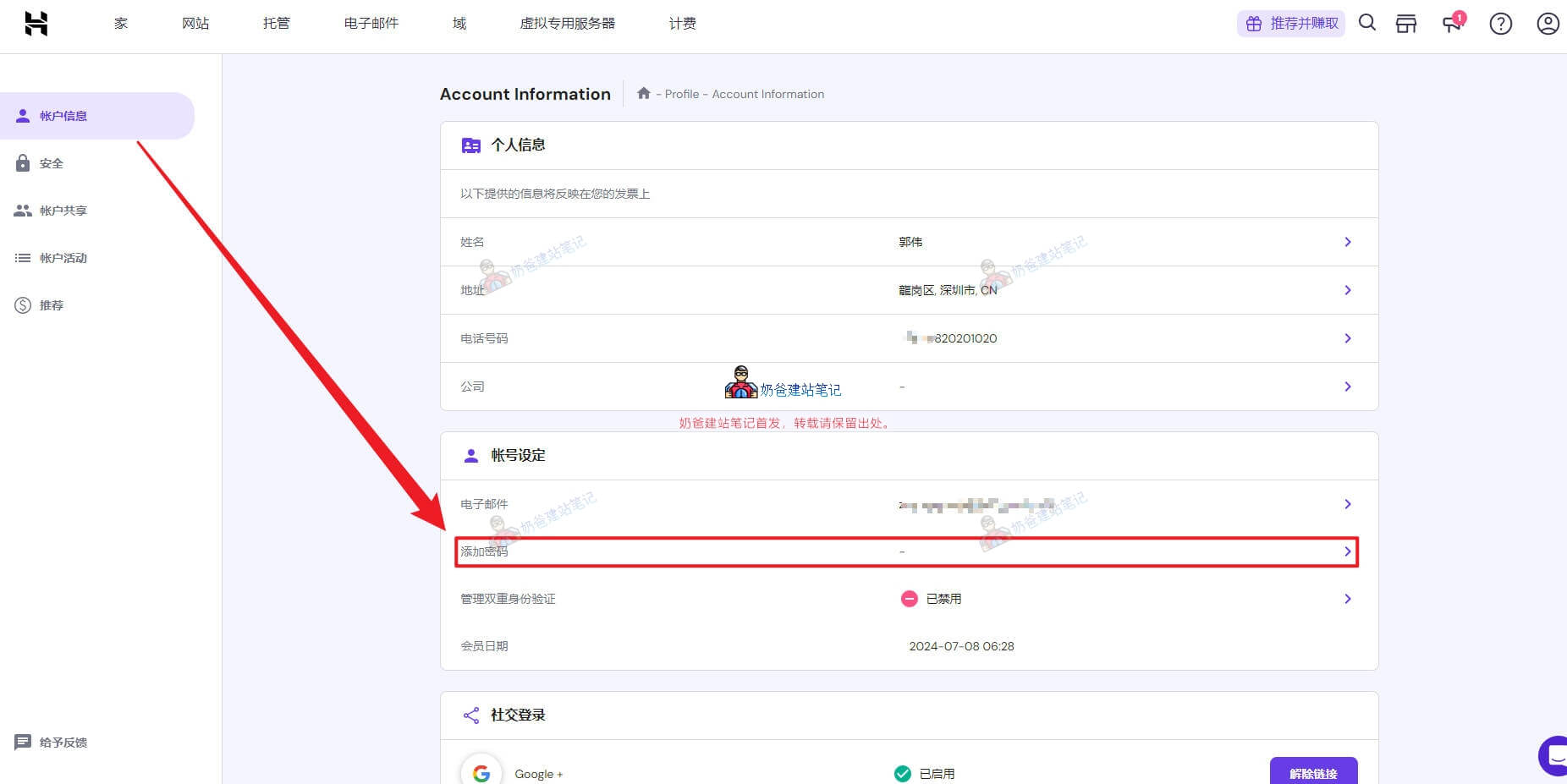
Snipaste 2024 07 15 16 11 57

First, log into Hostinger yourself using your Gmail account. Then, go to the account information page, find the option to add a password, and create one yourself. Next time, you can log into Hostinger directly using your email and the password you created.

3.7/5 - (3 votes)
Previous NameSilo Domain Renewal Tutorial: Latest 2026 Steps + Discount Strategy Continue reading content around the same timeline. Next Tutorial on Increasing Swap Space in Debian 12 View the next related tutorial or experience.

AI Website Building Assistant

🤖
Hello! I am the Naibabiji AI Assistant. How can I help you?
Quick Consultation: