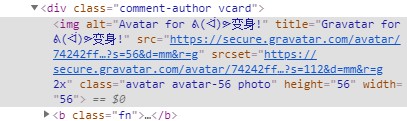
Today, while doing SEO analysis in the Bing Webmaster Tools backend, it prompted that the website images lack alt information and suggested adding it. After checking, I found that some articles have featured images without ALT, and more commonly, Gravatar avatar images lack ALT information. So, I researched how to add ALT information to Gravatar avatar images in the comment section.
Method to Add ALT Attribute to Gravatar Avatar Images: Code Version
This method is very simple. Just edit the functions.php file of your current theme and add the following code snippet, then save it.
/**
* WordPress评论区gravatar头像添加alt属性
* 详情介绍:https://blog.naibabiji.com/tutorial/wordpress-gravatar-tou-xiang-jia-alt.html
**/
function gatttf_replace_content( $text ) {

  if ( have_comments() ) {
    $alt = get_comment_author();
  } else {
    $alt = get_the_author_meta( 'display_name' );
  }
  $text = str_replace( 'alt=\'\'', 'alt=\'Avatar for '.$alt.'\' title=\'Gravatar for '.$alt.'\'',$text );
  return $text;
}

add_filter( 'get_avatar','gatttf_replace_content' );
Method to Add ALT Attribute to Gravatar Avatar Images: Plugin Version
If you are a WordPress beginner and don't know how to add code, you can use the plugin version. Simply search in the backend forFix Gravatar Alt Text & Title Tag, then install it.
The final effect is as follows: