
After building a website with SiteGround, it comes with a business email (also known as domain email) by default. In this article, Naiba will explain how to activate and use the business email on SiteGround, including tutorials for both the new and old interface versions.
SiteGround Business Email Activation Steps
First, the setup method for the new interface:
1. Log in to the SiteGround backend, then click SITE TOOLS to enter the management panel.
2. Select EMAIL > Accounts from the left navigation menu, as shown below:
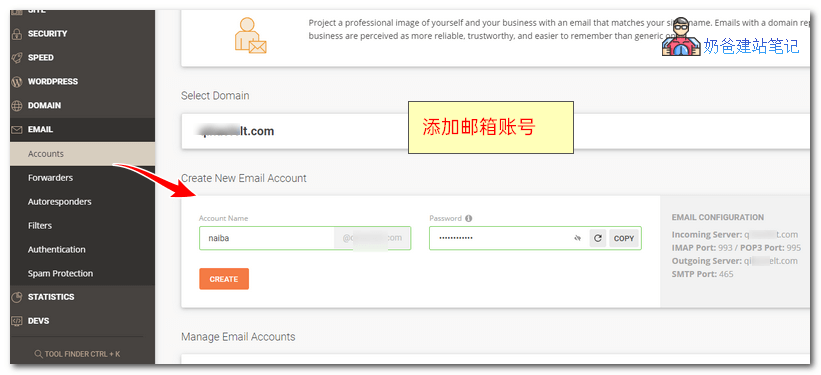
On this page, you can create the first business email account. Enter the username and password, then click CREATE to create.
3. After successful creation, you can see the email list. Click the button behind to access more features.
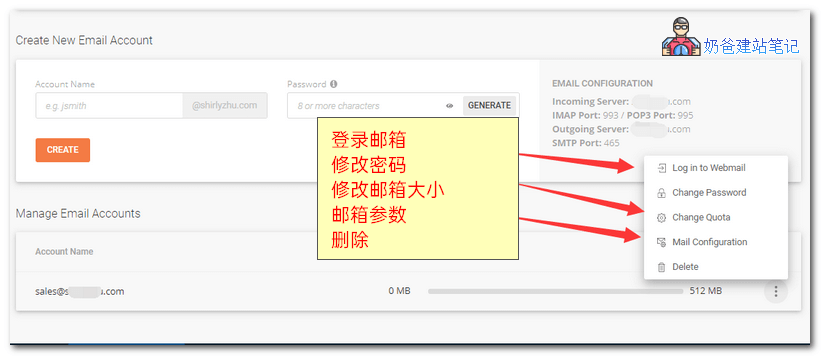
To log in to SiteGround's business email, click 'Log in to Webmail'. The other functions are not introduced here. If you no longer want this email, simply click Delete.
Business Email Activation Method for the Old Interface Version:
Now the newPurchase SiteGroundAll are new interface. If you are using the old version backend, the method to set up domain email is:
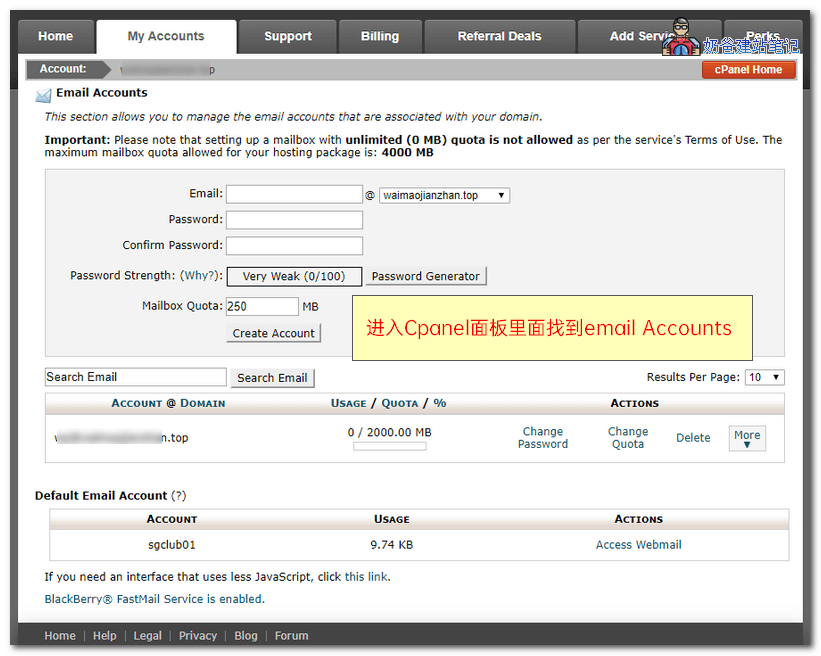
1. Log in to the SiteGround backend, enter the cPanel panel, find Email Accounts, then enter to create.
SiteGround Business Email Usage Method
If you find that the business email cannot be used after creation, and you are unable to send or receive emails, it is likely that your domain's NS records have not been modified to SiteGround. You will need to manually create DNS records or directly change the NS servers to SiteGround's DNS servers. You can refer to the tutorial below for the method:
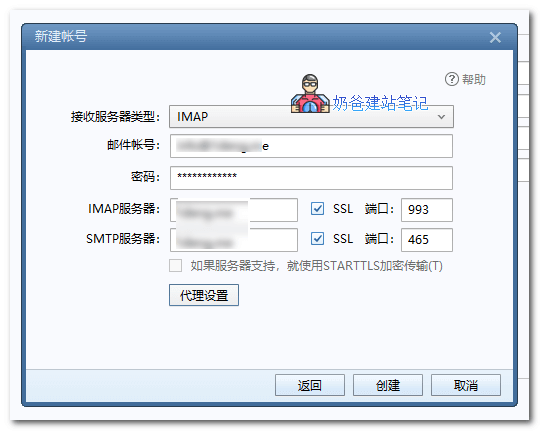
If you want to send and receive business emails on a third-party email client, the configuration information for SiteGround's domain email is as follows:
- Username: The email address you created
- Password: The password for the email you created
- IMAP Server: Your domain address
- SMTP Server: Your domain address
- Ports: IMAP 993, POP3 995, SMTP 465
The above is the tutorial for activating and using SiteGround's business email. If you prefer not to use the one provided by SiteGround, you can also consider using Tencent's free business email. The tutorial is as follows: